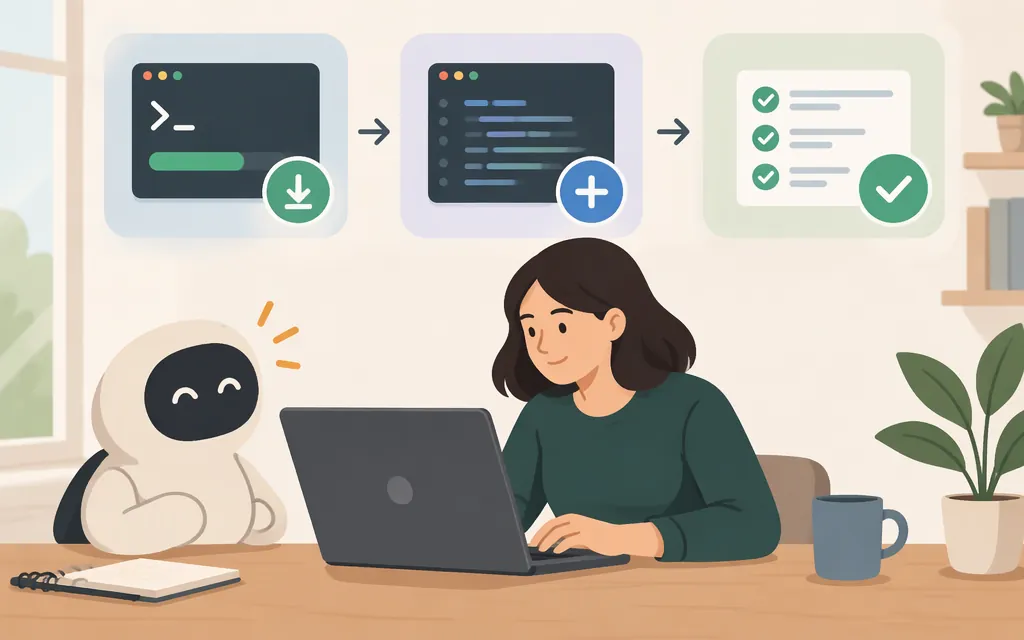
To add a skill to Claude Code, put its folder—with its SKILL.md and any supporting files—in a recognized skills directory. You can install an existing skill or create your own. After saving it, open Claude Code in the relevant project and check the available commands. You don’t need a separate production model API just to install or use a local Claude Code skill. Claude Code does need to be authenticated through a supported method. (Claude Code skills documentation; authentication documentation)
Add an existing skill
Here’s an example from Anthropic’s public skills repository: claude-api, a reference skill for the Claude API and Anthropic SDK. Its folder includes SKILL.md and supporting language-specific reference material. (Skill folder; skill instructions)
-
Review the source. Read
SKILL.mdand inspect the supporting files before installing. A repository’s contents can change, so review the version you plan to use. -
Get the skill folder. Download the Anthropic skills repository and extract it. Find
skills/claude-api/; keep that whole folder, including its reference files. -
Copy it into your project. Place the folder at
.claude/skills/claude-api/, so the instructions file is at.claude/skills/claude-api/SKILL.md. This is the documented project-skill location. (Claude Code skills documentation) -
Try a small reference-only task. Open Claude Code in that project and run
/claude-apiwith this prompt:For this project, identify its programming language and tell me which language-specific Claude API reference applies. Do not edit files or make API requests.
The skill’s instructions say to identify the project language and consult the relevant language-specific documentation. That is the expected behavior to look for—not a claim that this example was run here. (Skill instructions)
Although this example concerns API development, installing the skill is a local file operation. The skill can guide API work; installing it does not create an API integration or provide API credentials.
Project scope or personal scope?
Choose where to copy the skill based on who should use it:
- For one project or a shared team workflow: use
.claude/skills/<skill-name>/SKILL.mdinside the project. Commit the skill files if you want to share them with teammates. - For your own use across projects: use
~/.claude/skills/<skill-name>/SKILL.mdin your home directory. Claude Code documentation describes files in~/.claudeas personal configuration that applies across your projects. (Claude Code directory documentation; Claude Code 101: Skills)
Before installing any community skill, inspect its instructions and supporting files. Pay attention to scripts, commands it asks Claude to run, and any handling of project data or credentials. A skill’s presence in a repository does not guarantee it is suitable for your project.
Create a custom skill
For a project skill, create a folder under .claude/skills/ with a SKILL.md inside it. For a personal skill, use the same structure under ~/.claude/skills/. Claude Code documents SKILL.md as the file containing the skill’s instructions; this example uses name and description frontmatter. (Claude Code skills documentation)
.claude/
└── skills/
    └── review-checklist/
        └── SKILL.md
---
name: review-checklist
description: Reviews a small code change for correctness and missing tests. Use when asked to review a diff or check a change before committing.
---

# Review checklist

1. Read the diff and identify the intended behavior.
2. Look for correctness issues, edge cases, and unintended changes.
3. Check whether tests cover the changed behavior.
4. Report findings with file names and line references when available.
5. Do not edit files unless the user asks for fixes.
The folder name, review-checklist, is the name used to invoke this skill. Keep its instructions focused on one repeatable task.
Check that your custom skill is available
- Save the file at
.claude/skills/review-checklist/SKILL.mdin the project, or at~/.claude/skills/review-checklist/SKILL.mdfor personal use across projects. - Open Claude Code in the relevant project and type
/to see the commands available in that session. Look forreview-checklist. - If it appears, invoke
/review-checkliston a small diff. Check whether the response examines the change, looks for test gaps, and avoids editing files.
Claude Code documents that skills can be invoked directly as /skill-name, or used automatically when relevant. If the skill is not listed, check that you opened the intended project and that the folder, SKILL.md filename, and frontmatter are spelled correctly. (Skills documentation; commands documentation)
Do you need a production model API?
No—not to add or use a local skill in Claude Code. The workflow here uses skill files in a project or personal skills directory. That is different from building an application that sends requests to a model API. Claude Code does need supported authentication, but a separate production API integration is not a prerequisite for creating or using this local skill. (Skills documentation; authentication documentation)
In short: copy an existing skill’s full folder into the project or personal skills directory, or create a SKILL.md of your own. Review the files, check that Claude Code lists the skill, and try it on a small task before relying on it.
Sources
Extend Claude with skills — Claude Code Docs
Explore the .claude directory — Claude Code Docs
Authentication — Claude Code Docs
Skills — Claude Code 101 — Claude Academy