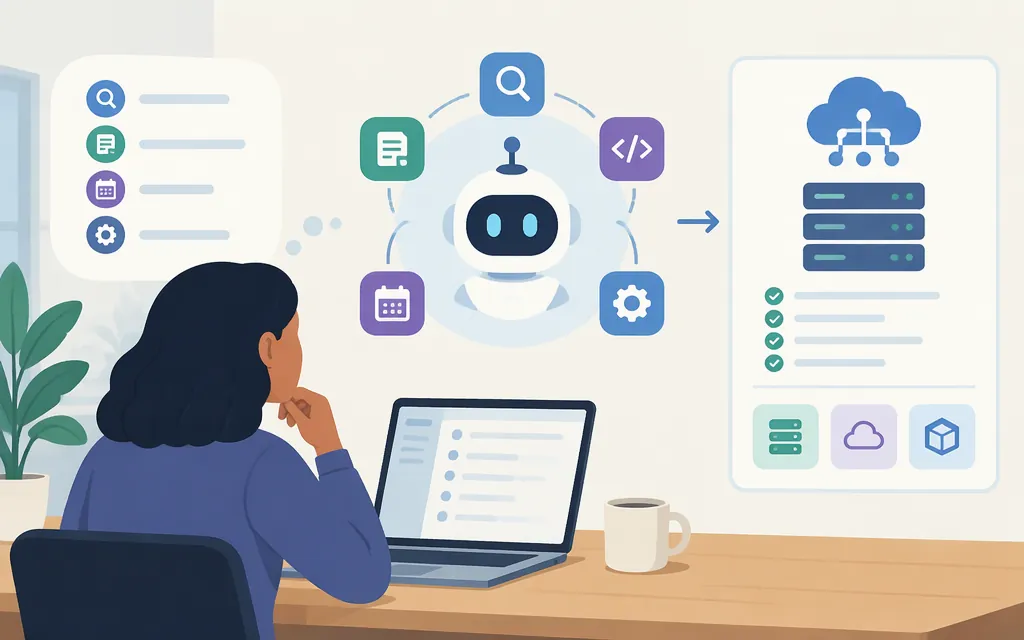
“AI agent mode” does not name one universal capability. It can mean a feature in an assistant’s interface, a mode that changes a coding agent’s permissions or behavior, or an API workflow in which a model uses tools over several steps. For production, choose the documented API, tools, and execution environment your task needs—not a model or product label alone. A feature in a consumer interface does not, by itself, establish that the same feature is available through an API.
The practical test is whether your task needs the model to do more than answer: does it need to call a system, use a browser or files, or complete a sequence of dependent steps? If so, first verify that the API supports those actions and that your application can supervise and check them.
Documentation check: November 9, 2026. API features, model availability, limits, and prices can change.
What can “AI agent mode” mean?
The phrase is used for related but distinct things:
- A named assistant feature: A product interface may let an assistant research or act using tools. Its scope and access depend on that product. Do not assume the feature is exposed in its API.
- A coding-agent runtime mode: A mode may change whether the agent can edit files, whether it must ask first, or whether it is directed to plan rather than make changes. That is a permission-and-behavior control, not a model capability shared by every provider.
- An API agent workflow: A model may request tools—such as an application function, search, or computer interaction—and an application or managed runtime handles execution, results, and the next step. OpenAI describes function calling as a way for models to interface with external systems; its Responses API migration guide recommends Responses for new projects, while the function-calling guide explains how an application handles custom function calls.
These meanings should not be conflated. A tool call is a request from the model; it is not proof that the requested action ran successfully. In a custom function workflow, your application executes the function and returns its result. A browser agent also needs an execution environment that carries out UI actions and returns the next screen or state.
When is an agent a better fit than ordinary chat?
Use this quick fit test before choosing an agent-style workflow:
- Several dependent steps: The task needs a sequence, such as finding records, comparing them, then preparing a result.
- External access or action: It needs a database function, web search, files, or a graphical interface—not just information the model can provide from the prompt.
- A checkable deliverable: You can verify both the output and whether the requested action actually happened.
- Acceptable oversight cost: The value of reducing manual steps is greater than the added time for execution, review, and handling failures.
If the task is a one-off explanation, summary, or draft, ordinary chat may be simpler. If one well-defined action is needed—such as looking up an order through a controlled application function—a narrow tool integration may be easier to constrain than a general browser agent. Consider an agent when the task genuinely needs multiple steps or flexible tool use. Keep the work human-led when errors have serious consequences or the task depends on judgment that cannot be checked reliably.
Browser research, form work, documentation summaries, and file or data tasks are examples of agent-style work—not guarantees that a particular product supports them or performs them reliably. For instance, “compare three product pages and return prices with source links” is a reasonable task to test. It is not a verified performance claim about any provider.
How to choose capabilities for a production API
Choose the workflow shape before choosing a model. A model’s support for tool calling does not automatically supply your tools, a browser, persistent state, permissions, or a safe execution environment.
| If the task needs… | Check for… | What to verify in the documentation |
|---|---|---|
| One controlled action in your application | Function or tool calling | How calls are represented, how your code executes them, and how results are returned to the model. |
| Search, file retrieval, or code execution | Built-in tools or your own integrations | Which tools are available to the model and which provider or application executes them. |
| Website or desktop UI interaction | Computer-use capability and an execution harness | Which model supports the tool, where actions run, how screen state is returned, and what approvals are required. |
| Work across several steps or sessions | Orchestration, state, and recovery support | How state is preserved, sessions are resumed, events are reviewed, and incomplete actions are detected. |
| Predictable output for downstream code | Structured output or constrained function arguments | Supported schema constraints, validation behavior, and how malformed or incomplete outputs are handled. |
What current API documentation illustrates
These are capability examples, not a model ranking or a claim that the providers offer equivalent systems:
- OpenAI: The tools guide covers built-in tools and custom function calling; tool availability and call handling depend on the integration. For computer interaction, distinguish the application-managed Responses API computer-use guide from the Agents API computer-use guide, which describes an OpenAI-hosted browser. The hosted-browser arrangement applies to the Agents API; its guide describes session setup, website-origin approvals, and sign-in handling. These are different execution arrangements, so choose the one that matches your hosting and control requirements.
- Google Gemini API: The Gemini 3.8 Flash model documentation lists Computer use as a supported capability for model ID
gemini-3.8-flash. The Computer Use guide describes the application-side execution loop: the model proposes UI actions, and your application implements their execution. This documents a model/tool pairing and an execution pattern—not a comparative test or universal recommendation. - Managed orchestration and residency: OpenAI’s Agents API FAQ labels the API beta and says a completed turn does not mean every tool succeeded. It also states that the Agents API currently supports data residency in the United States only. If Zero Data Retention is a requirement, confirm the API’s current eligibility and applicable data-scope terms in official documentation before selecting it. Treat residency and retention requirements as decision-critical; do not assume that choosing a self-hosted execution environment changes the API’s data-residency terms.
Before committing, check the current official documentation for the exact model ID and version, tool compatibility, input modalities, context and execution limits, supported regions, and lifecycle or beta status. A model-family name is not enough: supported tools can differ by model and API. For example, OpenAI’s tools documentation notes that tool availability and configuration depend on the integration.
Keep API cost separate from subscriptions
A consumer subscription price is not an API price. For API selection, estimate the model’s input and output usage and add applicable tool, execution, or hosting charges. As one dated arithmetic example, the OpenAI pricing page lists GPT-6.1 Terra at $1 per million input tokens and $5 per million output tokens under standard pricing. At those listed rates, 100,000 input tokens plus 20,000 output tokens would cost $0.20 in model-token charges, before any applicable tool or other charges. This is an illustration of the calculation, not a model recommendation or a quote for every deployment. Confirm live rates and billing details before budgeting. (OpenAI API pricing)
Test an agent before relying on it
Do not select a production model based only on the word “agent,” a vendor’s general description, or an unsupported success-rate claim. Run a small, reproducible test with tasks resembling the real workload:
- Write down the expected result and allowed actions. Include cases where the model should ask for clarification or stop rather than act.
- Use representative examples. Include ordinary cases, ambiguous inputs, missing data, and likely failure cases. Use a staging environment or non-critical data where possible.
- Measure separate outcomes. Record whether the answer was correct, the right tool was selected, its arguments were valid, the external action actually completed, and how much latency and API/tool cost the task used.
- Check the result independently. A finished model turn or plausible summary is not evidence that a form, update, or transaction succeeded. OpenAI’s Agents API FAQ explicitly warns that a completed turn does not mean every tool succeeded.
- Define permissions and checkpoints. Give the workflow only the access it needs. Decide which actions require a person’s approval, and test how the application stops, recovers, or avoids repeating an action after a timeout or disconnect.
- Set a task-specific pass bar before comparing models. For example, a read-only product-research assistant and an agent that changes customer records should not share the same acceptable error rate or approval policy. No comparative model test is presented in this guide; choose a winner only after testing your task under the same conditions.
For computer-use workflows, verify the complete loop: the model receives a screen, proposes an action, the runtime executes it, and the next screen is checked. Google’s documentation describes client-side execution; OpenAI’s computer-use documentation likewise calls for an execution environment and returning screen state. The model’s ability to propose clicks is only one part of the system.
Bottom line
“AI agent mode” may refer to a user-interface feature, a runtime permission mode, or an API-based workflow. For production, start from the task: select documented tools and an execution arrangement that can perform it, check the exact model and version requirements, then test output quality and real action completion with controls suited to the consequences. The agent label is not evidence of API access, reliability, or production readiness.
Sources
Migrate to the Responses API — OpenAI API
Computer use — OpenAI Agents API