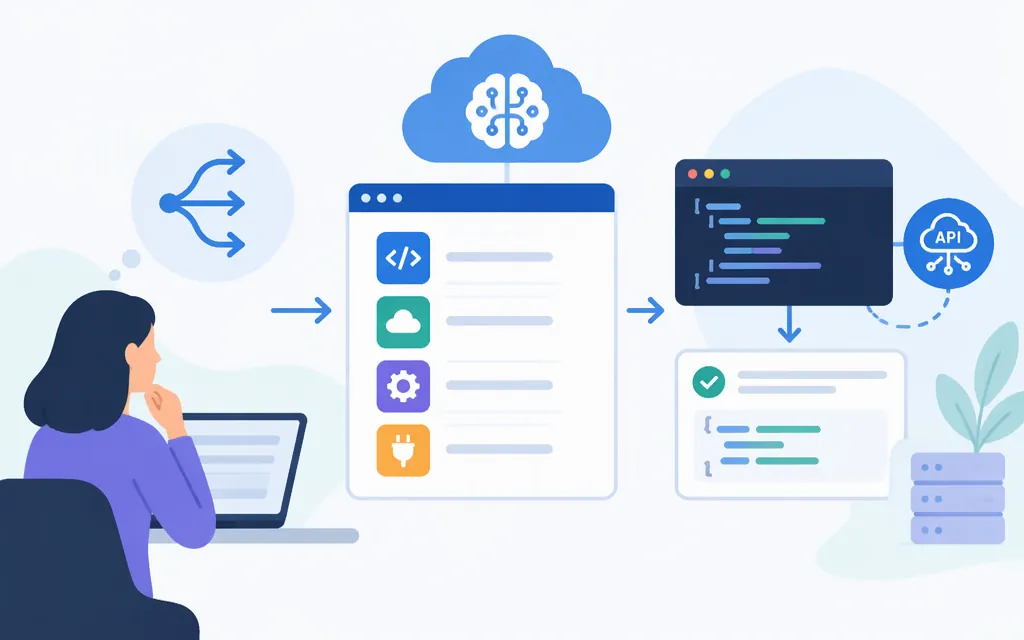
An AI API platform can mean a service that exposes models through an API or an intermediary layer between your application and model providers. For a production integration, choose the simplest route that meets your model and workflow needs: connect directly when a provider’s documented API is sufficient; consider an intermediary when it documents a capability your application needs. Neither route is automatically better.
Token Forge Cloud describes its offering as managed model API access and names Qwen, DeepSeek, GLM, and Seedance among its model API offerings. Its public material also advises confirming the specific model, endpoint, and access arrangement. Treat those names as a starting point for checking fit—not a guarantee that a particular model or endpoint is available to your project.
What does “AI API platform” mean?
A model API lets an application send input to an AI model and receive a response without operating the model itself. “AI API platform” may refer to the API service or to an additional layer that offers managed access or orchestration. The term alone does not establish which models, endpoints, or production terms are available.
Direct API or intermediary platform?
| Integration path | It may fit when… | Verify before committing |
|---|---|---|
| Direct provider API | You have a target model and the provider’s documented API meets your application’s needs. | Current model availability, endpoint, authentication, request and response formats, limits, and terms. |
| Managed or intermediary platform | You need a separate managed access route or another capability the platform documents. | Which models and endpoints are available to you, how requests and credentials work, and the platform’s security, operational, and commercial terms. |
This is a decision framework, not a claim that either route is universally cheaper or more reliable. An intermediary adds an integration boundary to understand; use one when its verified capabilities justify that for your workload. If you need multiple models, verify support for each specific model and request pattern rather than assuming they behave identically.
A documented direct-provider example: Qwen through Alibaba Cloud Model Studio
The following is a direct-provider example, not a Token Forge Cloud integration. Alibaba Cloud documents an OpenAI-compatible Chat Completions API for Qwen. This example uses the Beijing-region workspace endpoint. Use an API key for the same region as the endpoint, and confirm the selected model is available to your account.
- Set up access. Create an API key and obtain the workspace ID for the region you intend to call. Store the key in the
DASHSCOPE_API_KEYenvironment variable rather than hard-coding it. The example below uses the Beijing endpoint; replace{WorkspaceId}with your actual workspace ID. - Install the SDK. In your Python environment, install the OpenAI Python SDK:
pip install -U openai
- Send a non-streaming request. Configure the OpenAI SDK with your API key and the regional
base_url, then send the model name and amessagesarray. The message below uses the documentedroleandcontentfields.
import os
from openai import OpenAI

client = OpenAI(
    api_key=os.environ["DASHSCOPE_API_KEY"],
    base_url="https://{WorkspaceId}.cn-beijing.maas.aliyuncs.com/compatible-mode/v1",
)

response = client.chat.completions.create(
    model="qwen-plus",
    messages=[
        {"role": "user", "content": "Explain what an AI API does in one sentence."}
    ],
)

print(response.choices[0].message.content)
- Handle the response. For a non-streaming call, the response is a single JSON object; the assistant text is in
choices[0].message.content. Streaming uses a different response format, so follow the provider’s streaming instructions if you enable it. - If setup fails, check the documented configuration. Confirm that the API key belongs to the same region as the endpoint, and consult the provider’s current troubleshooting guidance for the specific error. This article does not map particular HTTP error codes to remedies.
This is an SDK example for Alibaba Cloud Model Studio, not a tested integration and not a Token Forge Cloud example. The endpoint, key, model identifier, and request format should not be reused with another provider without checking that provider’s documentation.
What to verify before production
Check the requirements that matter to your workload:
- Model and task fit: Is the specific model available to your account, and does it support the input types and features you need?
- Integration details: Are the endpoint, authentication, request and response formats, and version documented for your chosen provider and region?
- Operational constraints: What availability, usage limits, error behavior, and support terms are documented?
- Data and security terms: How is data handled, what protections are documented, and which compliance commitments apply? Ask for provider-specific evidence.
- Commercial terms: Confirm the applicable price, currency, billing unit, and any separate platform or model charges.
These are checks to make against current provider documentation and terms—not claims that a particular platform satisfies them. An older APIscene article about choosing AI APIs also lists data terms, language support, regional availability, and lifecycle costs as considerations. It is historical guidance, not a current vendor comparison or legal advice.
What is known about Token Forge Cloud?
Token Forge Cloud’s public material describes managed model API access and names Qwen, DeepSeek, GLM, and Seedance. The information cited here does not establish a complete Token Forge Cloud integration for a particular model: it does not confirm a project-specific endpoint, authentication syntax, full request and response instructions, or documented failure handling. Nor does the material cited here establish account-specific security controls, limits, or pricing. Confirm those details in current first-party documentation before building around the service.
Bottom line
Use a direct provider API when its documented interface meets your application’s needs. Consider an intermediary when it documents a capability your workload needs, then verify the actual model access, API behavior, operational constraints, and terms. The Qwen example above demonstrates one documented direct-provider SDK path; it is not evidence of Token Forge Cloud compatibility. For Token Forge Cloud, confirm your target model and obtain its current integration details before writing production code.
Sources
OpenAI compatible - Chat — Alibaba Cloud Model Studio
Install the Alibaba Cloud Model Studio SDK
Multi-turn conversation — Alibaba Cloud Model Studio
Streaming output for Qwen models — Alibaba Cloud Model Studio