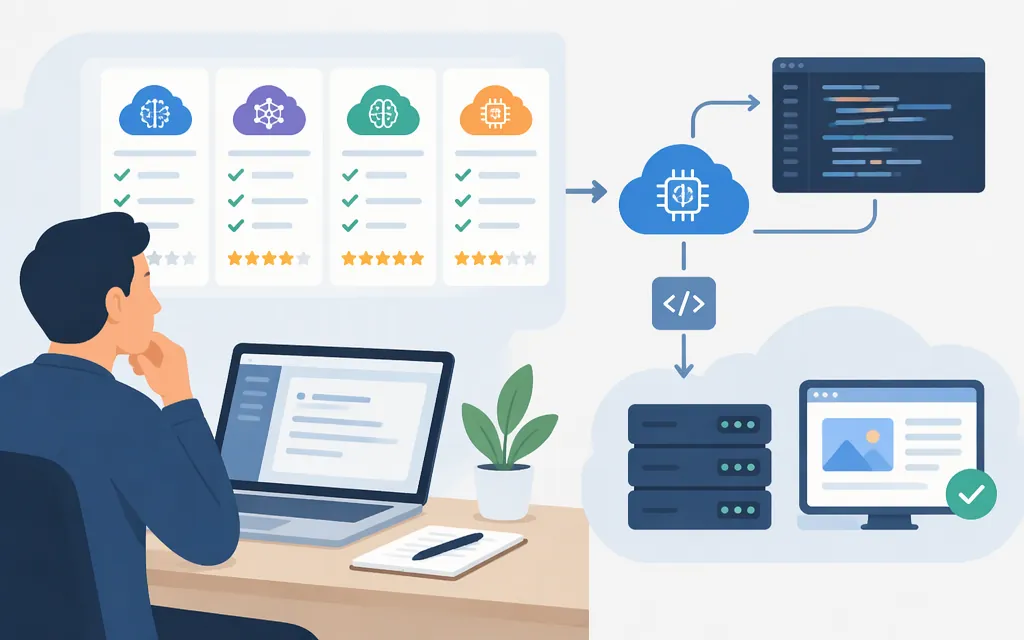
An AI API provider is the service your application calls to use a model. The right choice depends on your required model and features, workload, costs, and how much integration or operations work your team wants to manage—not on a universal provider ranking.
Start with a direct model provider if your product depends on that provider’s specific models or native features. Consider a managed access platform if it offers the model families you need and its documented integration and commercial terms fit your project. Before production, verify the exact model ID, API format, price, account limits, and failure behavior for your account.
Choose an AI API provider by what your application needs
| If your priority is… | Start by evaluating… | Verify before choosing |
|---|---|---|
| A particular model family or provider-native feature | That model provider’s direct API | Model/version availability, required features, API limits, and the provider’s current pricing |
| A managed API for selected model families | A platform that documents access to those models | Exact model IDs, endpoint, authentication, request format, billing, limits, and support terms |
| Access to multiple providers through one integration | A multi-provider gateway, if it meets your requirements | Routing rules, upstream capacity, fees, model behavior, and what happens when a route fails |
These are architectural starting points, not endorsements. A gateway can simplify access, but it does not make different models behave identically or guarantee that an upstream service will have capacity. Test the specific features your application depends on—such as tool calls, structured output, or multimodal inputs—before switching traffic.
Token Forge Cloud may be worth evaluating if Qwen, DeepSeek, GLM, or Seedance fit your use case: its homepage describes production APIs for those model families and a Neo Cloud marketplace path for proven workloads. Confirm the precise model/version and obtain the applicable developer and commercial details before designing around a particular route. (Token Forge Cloud)
Make a first API call: an OpenAI example
The following is a basic OpenAI API setup example, not a provider-neutral recipe. It follows the official JavaScript SDK’s documented Responses API usage pattern. This example has not been independently run here. (OpenAI JavaScript SDK)
Prerequisites: Node.js, npm, an OpenAI API key, and a server-side project. Keep the key in an environment variable; don’t put it in browser code or a public repository.
- Set the key in your terminal:
export OPENAI_API_KEY="your_api_key_here"
- Install the SDK:
npm install openai
- Save this as
example.mjs:
import OpenAI from "openai";

const client = new OpenAI();
const response = await client.responses.create({
  model: "gpt-5.5",
  input: "Reply with one short sentence confirming the API call works."
});

console.log(response.output_text);
- Run it:
node example.mjs
Expected result: the program prints the model’s text response. The official SDK example uses gpt-5.5; check current model documentation and your account’s access before using it. For another provider or a gateway, use that service’s own base URL, authentication instructions, model identifier, and request schema. An OpenAI SDK-compatible interface alone does not establish that every OpenAI feature or parameter is supported.
Estimate API cost with your workload
Compare providers using the same estimate of input and output tokens, then add any applicable cached-token, tool, media, batch, platform, retry, or fallback charges. Don’t treat an input-token rate as the full cost of a request.
For example, the official OpenAI pricing page lists gpt-6-luna standard rates of $0.10 per 1 million input tokens and $0.50 per 1 million output tokens. For a hypothetical workload of 100,000 input tokens and 20,000 output tokens:
- Input: 100,000 ÷ 1,000,000 × $0.10 = $0.01
- Output: 20,000 ÷ 1,000,000 × $0.50 = $0.01
- Estimated token charge: $0.02
That is a reproducible token-cost example, not a bill prediction. It excludes tools, other usage dimensions, retries, and any other applicable charges; check the current rate card for the exact model and processing option. (OpenAI API pricing)
For each candidate, record your assumed requests per day, average input and output size, peak traffic, and any tool or media use. Recalculate with that provider’s current rates and billing units. If you cannot get a price or billing detail that matters to the estimate, treat it as unresolved—not as zero.
Check limits and failure behavior before launch
A provider’s limits may include requests per minute or day, token throughput, modality-specific limits, or other constraints. OpenAI’s documentation, for example, describes several such measures and says limits can vary by model and apply at organization and project levels. There is no single numeric quota that applies to every model and account; check the limits shown for the account and model you intend to use. (OpenAI rate-limit guidance)
Before production, verify:
- Scope: Does a limit apply to a key, project, workspace, organization, or another account boundary?
- Capacity: What are the applicable request, token, daily, concurrency, or modality limits for your model and account?
- Spend controls: What controls are available, and what happens when one is reached?
- Errors and recovery: For OpenAI, check the 429 error code and message. For a temporary rate limit, slow request traffic and follow the
Retry-Afterheader when present; if it is absent, use bounded exponential backoff with jitter. Avoid tight retry loops: unsuccessful requests can still count toward the per-minute limit. A 429 can also indicate exhausted credits or a spend/usage limit; retries will not fix those billing or quota conditions, so resolve the reported issue instead. This is documented guidance, not a live test of this example or of gateway behavior. (OpenAI error codes, OpenAI rate-limit guide) - Fallback fit: Is an alternate model acceptable for quality, features, and any applicable data requirements? A successful retry can still produce an unacceptable product result if behavior changes.
Run a controlled test with representative prompts and expected traffic. Record response quality, latency, actual usage, and failure behavior. This is a proposed evaluation procedure, not a claim that these providers have been benchmarked here.
Questions to settle before choosing Token Forge Cloud
Token Forge Cloud’s homepage describes production APIs for Qwen, DeepSeek, GLM, and Seedance, but the homepage information cited here does not specify the integration and commercial details needed to implement a particular model route. Ask for or consult current first-party documentation covering:
- The exact model and version available for your use case.
- The API endpoint, authentication method, and request/response format.
- Current pricing, billing units, and any plan or account prerequisites.
- Applicable limits and the documented behavior on throttling or upstream failure.
- Any security, data-handling, or regional terms your application requires.
Compare those answers with direct access to the model provider. Choose the route that meets your feature needs and operating requirements; don’t assume a managed API or marketplace path includes a particular model, feature, price, or fallback unless the relevant terms say so.
Practical decision rule
Shortlist providers by required model capability first. Then compare integration requirements and the cost of your real workload, and test account-specific limits and failure handling. Use a direct API when provider-native behavior is essential; consider managed or multi-provider access when its documented features address a concrete integration or operations need. If a key purchase detail or technical requirement remains unconfirmed, resolve it before routing production traffic.