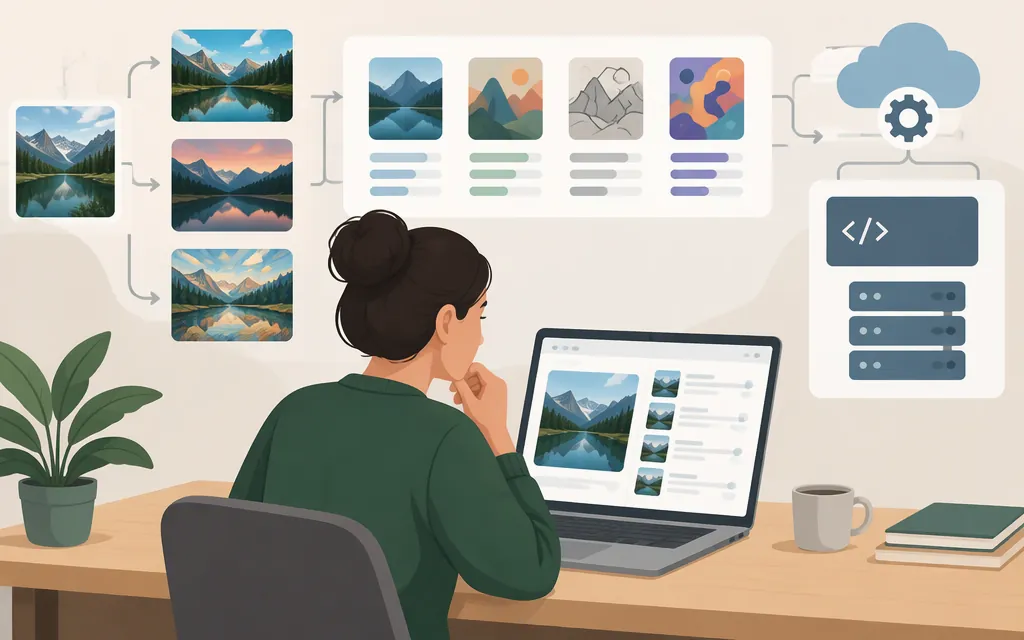
Short answer: Choose an AI image-editing model by the edit you need—not by a single “best model” ranking. First decide whether you need instruction-based changes, a masked local edit, background removal, outpainting, or another specific operation. Then test shortlisted models on the same representative images and prompts, and verify the exact model and API version in current official documentation before building a production workflow. The available evidence does not establish a universal winner.
What counts as an AI image-editing model?
An image-editing model transforms an existing image. That differs from text-to-image generation, which starts with a written prompt and creates an image. Some systems support both: Google’s Gemini API documentation describes image editing using text and images, as well as multi-turn editing; Kapwing’s product page also distinguishes image-to-image editing from text-to-image generation. These are product descriptions, not proof that every model supports every editing operation. (Gemini API; Kapwing)
Classify the job before comparing models:
- Instruction-based edit: Change something in an existing image using a natural-language request.
- Local edit or inpainting: Replace or alter a selected area while trying to leave the rest alone.
- Background work: Remove or replace a background.
- Canvas change: Extend an image or change its framing or aspect ratio.
- Restoration or enhancement: Improve, sharpen, or otherwise process an existing image.
- Style change: Restyle an image while retaining some of its content or composition.
These task labels describe different needs—not a guarantee that any particular model performs them well. Bria’s current documentation identifies its /v2/image/edit endpoint as using Fibo 2. For masked edits, its documentation says the model generates new content within the masked area and that surrounding pixels are not altered. This is the provider’s documented behavior, not a comparative test. (Bria Image Editing overview; Bria Image Edit by Text reference)
Which models should you shortlist?
Start with the task, then shortlist candidates whose official documentation describes a relevant input, control, or API. Treat product pages and rankings as discovery sources; verify capabilities and versions with the provider before relying on them.
| Your likely need | Candidate to investigate | What the available documentation supports—and what it does not |
|---|---|---|
| Conversational edits to an existing image; several reference images | Google Gemini image models | Google’s API documentation describes image-based conversational editing. Google’s Nano Banana 2.1 model page lists model code gemini-nano-banana-2.1 and support for up to 14 reference images. Confirm the exact model identifier and parameters in the API documentation you will use; these capability claims are not a comparative test. (Gemini API; Nano Banana 2.1 model page) |
| Instruction-led editing with more explicit controls, including a mask or structured instructions | Bria Fibo 2 Image Edit | Bria documents /v2/image/edit as using Fibo 2, with natural-language or structured instructions, up to four reference images, and masking for localized edits. The documentation describes masked content as generative replacement and says surrounding pixels are not altered. (Bria Image Editing overview; Bria Image Edit by Text reference) |
| A focused, single-purpose operation such as background removal | A specialized endpoint | Bria documents a distinct background-removal endpoint as well as broader editing tools. An operation-specific endpoint may be a better candidate to test than a broad editor when your workload is narrow, but this is a testable selection hypothesis—not a quality claim. (Bria Image Editing overview) |
| Natural-language editing as a research lead | Apple’s MGIE | A February 7, 2024 article in The Verge reported text-prompt edits including crop, resize, filters, object changes, and selective brightening. That report does not establish current API availability or production support, so do not select it for a live API workflow on that basis alone. (The Verge) |
A third-party ranking page labeled November 2026 lists Nano Banana 2.1 Edit, GPT Image 2 API, and Meta Muse Image Edit among its leading image-editing candidates. But it contains unresolved ranking and score-label inconsistencies, and its captured content does not provide task-by-task results or a detailed evaluation method. Use it, at most, to find candidates—not to declare a production winner. Similarly, a captured CometAPI article introduction names GPT-image-1, Qwen-Image Edit, Nano Banana/Gemini-2.5-Flash-Image, and Flux Kontext but does not include its promised comparison. Neither source settles which model fits a particular task. (Modelgrep; CometAPI)
The practical decision path is:
- Name the exact edit. For example: “remove the background,” “replace the marked object,” or “extend the canvas to a portrait ratio.”
- Specify what must stay unchanged. This might be a product’s shape, a person’s identity, the image’s composition, or unselected areas.
- Identify required controls. Do you need a mask, multiple reference images, structured parameters, or repeatable outputs?
- Shortlist by documented fit. A feature label is a lead, not proof of quality. Confirm that the official API supports the input and control you need.
- Compare with your own representative images. Use the validation plan below before making a commitment.
Production API checks before you commit
A model name, leaderboard entry, browser editor, or research demo does not by itself demonstrate that a production API is available. For the exact model and version you plan to use, confirm these items in current official documentation:
- The callable model identifier, API endpoint, and availability for your intended account or region.
- Authentication and the required image input format, size, and transport method.
- Request fields, response shape, and how to retrieve or store the resulting image.
- Whether requests are synchronous or asynchronous, and how to handle polling or webhooks.
- Error responses, retry behavior, and any documented rate or throughput limits.
- Current API pricing, currency, billing unit, and relevant plan terms. Keep API charges separate from consumer subscriptions or an editor’s credit system.
For example, Bria documents token-based authentication for its image-editing API. Its /v2 endpoints are asynchronous by default and return a request ID and status URL; the documentation says to pass sync: true for a blocking request. This is concrete API evidence for Bria’s documented endpoints—not evidence that another provider or model has the same interface. (Bria Image Editing API reference)
The following is a partial SDK call showing the documented background-removal endpoint and result fields. It assumes the SDK client and Image helper have already been set up; it is not a complete, independently tested script:
# Assumes `client` and `Image` are already configured for the Bria SDK.
response = client.run(
    endpoint="image/edit/remove_background",
    payload={
        "image": Image(
            "https://labs-assets.bria.ai/sandbox-example-inputs/remove_background_example.jpg"
        ).as_bria_api_input
    },
)

print(response.status)
print(response.result.image_url)
The captured SDK example supports the endpoint, payload shape, and returned image URL shown here. It does not establish the imports or setup for this exact call, so consult Bria’s current SDK documentation before using it. The available sources do not establish a comparable current per-image API price for the candidates above, so this guide does not quote one. (Bria Python SDK documentation)
Validate a shortlist on representative inputs
A small, consistent evaluation is more useful than comparing unrelated demos. The following is a proposed test plan, not a test we conducted:
- Select images that resemble your real workload, including difficult cases such as fine edges, busy backgrounds, small text, or similar-looking objects.
- Write one prompt per edit, and define pass/fail criteria before viewing outputs. For a background replacement, for example, criteria might include correct subject edges, the requested background, and no unwanted changes to the subject.
- Give each candidate the same source images and equivalent instructions. If the workflow requires separate steps, keep those steps consistent too.
- Record the provider, exact model/version, endpoint, input image, prompt, settings or mask, output, errors, and any retries.
- Review the criteria that matter for your use case: edit accuracy, preservation of untouched content, consistency, text fidelity, and output usability. Separately record operational requirements such as response time and limits if your application depends on them.
Kapwing’s product guidance recommends specific, singular instructions and gives background removal and logo addition as edits to request separately. That is useful advice for designing a consistent comparison, but it is vendor guidance—not a controlled result showing that one prompt style wins across models. (Kapwing)
The same distinction applies to published examples. The Verge reported MGIE examples such as adding vegetables after a “make it more healthy” prompt for a pizza image, and brightening a dark tiger image after a contrast instruction. These can inspire test cases; they are not comparative benchmarks or guaranteed outcomes. A sound model choice comes from results on your own defined workload, not from treating an illustrative example as proof.
What the available evidence does not establish
The captured competitor pages do not provide a comparable, controlled evaluation of the named models on the same tasks. They also do not, by themselves, verify current API availability, exact versions, regional access, or API prices. The The Verge MGIE report is dated February 7, 2024; the third-party Modelgrep ranking contains unresolved inconsistencies; and the captured CometAPI text ends before its promised comparison.
So the defensible answer to “What is the best AI image editing model?” is conditional: the best candidate is the one that passes your task-specific quality checks and whose current official API meets your production requirements. If either the task fit or the API details remain undocumented, keep the candidate in evaluation rather than treating it as ready to ship.
Sources
Image Editing API Reference — Bria
Gemini Nano Banana 2.1 — Gemini API
Nano Banana image generation — Gemini API
Apple made an AI image tool that lets you make edits by describing them — The Verge