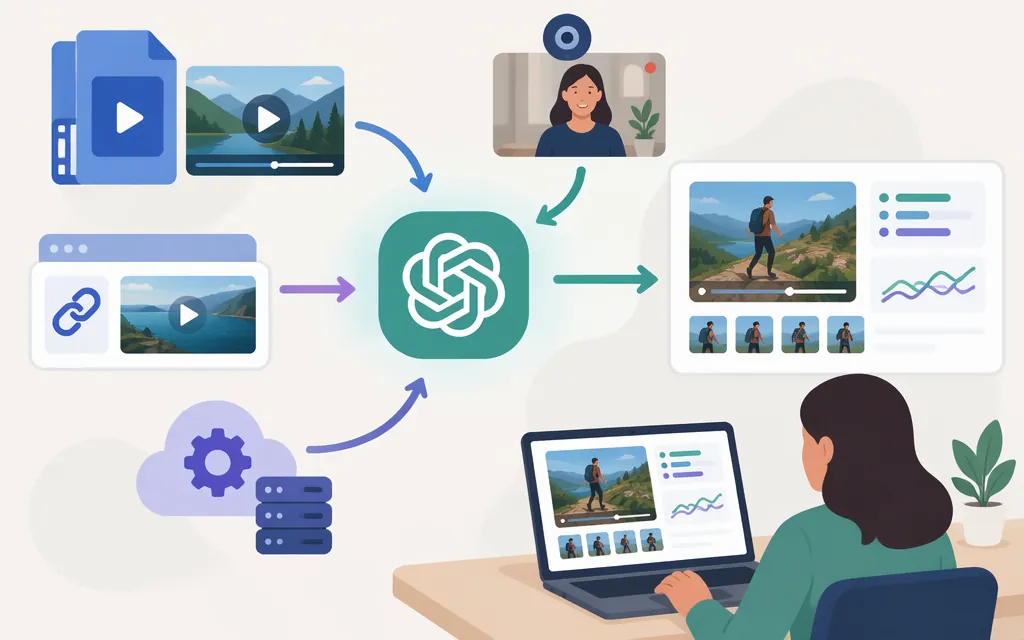
Yes. ChatGPT can accept video files as attachments on supported surfaces, and may analyze them—but OpenAI says the analysis can be incomplete or inaccurate. Live camera video, prerecorded uploads, video links, and production API inputs are separate workflows. (ChatGPT Image Inputs FAQ)
| Your input | What the current documentation establishes | Practical takeaway |
|---|---|---|
| Prerecorded video file in ChatGPT | ChatGPT can accept video attachments through supported upload methods, including on Free plans. Availability varies by platform, upload method, and account. | Try attaching the file in a chat. If you can’t select it in Photos, OpenAI says to check whether it can be attached through Files instead. (FAQ) |
| Live camera video | Video sharing is available in the Advanced Voice experience on mobile for Plus, Pro, Business, Enterprise, and Edu plans. | Look for video sharing in Advanced Voice on mobile and check whether it’s available for your account. The Live Voice option does not support video or screen sharing. (Voice help; live video feature) |
| A video link | The official materials cited here do not establish that pasting an arbitrary video or YouTube link lets ChatGPT analyze the video itself. | A link is not the same as attaching a video. Don’t rely on link analysis unless your ChatGPT experience confirms it can access the video content. |
| Production OpenAI API | The Responses API supports image analysis. GPT-6 Luna accepts image input, but its model documentation lists video input as unsupported. | For this documented API route, selected frames can be sent as images with a text question. That is not direct video-file input. (Images and vision guide; GPT-6 Luna model) |
Uploading a prerecorded video in ChatGPT
Attach the video to a conversation using an upload method available to you, then ask a focused question—for example: “Summarize the visible events in order. Separate what you can directly observe from what you’re inferring, and flag anything unclear.” If the video is not selectable in Photos, OpenAI suggests checking Files. Video attachments count toward your plan’s file-upload limits. (ChatGPT Image Inputs FAQ)
Treat the result as an interpretation, not a guaranteed full review. OpenAI says analysis may be incomplete or inaccurate, may not cover the entire video, and may not accurately interpret its audio. Check important details against the original clip. (ChatGPT Image Inputs FAQ)
Live camera video is a different feature
For a live scene, OpenAI documents video sharing in Advanced Voice on mobile. Its feature page lists Plus, Pro, Business, Enterprise, and Edu plans. Check whether video sharing is available in your account; Live Voice does not support video or screen sharing. (ChatGPT Voice help; live video feature)
That live interaction is not the same as uploading a saved recording. Neither app feature, by itself, establishes that the same video input is supported through an API.
What about a production OpenAI API?
The current API materials establish an image-input route, not direct prerecorded-video input for the model described here. GPT-6 Luna (gpt-6-luna) accepts text and image input through the Responses API; its model page lists video as unsupported. That statement is specific to GPT-6 Luna, not a claim about every OpenAI model. (Models page; GPT-6 Luna model)
For an image-based request, the OpenAI image guide documents supplying an image by URL, Base64-encoded data URL, or file ID, and says multiple images can be included in one request. These details establish supported image representations, but the documentation excerpt here does not confirm the precise request-object fields or full schema; consult the linked guide’s current request example before treating a payload as copy-ready. (Images and vision guide)
This is an image-input workflow—not a documented instruction to upload a video file to the API. OpenAI’s GPT-Realtime model reference likewise lists video as unsupported for that specific model. An archived video-understanding cookbook example demonstrates extracting still frames, but warns that its recipe may refer to outdated models or APIs; treat it as an example, not current implementation authority.
A frame-based approach has a coverage trade-off: selected stills may omit motion, brief events, or details that happen between frames. A community user describes JPEG/PNG key frames as a workaround, not a replacement for video upload. That report is anecdotal, not a validated recipe or accuracy benchmark. For estimates or other consequential decisions, verify conclusions against the full footage. (OpenAI Developer Community discussion)
Which path should you choose?
- You have a saved clip and want a one-off answer: Try attaching it in ChatGPT if the option is available. Review important observations against the source video.
- You want to discuss a live scene: Check for Advanced Voice video sharing on mobile and confirm that the feature is available for your account.
- You have a link: Don’t assume ChatGPT can inspect the linked video; the cited official guidance does not confirm that workflow.
- You’re building an API workflow: GPT-6 Luna supports image input through the Responses API, not video input. If you use selected frames, account for what may happen between them; check the linked API guide for the exact request schema.
Bottom line: ChatGPT can accept video attachments in the app where supported, but its analysis can miss or misinterpret information. Live camera, saved video, links, and API image inputs are distinct paths—confirm the one that matches your workflow.
Sources
ChatGPT Image Inputs FAQ — OpenAI Help Center
ChatGPT Voice — OpenAI Help Center
ChatGPT Voice mode with live video
Images and vision — OpenAI API
GPT-Realtime Model — OpenAI API
Processing and narrating a video with GPT-4.1-mini's visual capabilities — OpenAI Cookbook