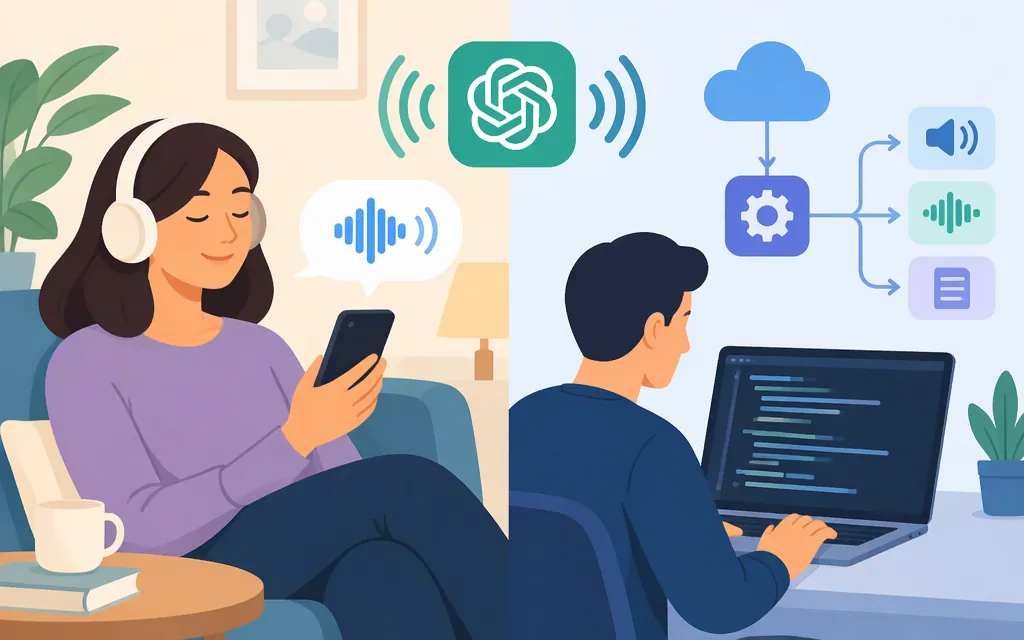
Yes—ChatGPT can speak text, but the right option depends on what you want to do. To hear a ChatGPT response, use Read aloud in the ChatGPT app: open the response actions below a reply or its more-options menu (•••), then choose Read aloud if it is available. Actions can vary by message. To add generated speech to an application, use a developer API. OpenAI’s migration guidance names gpt-realtime-2.1-mini on the Realtime API as the replacement for its retiring TTS models, but this is a different workflow—not a model-name swap for /v1/audio/speech. (help.openai.com)
Product and API status below reflects OpenAI documentation available November 8, 2026.
Choose the path that matches your goal
| Your goal | Use | What to know |
|---|---|---|
| Hear a ChatGPT answer read aloud | Choose Read aloud from the response actions or more-options menu (•••). | Available actions vary by message. (help.openai.com) |
| Talk with ChatGPT and hear spoken replies | Use Voice in ChatGPT. | Voice is for spoken conversations; it is different from generating audio through a developer API. (help.openai.com) |
| Add generated speech to your application | Use a developer API that matches the workload. | OpenAI distinguishes conversational Realtime sessions from dedicated text-to-speech guidance for narration. The older Speech API models have a scheduled shutdown, so check the migration details below before choosing a long-term path. (developers.openai.com) |
Which API model should you choose?
For live, interactive voice experiences, evaluate gpt-realtime-2.1-mini through the Realtime API. OpenAI describes Realtime models as supporting text and audio interaction; its current model page lists gpt-realtime-2.1-mini and audio output. This makes it a candidate for interactive applications, not proof that it is the right fit for every narration or downloadable-audio workflow. (developers.openai.com)
For narration or generated audio files, validate the workflow before committing. The Realtime API documentation describes conversational sessions and streamed audio. It does not, in the cited guidance, establish that the migration target will read supplied wording verbatim or deliver a completed stored file in the form your narration pipeline requires. Treat those as requirements to test—not as capabilities or limitations to assume. (developers.openai.com)
The tts-1, tts-1-hd, and gpt-4o-mini-tts models are deprecated and scheduled to shut down on January 6, 2027. Existing integrations can use the documented Speech API workflow until then, but OpenAI’s stated migration target uses a different API workflow. Do not assume that replacing only the model name will migrate an integration. (developers.openai.com)
For gpt-realtime-2.1-mini, OpenAI lists prices per 1 million tokens: text input $0.60, text output $2.40, and audio output $20.00. Actual cost depends on token usage, so these rates alone do not establish a reliable cost per minute for a particular workload. (developers.openai.com)
Production checks before you commit
For an application that can use interactive spoken responses, the Realtime API provides a documented text-to-audio path through OpenAI’s server-side Agents SDK:
- Connect from your server. The Python Agents SDK quickstart describes server-side Realtime sessions over WebSocket and requires an OpenAI API key. Keep the key in the trusted server environment; the SDK manages the connection. If you build a raw WebSocket client instead, check the transport guide for its connection URI and authentication handshake. (
openai.github.io) - Set the model and audio output. Configure the session with the selected model and audio output settings. OpenAI’s Realtime session example shows
output_modalities: ["audio"]; its SDK quickstart demonstrates configuring an output format and voice. (developers.openai.com) - Submit text and handle the audio response. In the SDK quickstart,
session.send_message(text)sends a text message; the session then emits audio events whose data the application can forward or play. For a lower-level WebSocket implementation, OpenAI documentsresponse.output_audio.deltaevents carrying Base64-encoded audio chunks; process them in order using the configured audio format. (openai.github.io) - Validate production fit. Test whether the model speaks the supplied wording accurately enough for your use case, and confirm how your application will assemble, store, or deliver the audio. Realtime documentation describes streamed conversational audio; the cited migration guidance does not settle verbatim narration or completed-file handling. (
developers.openai.com) - Budget and capacity-check the workload. Apply the published per-million-token rates to representative measured usage. Rate limits depend on usage tier, so check the limits applicable to your account and workload. (
developers.openai.com) - Disclose generated speech. OpenAI’s TTS guide says users must be clearly told that generated TTS voices are AI-generated, not human. (
developers.openai.com)
Bottom line: Use ChatGPT Read aloud to listen to a response and Voice for spoken conversation. For live application voice, evaluate gpt-realtime-2.1-mini through the Realtime API. If your requirement is faithful, pre-generated narration, test exact-text behavior and file handling before treating the migration target as a fit. The older Speech API models are scheduled to shut down on January 6, 2027. (help.openai.com)
Sources
ChatGPT iOS and Android app FAQ
GPT-Realtime-2.1 Mini Model | OpenAI API
Realtime conversations | OpenAI API