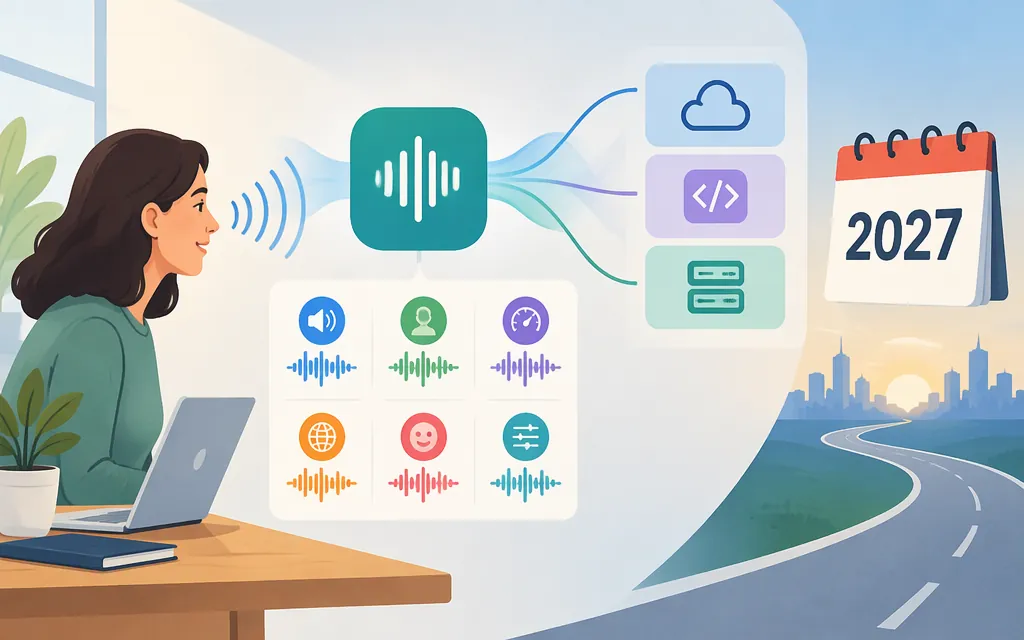
As of November 9, 2026, “ChatGPT TTS” can mean hearing ChatGPT speak in a conversation, listening to an existing response, or generating audio for an application. These are different paths. ChatGPT Voice lets you speak with ChatGPT and hear its response. A separate Read Aloud action can play an existing response in the mobile app. For developers, OpenAI says the Speech API models tts-1, tts-1-hd, and gpt-4o-mini-tts are deprecated and scheduled to shut down on January 6, 2027. OpenAI points developers to gpt-realtime-2.1-mini using the Realtime API, but that model is not supported on the old /v1/audio/speech endpoint. (developers.openai.com)
Can ChatGPT turn text into speech?
Yes, in two user-facing ways: Voice is for speaking with ChatGPT and hearing its spoken response; Read Aloud plays an existing ChatGPT response. Voice is a conversation, not an audio file generated for your own product. In the iOS and Android apps, response actions may include Read Aloud; the available actions can vary by message.
To start a Voice conversation, use the voice icon in ChatGPT. Available Voice options may depend on your plan, workspace settings, region, app version, and parental controls, so check what is available in your account.
ChatGPT Voice or a TTS API: which path fits?
- Use ChatGPT Voice to talk with ChatGPT and hear replies inside ChatGPT.
- Use Read Aloud when you want to listen to an existing written response in the ChatGPT mobile app.
- Choose an API workflow when your application needs to generate or deliver audio itself. OpenAI’s audio overview lists a dedicated text-to-speech workflow for narration or generated speech. It distinguishes that from Realtime sessions, which are used when you need the session and tool model. (
developers.openai.com)
An app reading a prepared article aloud has a different requirement from a voice assistant that listens and responds interactively. A session-based workflow can still be evaluated for narration; using a session does not, by itself, mean the application must behave like an interactive voice agent.
How to choose an OpenAI TTS API option now
For a new integration, don’t treat the existing Speech API models as a durable default. OpenAI says tts-1, tts-1-hd, and gpt-4o-mini-tts are deprecated and scheduled to shut down on January 6, 2027. Its stated migration direction is gpt-realtime-2.1-mini through the Realtime API—not a model-name swap on /v1/audio/speech.
For a new conversational voice application, OpenAI’s current audio overview points to GPT-Live. Consider Realtime when you specifically need its session and tool model. The Realtime documentation describes stateful sessions with client events and server events, and the gpt-realtime-2.1-mini model page lists text input and audio output. (developers.openai.com)
For prepared-text narration, there are three separate questions:
- Can a Realtime session take text and return audio? The documented capabilities support evaluating that path. In a WebSocket session, the OpenAI SDK example shows submitting prepared text as a user message with
conversation.item.createandinput_text, then requesting a response withresponse.create. Configure the session for audio output; Realtime server events include audio output deltas. This is a session-based workflow, not a one-shot/v1/audio/speechrequest. (github.com) - Will the model faithfully read the supplied text verbatim? The cited documentation establishes text input and audio generation, but does not guarantee verbatim narration. Test that behavior with representative passages, including names, numbers, and punctuation.
- Does this replace the old Speech endpoint or directly produce the file your app needs? No:
gpt-realtime-2.1-miniis not supported on/v1/audio/speech. The Realtime audio is delivered through the session connection, so confirm that the chosen transport, configured output format, and any audio assembly your application needs fit your product. The absence of the old endpoint does not mean session-based narration is impossible; it means the workflows are different. (developers.openai.com)
If you already use /v1/audio/speech, plan around the published January 6, 2027 shutdown date. Inventory the model IDs and behaviors you depend on, then compare the dedicated text-to-speech guidance and the Realtime session path against your narration requirements before migrating.
What about gpt-4o-mini-tts, tts-1, and tts-1-hd?
They are named in OpenAI’s deprecation notice, so treat them as existing or transitional options—not as a long-term default for a new integration. OpenAI’s model page lists gpt-4o-mini-tts at $0.60 per million input text tokens and $12 per million output audio tokens. Those are token-based rates for that model, not a flat per-minute quote, and do not establish the cost of a Realtime workflow.
Production checks before you integrate
Before adopting a Realtime session for prepared-text narration, use this bounded evaluation path:
- Submit text and request audio: In a WebSocket session, the OpenAI SDK example sends a user message using
conversation.item.createwith aninput_textitem, then sendsresponse.create. Set the session’s output modality to audio for the audio-response path. (github.com) - Receive and package the audio: Realtime uses server events to report results; the current getting-started guide names
response.output_audio.deltaamong the response events. Confirm the configured audio format and how your selected connection delivers audio, then test how your application will assemble or play the result. Don’t assume the old Speech endpoint’s response format carries over. (developers.openai.com) - Check narration fidelity: Test representative text and decide whether the generated speech preserves the exact wording your application requires. The cited Realtime documentation supports text input and audio output, but does not promise verbatim reading.
- Check connection and authentication: For a browser flow, OpenAI’s getting-started guide describes creating an ephemeral client secret on your application server and connecting the frontend session over WebRTC or WebSocket. Choose the transport that matches your application and follow its current setup guidance.
- Check limits, quality, timing, and cost: Don’t assume the old Speech API’s 4,096-character input limit applies to Realtime. Confirm the target workflow’s limits, then test quality and latency and estimate cost using that workflow’s billing units. The Realtime conversations guide documents a maximum session duration of 60 minutes.
- User disclosure: OpenAI’s TTS guide says to clearly disclose to end users that generated speech is AI-generated, not human.
Bottom line: Use ChatGPT Voice to converse with ChatGPT and Read Aloud to hear an existing response in the mobile app. For narration, consult OpenAI’s dedicated text-to-speech guidance and account for the announced Speech API retirement. A Realtime session offers a documented text-input/audio-output path to evaluate, using session events rather than /v1/audio/speech; test verbatim reading, output format, and file handling for your specific use case before choosing it as the replacement.
Sources
ChatGPT Voice — OpenAI Help Center
ChatGPT iOS and Android app FAQ — OpenAI Help Center
GPT-Realtime-2.1 Mini — OpenAI API
Realtime conversations — OpenAI API