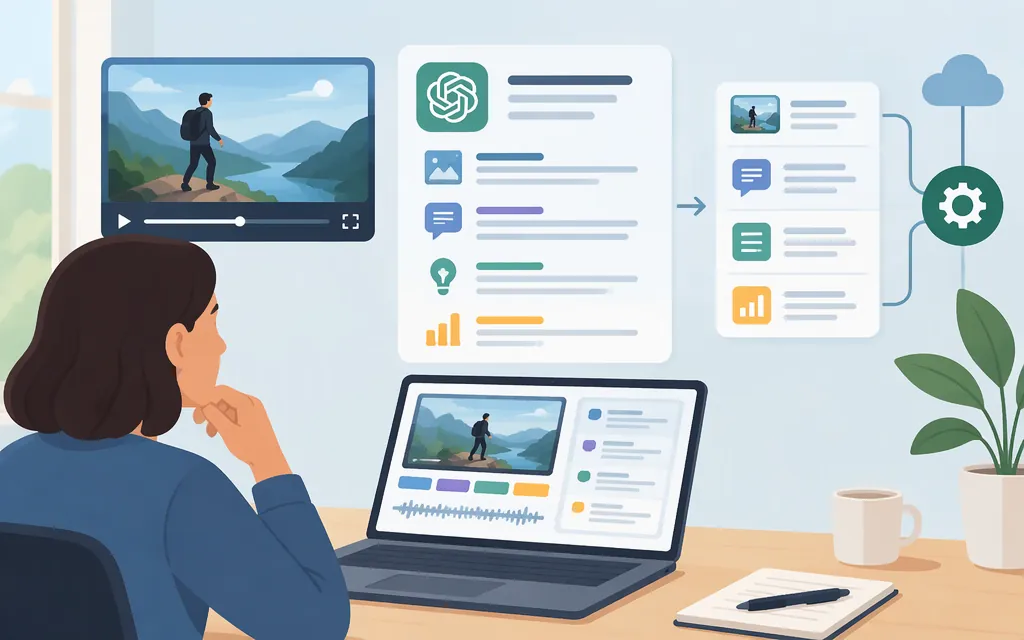
Short answer
Yes—ChatGPT can accept saved video attachments through supported upload methods, but acceptance does not mean it analyzes every frame or reliably interprets the audio. Availability varies by platform, upload method, and account. Live camera or screen sharing is a separate ChatGPT Voice feature. For production API work, OpenAI documents image analysis and audio transcription as separate components; that is not the same as submitting a video to a documented native-video API model. (ChatGPT Image Inputs FAQ)
Choose by the evidence your task needs
| What you need to know | Route to evaluate | What it receives—and what to keep in mind |
|---|---|---|
| What happens in a saved recording | Attach the video in ChatGPT, if your account and upload method allow it | ChatGPT may use tools to analyze the attachment, but OpenAI warns the result can be incomplete or inaccurate: it may not analyze the whole video or interpret its audio accurately. Video attachments count toward your plan’s file-upload limits. The cited FAQ does not specify video formats, duration, or frame coverage. This consumer feature does not establish API support. (ChatGPT Image Inputs FAQ) |
| What a speaker said | Provide a transcript, or use an audio-transcription route | The model receives text to analyze. A transcript alone cannot establish what appeared on screen. Review important names, numbers, and wording against the recording. (Uploading files and audio to ChatGPT) |
| What appears in a particular shot | Provide a screenshot or extracted frame | Image input can support questions about visible content in the supplied image. It cannot, by itself, establish what happened between frames. (Images and vision) |
| Motion, event order, or a brief moment | A workflow that captures the relevant sequence and is validated for the task | Do not assume a transcript or a few still frames establish continuous motion or precise timing. Test whether the chosen input actually covers the events you need to detect. |
| What is happening live on camera or screen | ChatGPT Voice’s Advanced option on mobile | OpenAI describes video and screen sharing as Advanced Voice capabilities on mobile; its feature page lists Plus, Pro, Business, Enterprise, and Edu. Live Voice does not support video or screen sharing. This is live interaction, not analysis of a saved recording. (ChatGPT Voice; Voice mode with live video) |
YouTube summaries are usually transcript analysis
If captions are available, copying a YouTube transcript into ChatGPT is a practical way to analyze spoken content. It is not visual video analysis: the model receives the words you provide, not necessarily the video frames. Use this route when speech carries the answer; choose another input when the answer depends on something shown but not said. (Uploading files and audio to ChatGPT)
Production API: documented components, not a native-video recipe
OpenAI’s API documentation supports a component-based route to evaluate:
- Analyze selected frames with
gpt-4o. The model page lists text and image as inputs and video as unsupported. OpenAI’s vision guide documents image analysis through the Responses API and Chat Completions API. In practical terms, extract the frames relevant to the question and provide them as image inputs alongside the prompt. This analyzes the images you supply; it does not makegpt-4oa native-video-input model. (GPT-4o model) - Transcribe a separate audio track with
gpt-transcribe. OpenAI documents the/v1/audio/transcriptionsendpoint for completed recordings and recommendsgpt-transcribefor recorded speech. The guide lists a 25 MB file limit and supported formats including MP3, MP4, MPEG, MPGA, M4A, WAV, and WebM. Treat this as a transcription route—not analysis of video visuals. The documentation cited here does not establish whethergpt-transcribereturns word-level or segment-level timestamps. If aligned timestamps are required, verify the model-specific output before selecting this route. (File transcription)
A developer can orchestrate these components by extracting audio for transcription, selecting relevant frames, and submitting the transcript and images for analysis. Keep each frame’s source time alongside it in your own workflow so results can be checked. This is an integration pattern built from separately documented image and audio capabilities, not an OpenAI-documented end-to-end video endpoint. The sources reviewed here do not establish a named OpenAI API model that accepts saved video natively. (GPT-4o model)
Model-selection answer: For visual frame analysis, gpt-4o is a documented image-input option, not a video-input model. For recorded speech, gpt-transcribe is the documented transcription model and /v1/audio/transcriptions the documented route. If your task requires native video input or guaranteed temporal coverage, the documentation cited here does not establish that capability; do not infer it from ChatGPT’s consumer upload feature. (GPT-4o model)
Validate before relying on the result
Test representative clips from the actual workload before choosing a production route:
- Define the required evidence. Is success a correct transcript, readable on-screen text, recognition of a visual state, or detection of an event at a particular time?
- Include relevant edge cases. Test details that matter to your application, such as names in speech, small text, rapid changes, and brief visual events.
- Compare with source evidence. Check transcripts against the audio and visual claims against the exact frames and times provided. A confident answer does not prove the relevant moment was included in the input.
- Score errors against criteria set in advance. Track missed details, incorrect claims, and timestamps that do not lead to supporting evidence.
- Confirm operational fit. Check current model input support, limits, price, and data terms for the specific API route and account. ChatGPT subscription behavior and API behavior are separate.
For consequential decisions, add human review or deterministic checks where appropriate; do not treat an unvalidated generated summary as the only evidence.
Bottom line
Use a saved-video attachment in ChatGPT when your account and upload route support it, but treat its analysis as potentially incomplete or inaccurate. Use a transcript for what was said, selected images for what is visible in particular frames, and Advanced Voice on supported mobile setups for a live camera or screen view. For production API work, evaluate gpt-4o for supplied images and gpt-transcribe for recorded speech as separate components. Neither recommendation means native video input or guaranteed coverage of motion and timing. (ChatGPT Image Inputs FAQ)
Sources
ChatGPT Voice mode with live video
Images and vision | OpenAI API