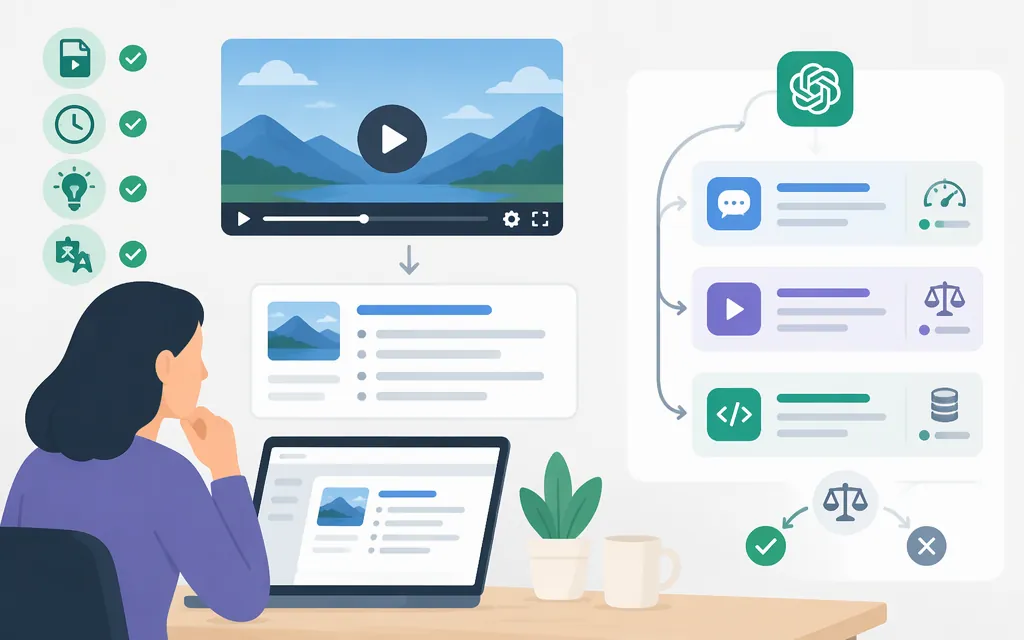
ChatGPT can accept video attachments through supported upload methods, but its analysis may be incomplete or inaccurate. For a production workflow, don’t assume an OpenAI API model accepts a whole video: a documented starting route is to transcribe extracted audio with gpt-transcribe, then summarize the transcript—and, if visual details matter, selected frames—with gpt-6.1-terra through the Responses API. (ChatGPT Image Inputs FAQ; transcription guide; GPT-6.1 Terra model)
Can ChatGPT summarize a video directly?
For ChatGPT, video attachments are supported through some upload methods, but availability varies by platform, method, and account. OpenAI cautions that video analysis can miss parts of a clip or interpret its audio inaccurately. That is different from the audio-upload feature: audio uploads are available on paid ChatGPT plans and workspaces, and files identified as video in MP4 or WebM format are not supported as audio uploads. (ChatGPT Image Inputs FAQ; file and audio upload help)
Still-image inputs are available on Free and paid ChatGPT plans, subject to plan-specific usage limits and account settings; the help page says all ChatGPT models and platforms support image inputs. Supported image formats are PNG, JPEG, and non-animated GIF, with a 20 MB limit per image. Audio uploads are available on paid ChatGPT subscriptions and workspaces, including Enterprise; availability may vary by workspace settings, region, client version, and selected model. Listed audio formats include WAV, MP3/MPEG, OGG/OGA, audio-only WebM, PCM, FLAC, AAC, M4A, and audio-only MP4. WebM and MP4 files identified as video are not supported as audio uploads. (ChatGPT Image Inputs FAQ; file and audio upload help)
A video link is a separate case: the OpenAI documentation cited here does not establish that ChatGPT will ingest a link as video. If direct attachment is unavailable or the result needs more reliable coverage, use a transcript for spoken content and selected still frames for visual details.
Which production API route should you choose?
For a new production pipeline, separate audio transcription from summary generation:
| What you need | Starting route | Consequential limits and costs |
|---|---|---|
| Summarize speech | Extract the audio, then transcribe it with gpt-transcribe using the Audio API’s /v1/audio/transcriptions endpoint. |
The file-transcription guide lists a 25 MB maximum and supported formats including MP3, MPEG, MPGA, M4A, WAV, and WebM. Send an audio file—not a video to be analyzed—and extract or convert the soundtrack first if needed. The listed transcription price is $0.0045 USD per audio minute. (transcription guide; GPT-Transcribe model and pricing) |
| Summarize transcript text | Send the transcript to gpt-6.1-terra through the Responses API. |
The model accepts text input; its model page lists a 1,050,000-token context window and a maximum of 922,000 input tokens. Standard pricing is $1 per million input tokens and $5 per million output tokens. (GPT-6.1 Terra model; model pricing) |
| Include visual scenes or slides | Send selected frames as image inputs to gpt-6.1-terra through the Responses API, with timestamps or labels. |
The model accepts image input but does not accept video input. Account for the transcript, instructions, and images within the model’s input limit; the cited model documentation does not specify a separate fixed frame-count limit. Image input is part of synthesis usage, not included in the transcription price. (GPT-6.1 Terra model; Responses API overview) |
For a combined speech-and-visual summary, transcribe the soundtrack, select frames that show the scenes or slides that matter, then send both kinds of evidence to the synthesis model. GPT-6.1 Terra supports text and image input through the Responses API; its model page lists audio and video as unsupported inputs. (GPT-6.1 Terra model)
API access and billing are separate from a ChatGPT subscription. The transcription rate covers audio transcription only. Summary generation is billed separately by input and output tokens; image inputs also contribute to synthesis usage. (OpenAI billing help; API pricing)
A practical workflow for a useful summary
-
Choose the evidence. Use an available ChatGPT video attachment for a quick try. For a production API pipeline, extract and transcribe the audio; add selected frames if the summary needs visual information.
-
Prepare and label it. Keep timestamps with transcript sections and frames. Correct names, figures, and technical terms that matter. For file transcription, keep the audio file within 25 MB and use a supported format.
-
Specify the output. State the audience, focus, length, and format. For example:
Summarize this meeting transcript for someone who missed the meeting. Separate key points, decisions, open questions, and action items. Include timestamps for important claims. If an owner or decision is unclear, mark it as not specified rather than guessing.
-
Split only when needed. For API synthesis, stay within the selected model’s input limit. If the transcript and frames exceed it, split the material into timestamped sections, summarize them, and then synthesize those summaries. There is no universal video-duration chunk size in the cited model specifications.
-
Check important details. Verify decisions, figures, quotations, and action-item owners against the matching transcript passage or video timestamp. OpenAI warns that uploaded-video analysis can be incomplete or inaccurate, and that audio transcripts can contain errors. (ChatGPT Image Inputs FAQ; file and audio upload help)
A prompt can guide structure, but it does not guarantee accuracy. Review consequential summaries against the original recording before sharing or acting on them.
Bottom line
For a quick consumer summary, ChatGPT may accept a video attachment through a supported upload method, but check the result because it may not cover the full clip accurately. For a production API starting point, use gpt-transcribe for extracted audio files up to 25 MB, then use gpt-6.1-terra with the Responses API for transcript text and optional selected frames. Budget transcription and synthesis separately, and keep the combined synthesis input within the model’s documented limit. The API route described here accepts text and images, not whole-video input.
Sources
Uploading files and audio to ChatGPT
GPT-Transcribe Model — OpenAI API