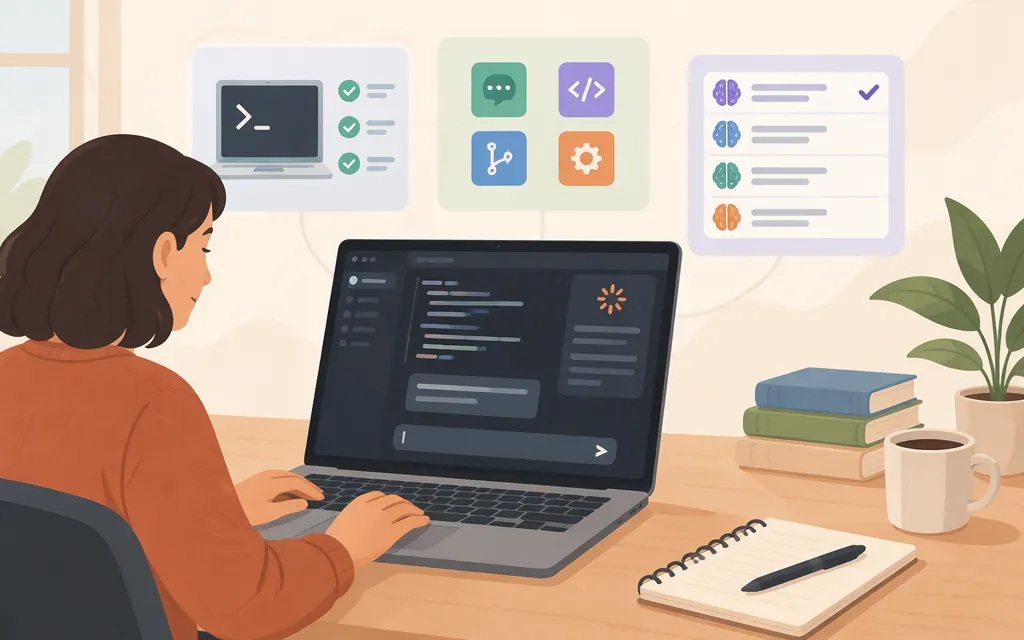
What is Claude Code Desktop?
Claude Code is available in the Code tab of the Claude Desktop app. Anthropic positions Desktop for visual review, parallel sessions, and managed setup, and lists features including a diff viewer and app preview. (Desktop documentation; platform comparison)
Get started: Open Anthropic’s Claude Code Desktop quickstart for download and setup instructions. The quickstart lists macOS and Windows downloads, plus Linux beta packages for Ubuntu and Debian. It specifies Ubuntu 22.04 or later or Debian 12 or later, on x86_64 or arm64; Linux support is in beta. The quickstart says Claude Code requires a Pro, Max, Ultra, Team, or Enterprise subscription. After installing and signing in, open the Code tab to start. (Quickstart; Linux requirements)
Desktop suits a graphical workflow for reviewing changes and managing coding sessions. Anthropic says Claude Code surfaces share the same underlying engine, but that does not mean they have identical features. (Platform comparison)
Choose Desktop, CLI, IDE, or web
| Choose | When it fits | Important distinction |
|---|---|---|
| Desktop | You prefer visual review, app previews, parallel sessions, or a graphical interface. | The documentation positions it for visual review and managed setup; it does not provide a complete feature-parity list. |
| CLI | You work primarily in a terminal, need scripting, or want the Agent SDK. | Anthropic calls the CLI its most complete surface for terminal-native work; scripting and the Agent SDK are CLI-only. |
| VS Code or JetBrains | You want Claude Code alongside your editor. | The platform comparison lists inline diffs and file context for VS Code, and diff viewing and selection sharing for JetBrains. |
| Web | You want cloud work that can continue after you disconnect. | Web sessions run in the cloud by default, rather than on your local machine. |
This is a workflow guide, not an exhaustive feature comparison. Anthropic says you can mix surfaces on the same project, and that configuration, project memory, and MCP servers are shared across local surfaces. (Platform comparison)
Desktop and production API models are different choices
Claude Code Desktop is a coding environment; its feature list does not establish how a separate production application should access Claude. Anthropic describes the Claude API as a REST API at https://api.anthropic.com. Check the API documentation for the current Messages route, authentication requirements, and integration instructions rather than inferring them from Desktop setup.
For a general model-selection starting point, Anthropic describes Sonnet as a balance of speed and intelligence, Opus for long-running agentic coding and knowledge work, and Haiku for high-volume, latency-sensitive tasks such as classification and routing. These are broad use-case descriptions, not a workload-specific benchmark. Check the models documentation for current availability and exact API IDs, then evaluate candidates on representative tasks before choosing for production.
Anthropic’s pricing page lists standard Claude API input/output rates of $2/$10 per million tokens for Claude Sonnet 5.5 and $4/$20 per million tokens for Claude Opus 5.5. These version-specific API rates are not Desktop subscription prices and should not be generalized to other model versions or provider routes. See Anthropic’s API pricing documentation for the current rates and other pricing details.
A practical selection path: start by evaluating Sonnet for a general coding workload; compare Opus if your tests show a need for its documented long-running agentic coding and knowledge-work positioning. Consider Haiku for high-volume, latency-sensitive tasks. Choose based on your workload tests, and use the current model ID from Anthropic’s model documentation.
Provider support: what the documentation establishes
Anthropic says Desktop supports gateway providers and that Enterprise Desktop deployments support Google Cloud’s Agent Platform. For Amazon Bedrock or Microsoft Foundry, its platform comparison names the CLI or an IDE extension, or Claude Desktop on 3P, whose Code tab runs on those providers. That wording distinguishes Claude Desktop on 3P from Claude Code Desktop; it does not establish that every provider route works in every Desktop deployment. (Platform comparison)
The platform comparison does not explain gateway configuration or establish that a particular provider setup meets your production requirements. Confirm the intended provider, account or organization setup, current model identifier, and deployment requirements in the documentation for that route. For a direct Anthropic API integration, use the Claude API documentation; do not infer API configuration from Desktop’s provider-support statements.
Starting or steering work away from your computer
Anthropic describes two distinct options. Dispatch sends a task from the Claude mobile app to a machine running Desktop; the platform comparison lists it for Pro, Max, and Ultra. Remote Control lets you steer an already-running CLI, Desktop, or VS Code session from claude.ai/code or the mobile app. Scheduled tasks are also listed for CLI, Desktop, or cloud, but the comparison does not specify their limits or eligible intervals. (Platform comparison)
Sources
Get started with the desktop app - Claude Code Docs
Desktop application - Claude Code Docs
Claude Desktop on Linux (beta) - Claude Code Docs
Platforms and integrations - Claude Code Docs
Models overview - Claude Platform Docs