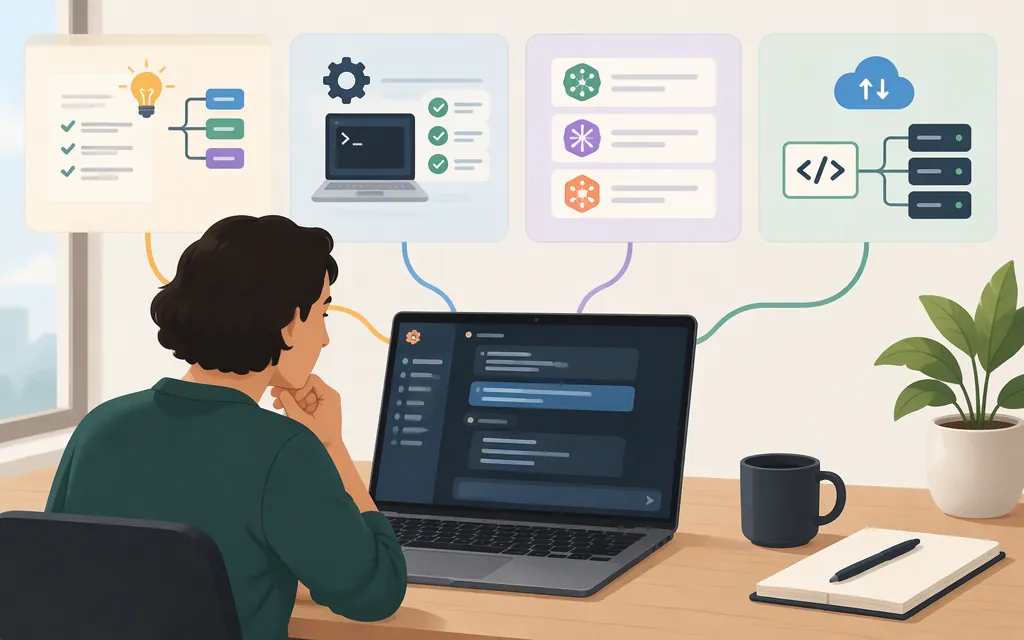
Claude Code is available in Claude Desktop’s Code tab on eligible paid plans. It gives you a graphical way to work with code in a project folder and review Claude’s changes. The quickstart says you don’t need to install the Claude Code CLI or Node.js just to use that tab. (Claude Code desktop quickstart)
For a first session, install Claude Desktop, sign in, open Code, choose an environment and project folder, select a model, and describe a small task. Review the resulting changes before accepting or using them. (Claude Code desktop quickstart)
Check your plan and computer
Anthropic’s Help Center lists Claude Code in Claude Desktop for Pro, Max, Ultra, Team, and Enterprise, but not Free. The desktop app itself is available on all listed plan types; that does not mean every feature, including Claude Code, is available on Free. (Claude Desktop availability)
The Help Center lists these minimum operating-system requirements:
- macOS: macOS 13 (Ventura) or later
- Windows: Windows 10 or later
- Linux: Ubuntu 22.04 LTS or later, or Debian 12 (bookworm) or later, on x64 or arm64; Linux is marked beta (Claude Desktop availability)
Get Claude Desktop from Anthropic’s official download page. The desktop quickstart describes a universal macOS build for Intel and Apple Silicon, separate Windows x64 and ARM64 installers, and Linux beta installation options. Choose the installer for your computer; don’t use the Windows x64 installer for an ARM64 device. (Claude Code desktop quickstart)
Start your first Claude Code session
- Install Claude Desktop and sign in. Open the downloaded installer, launch Claude, and sign in with your Anthropic account. (Claude Desktop installation guide)
- Open the Code tab. It is at the top of the desktop app’s sidebar. If the app asks you to upgrade, the documented requirement is a paid plan; if it asks you to sign in online, complete sign-in and restart the app. (Claude Code desktop quickstart)
- Choose where Claude will work. For the quickstart’s local workflow, select the Local environment, choose Open folder…, and open a project directory. Anthropic recommends starting with a small project you know well. (Claude Code desktop quickstart)
- Pick a model and describe a task. The model picker is below the prompt box, and you can change the selection later. A quickstart example is: “Add tests for the main function.” Treat this as a starting prompt, not a guarantee of a particular result. (Claude Code desktop quickstart)
- Review the diff. Inspect the proposed file changes. In Manual mode, Claude waits for approval before editing files or running commands; the app shows changes that you can approve or decline. (Claude Code desktop quickstart)
Choose an environment and permission mode
| Choice | What Anthropic documents | When it may fit |
|---|---|---|
| Local | Works with a project folder on your computer. | Start here if the project is already on your computer and you want to follow the first-session walkthrough. |
| Cloud | Sessions can continue after you close the app. | Consider it when you want work to continue without keeping the app open. The quickstart does not give further limits or pricing details. |
| SSH | Connects to a remote machine, such as a server, cloud VM, or dev container. You must add a connection first. | Use it when the project is on a remote machine. The quickstart notes that an SSH task using a Claude account may stop when sign-in expires. |
| WSL | On Windows, runs the session inside WSL 2; Claude Code, tools, and Git run on the Linux side. | Consider it if your project and development tools are in a WSL 2 distribution. |
These are descriptions of the documented options, not claims that one environment is best for every project. The quickstart does not establish detailed privacy or security differences among them. (Claude Code desktop quickstart)
Permission modes determine how Claude handles actions:
- Manual: asks before file edits or commands; useful when you want to approve each proposed action.
- Plan: proposes an approach without editing files; useful when you want to review a plan before asking for changes.
- Accept edits: automatically accepts file edits.
- Auto: applies file changes while a classifier reviews actions and blocks ones it identifies as risky.
These descriptions do not mean that any mode guarantees correct or risk-free changes. Review the diff and test code changes as appropriate for your project. (Claude Code desktop quickstart)
Which model should you choose?
The desktop quickstart confirms that you can select a model in the app and switch models later, but it does not identify the models available in the desktop picker or compare their coding capabilities. Check the picker in your app for available choices, and consult Anthropic’s model overview for current API-model information. API model descriptions do not, by themselves, confirm which models your desktop account can select. (Claude Code desktop quickstart)
Claude Desktop or a production API?
Choose the Claude Code desktop app when you want to work interactively on a project through the Code tab: select an environment, give coding tasks, and review changes in the app. The desktop quickstart does not provide production API credentials or integration instructions. (Claude Code desktop quickstart)
Choose the Claude API when you are building an application or service that sends requests to Claude programmatically. Use Anthropic’s API documentation for the current integration requirements, authentication, and request guidance; the desktop quickstart is not an API integration guide.
Do not assume that eligibility for Claude Code in a desktop plan automatically provides API access or covers API usage. Desktop plan eligibility and API billing are separate questions: check Anthropic’s current plan terms and API pricing for applicable conditions before estimating or relying on any API credits.
Official next steps
- Download Claude Desktop
- Follow the Claude Code desktop quickstart
- Compare Anthropic API models
- Review Claude API documentation
- Check current API pricing
Sources
Get started with the desktop app - Claude Code Docs
Install Claude Desktop | Claude Help Center
Download Claude | Claude by Anthropic
Models overview - Claude Platform Docs
API overview - Claude Platform Docs