Short answer
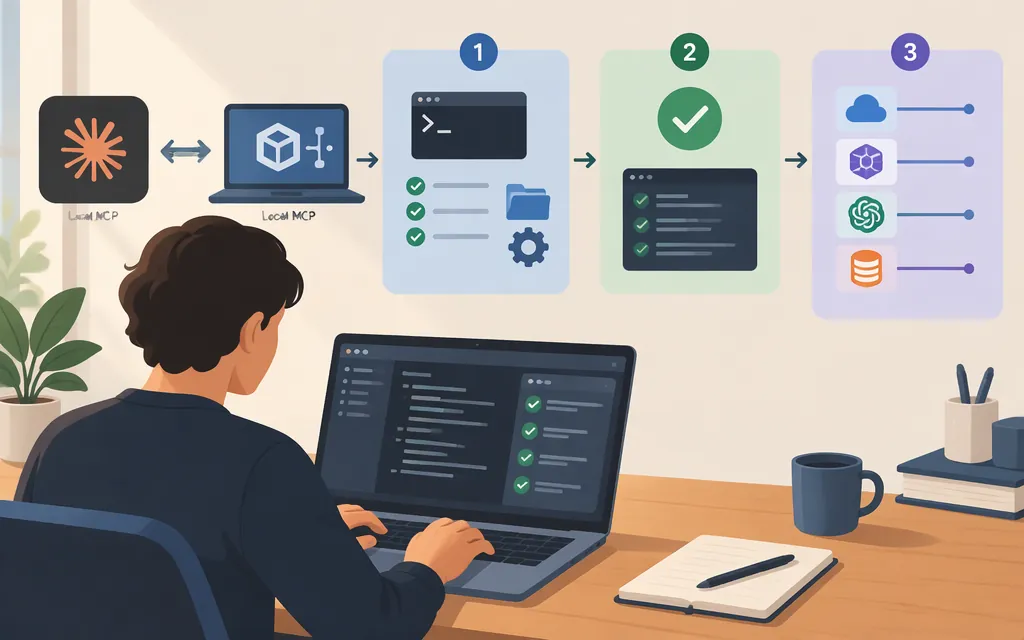
Claude Code can connect to MCP servers that run as local processes. In that setup, the server runs on your machine and Claude Code starts it over stdio. That is different from saving configuration locally for a server hosted elsewhere. Anthropic’s MCP quickstart describes both machine-run and hosted servers; a local-server example is also documented by Svelte for its own MCP package. (code.claude.com)
For example, with Node.js/npm available, add Svelte’s local server from the terminal:
claude mcp add -t stdio -s local svelte -- npx -y @sveltejs/mcp
Then check the server with claude mcp list, start Claude Code, and use /mcp to check connection status and available tools. The exact server and tools depend on the MCP package you install. (svelte.dev)
Set up a genuinely local MCP server
This example uses the Svelte MCP package because its maintainers document a Claude Code command for running it locally. It is an example, not a requirement to use Svelte.
Prerequisites: Claude Code must be installed and authenticated. The example uses npx, so Node.js and npm must be installed. Choose the appropriate scope: Svelte’s instructions list user, project, or local. The command below uses local, which the Svelte guide describes as a scope option; check the current Claude Code MCP reference if you need a different sharing scope. (code.claude.com)
-
Open a terminal in the project where you want to use the server.
-
Run the add command:
claude mcp add -t stdio -s local svelte -- npx -y @sveltejs/mcpHere,
stdiomeans Claude Code runs a local process rather than connecting to a hosted URL.npx -y @sveltejs/mcpis the command that launches this particular server. (svelte.dev) -
Check registration from the terminal:
claude mcp list -
Start Claude Code and enter
/mcp. Confirm that the server is connected and its tools are listed. Registration in the CLI is not, by itself, proof that the server started successfully or that its tools are available in a session. Anthropic’s quickstart recommends checking the connection and then using the server in a session. (code.claude.com) -
Ask Claude to use one of the listed tools. If the server is connected but a tool is missing, check the package’s own documentation and the configuration scope before treating the issue as a model or API problem.
Local process versus remote server
| What you configure | Where the server runs | Typical transport | What that means |
|---|---|---|---|
| Local MCP process | On your machine | stdio | Claude Code launches a command such as npx ... and communicates with that process. (svelte.dev) |
| Hosted MCP server | On a remote service | HTTP | Claude Code connects to a server URL. The Anthropic quickstart labels its HTTP example as hosted. (code.claude.com) |
A SailPoint integration guide, for example, configures local Claude Code settings and launches mcp-remote, but the helper connects to remote SailPoint servers. That is a local client configuration, not a local SailPoint server. Its documented OAuth steps and settings file are specific to that integration; do not copy them as a general local-server recipe. (code.claude.com)
How the production model API fits
There are two different connections to keep straight:
- Claude Code to the model provider or gateway. Claude Code supports authentication and request-routing settings; an organization can also route its model traffic through an LLM gateway. If you set an Anthropic API key as an environment variable, Anthropic says that Claude Code uses API pay-as-you-go billing for the account associated with that key, even if you are also signed in with a Claude subscription. Use
/statusto check the active authentication method and avoid an unexpected billing route. (code.claude.com) - Claude Code to the MCP server. A local stdio server is launched as a process; a hosted server is reached through its configured transport and may have its own authentication. The API key or gateway credential used for model requests should not be assumed to authenticate an MCP server. This separation follows from Claude Code documenting model authentication/routing separately from MCP connections; the exact server authentication method depends on that server. (
code.claude.com)
Which route should you choose? If your goal is to use tools in an interactive Claude Code session, configure the MCP server in Claude Code and separately confirm which model authentication route /status reports. If you are building an application that calls Anthropic’s Messages API directly, the API’s MCP connector is a separate feature: it connects to remote MCP servers through the API request. The cited API documentation does not describe connecting that Messages API feature directly to a local stdio process. (platform.claude.com)
This is a setup distinction, not a model benchmark or recommendation. The sources here do not establish which model is best for a particular workload, a current price comparison, or compatibility with an unspecified third-party production API. Choose a provider or gateway only after checking its official Claude Code compatibility and authentication instructions.
If the server is registered but does not appear
Check the layers separately:
- Registration: Does
claude mcp listshow the named server? - Runtime connection: Does
/mcpshow it as connected in the session? - Tool discovery: Are the expected tools listed, and can Claude use one?
- Scope and directory: Is Claude Code running in the project and scope where that server was configured?
- Launch prerequisites: Can the command used by the stdio entry run in your environment? For an
npxentry, checkNode.js/npmand the package name.
Do not treat an old failure report as proof that local MCP is unsupported. A GitHub issue opened February 17, 2026 reported that custom servers did not load in one environment: Claude Code 2.1.45 on macOS, Node 25.4.0, native install. The reporter said a server appeared in claude mcp list and configuration but not in /mcp. The issue was closed as a duplicate of #16728; that issue’s page describes configuration-scope and inheritance reports, but the captured report does not establish that every failure has the same cause or that a particular fix applies to your version. Use the current Claude Code instructions and check your own runtime status. (github.com)
One version-sensitive detail matters: the SailPoint guide supplied for this topic refers to a top-level mcpServers entry in ~/.claude.json, while the later GitHub issue describes that legacy location as deprecated and reports different scope behavior. Avoid copying that older file example without checking current Claude Code documentation. Prefer the current CLI command and verify where it writes the configuration. (code.claude.com)
Sources
Connect to MCP servers — Claude Code Docs
Connect Claude Code to tools via MCP — Claude Code Docs
Environment variables — Claude Code Docs
Connect Claude Code to an LLM gateway — Claude Code Docs
Manage API key environment variables in Claude Code
MCP connector — Claude Platform Docs