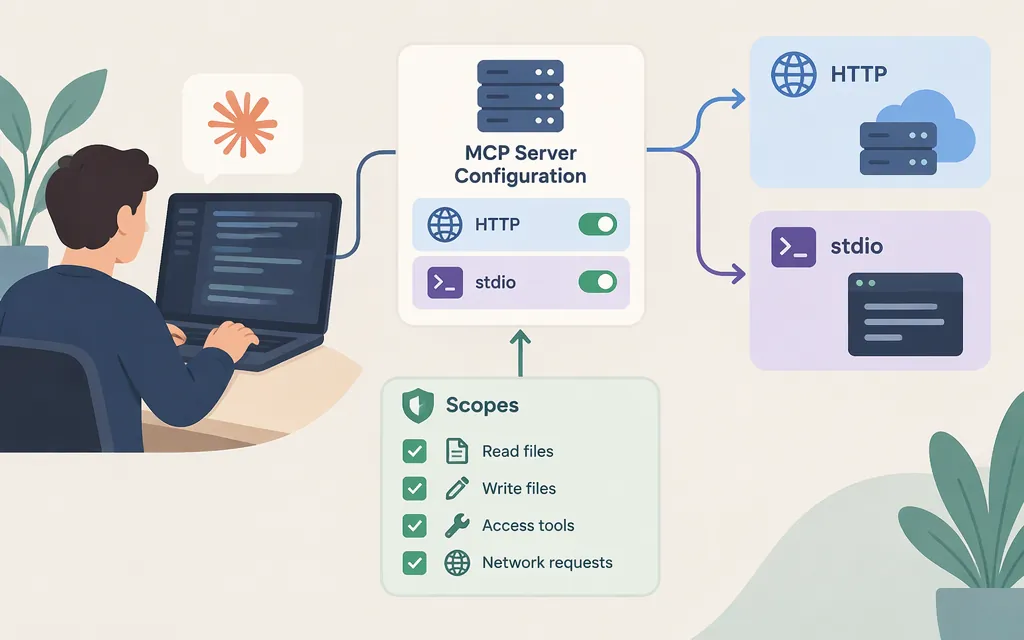
To add a hosted MCP server, run claude mcp add --transport http <name> <url> in a terminal. For a local server process, use claude mcp add <name> -- <command> <args...>. Then check its status with claude mcp list. Choose local for one project, user for your own projects, or project to share configuration with teammates. These commands configure access to tools; they do not select or configure the model Claude Code uses. (Claude Code MCP quickstart)
Add a hosted HTTP server or local stdio server
Install and authenticate Claude Code, then open a terminal in a project directory. Run claude mcp add in the terminal—not inside a Claude Code conversation.
Hosted server (HTTP):
claude mcp add --transport http claude-code-docs https://code.claude.com/docs/mcp
This documented example connects to the Claude Code documentation server, which does not require authentication. Other hosted servers may require sign-in or a token; follow the server’s own instructions. (Claude Code MCP quickstart)
Local process (stdio):
claude mcp add playwright -- npx -y @playwright/mcp@latest
With stdio, Claude Code starts the program locally; the command after -- is what it runs. This Playwright example requires Node.js 18 or later; other stdio servers may have different prerequisites. (Claude Code MCP quickstart)
Choose where the configuration applies
| Scope | Use it when | How to add it |
|---|---|---|
local |
You want a private server for the current project. This is the default. | Run the add command without a scope option. |
user |
You want the server available to you across projects. | Add --scope user, for example: claude mcp add --scope user --transport http <name> <url> |
project |
You want to share the server configuration with people who clone the project. | Add --scope project, for example: claude mcp add --scope project --transport http <name> <url> |
The quickstart places local entries in ~/.claude.json under the current project’s entry, and user entries under the top-level mcpServers key in ~/.claude.json. For a team-shared project configuration, its direct-edit instructions identify .mcp.json in the project root; teammates must approve the server before it connects. Changing an existing server’s scope means removing it and adding it again at the intended scope. (Claude Code MCP quickstart)
Project filename note: The quickstart’s scope table prints project.mcp.json, while its project-scope instructions and JSON example use .mcp.json. To avoid guessing, you can add the server with --scope project and use the command’s File modified: confirmation to identify the file it wrote. If editing manually, the guide’s direct-edit instructions name .mcp.json in the project root. (Claude Code MCP quickstart)
The documented HTTP and stdio entry shapes are:
{
  "mcpServers": {
    "my-http-server": {
      "type": "http",
      "url": "https://example.com/mcp"
    },
    "my-local-server": {
      "type": "stdio",
      "command": "node",
      "args": ["./server.js"]
    }
  }
}
This is an example of the project configuration shape, not a verified working server: replace the endpoint, command, and arguments with values from the server’s documentation. The quickstart documents url for HTTP entries and command plus args for stdio entries. After editing the project file, start a new Claude Code session and approve the project server when prompted. (Claude Code MCP quickstart)
On Windows, ~/.claude.json resolves to %USERPROFILE%\\.claude.json. If CLAUDE_CONFIG_DIR is set, Claude Code reads .claude.json from that directory. (Claude Code MCP quickstart)
Verify the connection and diagnose common issues
- From your shell, run
claude mcp list. Inside a session, run/mcpto view or manage servers. - Look for
Connected, which means the server is ready. To confirm its tools work, try a task that needs the server and check whether Claude Code labels the tool call with the server’s name. (Claude Code MCP quickstart)
Match the next step to the status:
- Needs authentication: Start a session, run
/mcp, select the server, and choose Authenticate if it uses browser OAuth. For a static-token server, follow that server’s documented header requirements. - Pending approval: Approve the project-scoped server in the prompt or through
/mcp. - No servers configured: Check that you added the server from the intended project, selected the intended scope, and used the documented configuration location. If you edited JSON by hand, run
claude mcp listand look for a parse warning. - HTTP server fails to connect: Check the full configured URL against the server’s documented MCP endpoint path. To check basic HTTP reachability, run
curl -I <server-url>; in PowerShell, usecurl.exe -I <server-url>. A response to this HEAD request shows that the URL responds, not that it is a valid MCP endpoint or that its tools work. A 404 or 405 on this check can occur when an endpoint accepts only POST requests; if the MCP connection itself reports a 404, verify the configured endpoint path. A 401 or 403 indicates an authentication issue. (Claude Code MCP quickstart) - stdio server fails to connect: Run its configured command directly in a terminal to see whether a dependency or command error is preventing startup. (Claude Code MCP quickstart)
Remove an unused server with claude mcp remove <name>. The quickstart notes that connected servers’ tool names and instructions use context-window space in each session. (Claude Code MCP quickstart)
MCP setup is not model API setup
An MCP server gives Claude Code access to external tools and data. Model configuration is separate: the model settings control model selection, while ANTHROPIC_BASE_URL changes where requests are sent, not which model answers them. (Claude Code model configuration)
The information available for this guide does not establish a supported Token Forge Cloud integration with Claude Code, including a compatible endpoint, authentication setup, or model mapping. Do not treat an MCP server entry as configuration for that production model API; confirm compatibility and setup instructions with the provider before relying on that route. Anthropic’s gateway guidance also states that it does not support routing Claude Code to non-Claude models through a gateway. (Claude Code gateway documentation)
Sources
Connect to MCP servers — Claude Code Docs
Connect Claude Code to tools via MCP — Claude Code Docs