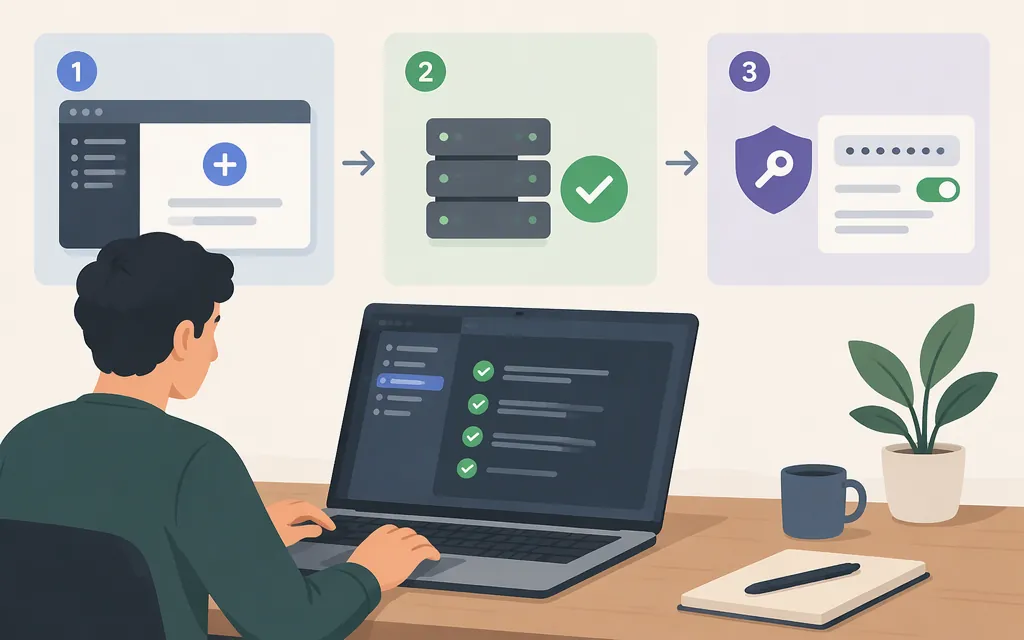
The short answer
To connect tools or data to Claude Code, add an MCP server with claude mcp add. To choose the model API Claude Code uses, configure its authentication separately. You need both configurations only when your setup requires both: MCP gives Claude Code access to an external service, while model authentication determines how Claude Code sends model requests. Anthropic’s documentation describes MCP as a way for Claude Code to connect to external tools, data sources, and APIs. (code.claude.com)
The production API provider was not specified for this guide, so the API section below uses Anthropic’s API as a clearly labeled example—not as an assumption about your provider. If your MCP server itself calls a production API, configure that API in the server according to its own documentation; adding the server does not, by itself, change Claude Code’s model provider.
Add a hosted MCP server
Prerequisites: Claude Code installed and authenticated, and a terminal open in a project directory. Anthropic’s MCP quickstart uses a hosted documentation server that requires no authentication as a first connection test. (code.claude.com)
Run this in your terminal, not inside an existing Claude Code session:
claude mcp add --transport http claude-code-docs https://code.claude.com/docs/mcp
This registers the hosted server over HTTP. claude-code-docs is a name you choose; it labels the server and its tools. The quickstart says the default local configuration applies in the current project rather than automatically following you into another project. (code.claude.com)
Choose where the server should be available
- Only for your current project: use the default local setup above. This is a sensible first test when you do not want the server enabled elsewhere.
- For a project or team: choose the project-level scope when adding the server, then review the project’s
.mcp.jsonbefore sharing it. Do not commit API tokens or other secrets in a shared configuration file. - Across your projects: choose the user-level scope if you want the server in your own projects generally.
Claude Code’s MCP documentation covers changing scope and sharing a server with a team; use the current MCP quickstart for the scope syntax applicable to your installed CLI. (code.claude.com) Scope is a practical choice: project configuration is easier to share, while user configuration avoids adding the same server to each project.
Verify the connection and try a tool
Start Claude Code in the project where you added the server, then enter:
/mcp
Use Claude Code’s MCP view to inspect the configured server and its connection state. Anthropic’s quickstart recommends adding a server, checking its connection status, and then using it in a session. (code.claude.com)
For a functional check, ask Claude Code to search its documentation using the connected server—for example: “Use the Claude Code docs MCP server to find the documentation about model configuration and summarize the relevant setting.” The example server provides full-text search over Claude Code documentation, so a response that uses those docs is a more useful check than seeing a configuration entry alone. (code.claude.com)
If the server is missing or does not connect, check these basics in order:
- Scope: Are you in the same project where you registered a default local server?
- Configuration: Did
claude mcp addconfirm that it added the server? Check the configuration file it reports. - Endpoint: For a remote server, confirm the URL is correct and reachable from your machine.
- Authentication: The example above needs none. Other servers may require a sign-in step, token, or other credentials; follow that server’s instructions and do not paste secrets into a shared repo.
- Version and status: Check your installed CLI with
claude --version, then inspect the MCP view again. If a particular server still fails, use that server’s and Claude Code’s current troubleshooting instructions rather than assuming the issue is with the model API.
These are general diagnostic checks, not a claim that every server exposes the same errors or requires the same login flow. Claude Code warns that servers fetching external content can expose users to prompt-injection risk; connect only servers you trust and review the access they provide. (code.claude.com)
How the production model API fits
An MCP server and the model API are separate configuration layers:
- Claude Code’s model API handles requests to the model Claude Code uses. Its authentication and provider routing belong in Claude Code’s model configuration.
- An API used by an MCP server is a dependency of that server. Configure its credentials and endpoint in the server or its hosting environment as that server’s documentation requires.
If you mean Anthropic’s API
For Claude Code authenticated with an Anthropic API key, set ANTHROPIC_API_KEY in the environment used to start Claude Code. For a temporary macOS/Linux shell session:
export ANTHROPIC_API_KEY="your-api-key"
claude
For PowerShell:
$env:ANTHROPIC_API_KEY="your-api-key"
claude
Anthropic says Claude Code prioritizes an API key in the environment over an authenticated subscription. If the key is active, usage is billed at API pay-as-you-go rates to the account associated with that key—even if you are also logged in with a Claude subscription. Check /status to see the active authentication method, and unset the variable when you do not intend to use that API key. (support.claude.com)
For a shared workload, Anthropic’s API-key guidance recommends a service-account key for workloads such as CI pipelines, production services, or agents, and says to store the key safely, such as in a secrets manager. Do not commit a production key to .mcp.json, a repository, or a prompt. (platform.claude.com)
If you mean another API provider or gateway
Do not assume any API endpoint is interchangeable with Anthropic’s. Claude Code documents gateway use for gateways exposing a supported API format, but Anthropic says it does not support routing Claude Code to non-Claude models through a third-party gateway. Confirm the provider’s compatibility, endpoint, authentication variable, and model identifier in current documentation from both the provider and Anthropic before using it in production. (code.claude.com)
Remove the test server
If you only added the documentation server to test setup, remove it with:
claude mcp remove claude-code-docs
The quickstart identifies claude mcp remove as the command for removing a server by its registered name. (code.claude.com)
Sources
Connect to MCP servers — Claude Code Docs
Connect Claude Code to tools via MCP — Claude Code Docs
Model configuration — Claude Code Docs
Other LLM gateways — Claude Code Docs
Manage API key environment variables in Claude Code — Claude Help Center