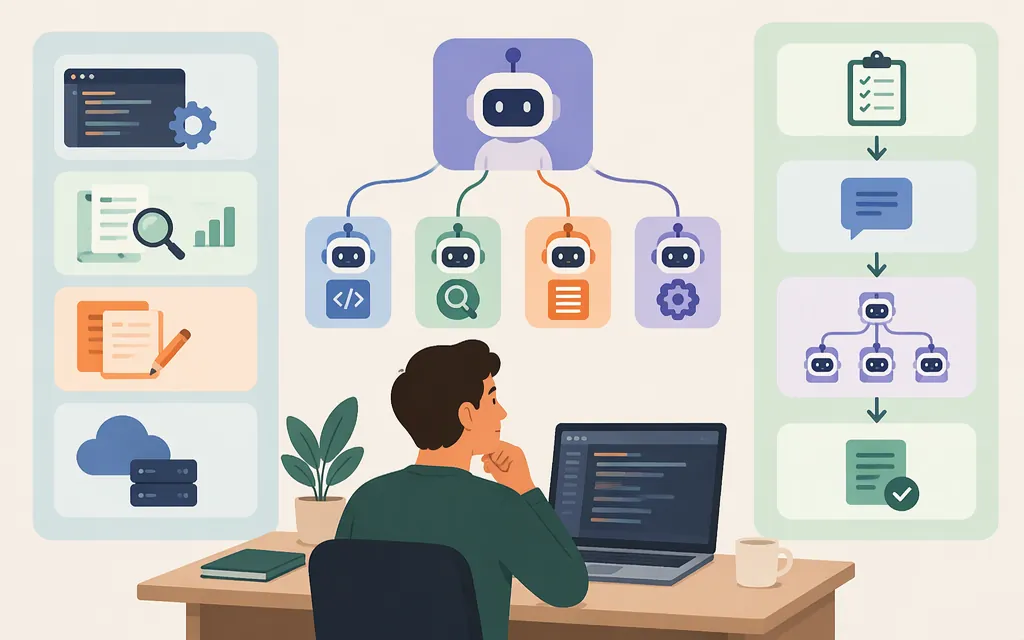
Claude Code subagents are useful for focused tasks that can be handed off with a clear scope and deliverable. For example, you can ask Claude Code to use subagents to research several products independently, then have the main session compare their summaries. Use sequential handoffs when one stage depends on another; keep a small, self-contained task in the main conversation.
To request delegation, say so in your Claude Code prompt—for example, “Use a subagent to…” Anthropic says Claude Code can delegate automatically when a task matches a subagent’s description, and that you can also direct delegation explicitly. Claude Code includes built-in subagent types, so you can try a delegation request without first creating a custom agent. See the [official subagents documentation][3] and Anthropic’s guide to [when and how to use subagents][4].
The task briefs below are examples, not tested results or copy-ready custom-agent configuration files. Third-party workflow descriptions are attributed as such.
Practical examples
1. Research several competitors in parallel
Good fit when: Each product can be investigated independently, without waiting for another subagent’s findings.
Example prompt for Claude Code:
Use subagents to research these three products independently. For each, summarize its positioning, recent product changes, pricing, and one area where it appears stronger than the others. Separate sourced facts from unknowns. Return one concise summary per product; then compare the results in the main session.
A Build to Launch tutorial gives a similar pattern: research multiple products, return a summary for each, then synthesize. It is an illustrative prompt, not a guarantee of a particular number of subagents or of accurate research without review. [1]
2. Review a pull request from several angles
Good fit when: Review concerns are distinct and can be examined independently.
A Foojay article describes a QuestDB pull-request review workflow with eight review concerns: correctness, concurrency, performance, resource management, tests, code quality, PR metadata, and Rust safety. It reports that a verification pass follows to check potential false positives before a structured report is produced. This is a reported example, not a verified, ready-to-run setup. [2]
Example prompt for Claude Code:
Use a subagent to review this pull request for [one concern] only. Report findings with file and line references, explain why each matters, and label uncertain findings. Do not make changes. Return “no findings” if you find none.
For multiple review concerns, request separate subagents only when each can assess the change independently. Have the main session check for duplicates and verify important findings against the code.
3. Explore a codebase before deciding what to change
Good fit when: You need a bounded inventory—such as finding authentication-related files, locating a function’s callers, or mapping a specific behavior—before making a change.
Example prompt for Claude Code:
Use a subagent to find the files and functions involved in [specific behavior]. Return paths, relevant symbols, and a short explanation of how they connect. Do not edit files or suggest changes beyond what the code supports.
A third-party tutorial also shows a read-only codebase-exploration configuration. Its specific fields, tools, and model identifier should not be assumed to match current supported configuration without checking the official documentation. [1]
4. Hand work through dependent stages
Good fit when: A later stage needs the earlier stage’s output.
For example, ask a subagent to gather requirements, use that result to draft a specification, then request a review of the specification. Ask for each handoff in turn; do not treat dependent stages as independent parallel tasks. Build to Launch gives a similar research-to-specification-to-review pattern. [1]
Practical safeguard: Include the prior stage’s actual deliverable in the next prompt, along with the next stage’s scope and expected output. Do not assume separate subagents share one another’s context.
Choose parallel, sequential, or no subagent
| Choose | When | Example |
|---|---|---|
| Parallel | Tasks are independent and can start from the same brief. | Research separate products or review separate concerns. |
| Sequential | A later task depends on an earlier result. | Requirements → specification → review. |
| No subagent | The task is small, self-contained, or likely to need clarification while underway. | Ask one focused question or make one small change in the main session. |
This dependency-based rule is consistent with the cited third-party articles. It is guidance for choosing a workflow, not evidence of a guaranteed speed improvement or a specific concurrency limit. [1][2]
For a more useful handoff, state one concern, a bounded scope, and a concrete deliverable. Ask for a concise, structured summary rather than an unfiltered dump. Review the result before relying on it.
Claude Code workflows versus production model APIs
A Claude Code subagent example describes a coding-workflow delegation request; it is not itself a production API integration. Anthropic’s documentation distinguishes direct model access through the Messages API from Claude Managed Agents, which it describes as a configurable agent harness. These are separate documented approaches: do not assume a Claude Code subagent instruction or definition can be transferred directly into an API application. [5]
If you are building a production application, consult the documentation for the API or managed-agent approach you choose. The examples here do not provide API authentication, deployment, request-handling, or billing instructions. Anthropic’s [Messages API reference][6] documents the API endpoint and request format.
About custom configuration examples
A third-party tutorial reports creating agents through /agents or Markdown files and shows frontmatter fields such as name, description, tools, and model. Those are that article’s examples, not verified current setup instructions. This guide does not present them as copy-ready configuration; check the [official Claude Code subagents documentation][3] before relying on a path, field, invocation method, or permission setting.
Sources
- Jenny Ouyang, “What Are Claude Code Subagents? (And How to Make the Most of Them)” — third-party examples of research, synthesis, and codebase exploration.
- Jonathan Vila, “Best practices for Mastering AI Agents, Subagents, Skills & MCP” — third-party description of the QuestDB review workflow and delegation advice.
- Anthropic, Claude Code subagents documentation.
- Anthropic, “How and when to use subagents in Claude Code”.
- Anthropic, “Using the Messages API”.
- Anthropic, Messages API reference.
Sources
Create custom subagents - Claude Code Docs
How and when to use subagents in Claude Code
What Are Claude Code Subagents? (And How to Make the Most of Them)
Best practices for Mastering AI Agents, Subagents, Skills & MCP