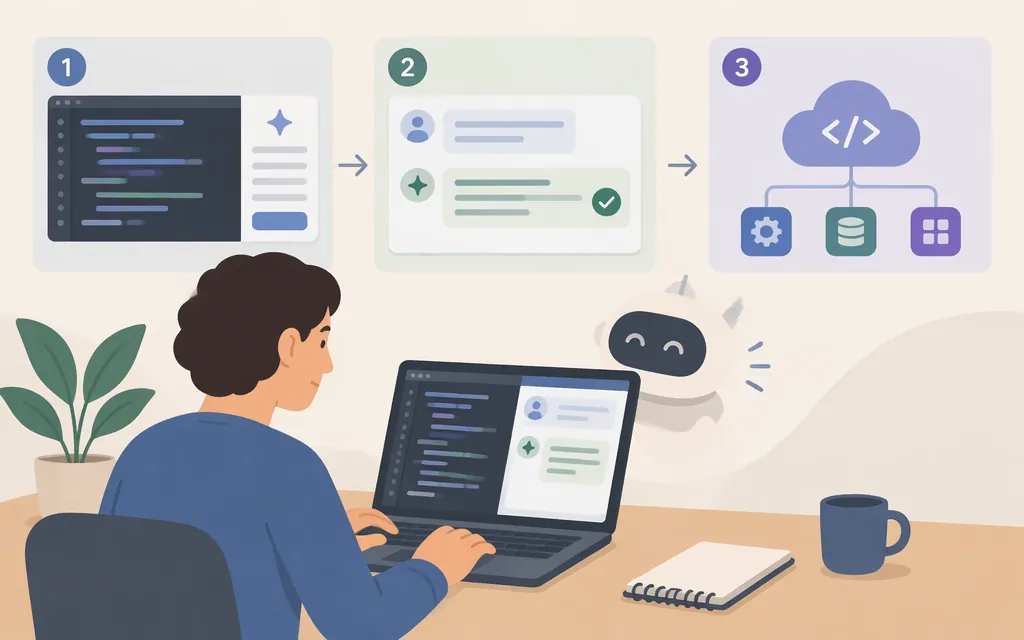
A Claude Skill packages instructions and optional supporting files into a reusable capability. This tutorial creates a small PRD-writing Skill, uploads it through Anthropic’s Skills API, and invokes it through the Messages API. The API workflow is distinct from adding a Skill in claude.ai or using one in Claude Code. Anthropic’s Skills overview
A Skill is most useful for a repeatable task with stable requirements. For a one-off request, a prompt is usually simpler; that’s practical guidance, not a product rule. Anthropic’s custom Skills guide
1. Create a minimal Skill
You’ll need an Anthropic API key and shell access with curl. This API walkthrough uses the Skills API and code execution through Messages. Keep your key in an environment variable rather than in a source file:
export ANTHROPIC_API_KEY='your-api-key'
mkdir -p prd-writer
Create prd-writer/SKILL.md:
---
name: prd-writer
description: Use when drafting or revising a product requirements document from a feature brief. Follow the required sections and identify unknowns instead of inventing metrics or decisions.
---

# PRD writing workflow

Use the supplied brief as the source of truth. If important information is missing, label it as an open question; do not make up company decisions, user research, or success metrics.

Write the PRD with these sections, in this order:
1. Problem statement — one sentence describing the user problem.
2. Users and use case — identify the intended user and situation from the brief.
3. Goals and non-goals — separate intended outcomes from out-of-scope work.
4. User stories — use concise bullets in the form “As a [user], I want [capability], so that [benefit].”
5. Requirements — list observable functional requirements.
6. Success metrics — include only metrics supplied in the brief; otherwise write “TBD — confirm with the product owner.”
7. Open questions — list unresolved assumptions or decisions.

Keep the language direct. Do not claim that a requirement, metric, or decision was approved unless the brief says so.
SKILL.md is required for the uploaded Skill, and its YAML frontmatter needs a name and description. Supporting files are optional for this example. The description should clearly say what the Skill is for so Claude can assess whether it applies. Anthropic’s custom Skills guide · Create Skill API reference
2. Upload the Skill
Anthropic documents POST /v1/skills for creating a custom Skill. The upload uses multipart form data, and the files must include SKILL.md at the root of the Skill directory. The Skills endpoint is documented as beta; the beta header below is shown as an example and may need updating. Check the current API reference for the required header value before running the command.
curl https://api.anthropic.com/v1/skills \
  -H "x-api-key: $ANTHROPIC_API_KEY" \
  -H "anthropic-version: 2023-06-01" \
  -H "anthropic-beta: skills-2025-10-02" \
  -F "display_name=PRD Writer" \
  -F "files=@prd-writer/SKILL.md;filename=prd-writer/SKILL.md"
The response includes a Skill ID beginning with skill_. Copy the ID from the JSON response; you’ll use it in the Messages request. The API reference documents display_name as optional and the files upload field. Create Skill API reference
You can confirm that a custom Skill is listed with:
curl 'https://api.anthropic.com/v1/skills?source=custom' \
  -H "x-api-key: $ANTHROPIC_API_KEY" \
  -H "anthropic-version: 2023-06-01" \
  -H "anthropic-beta: skills-2025-10-02"
The source=custom filter lists user-created Skills. As with the create request, check the current reference for the required beta header value. List Skills API reference
3. Invoke it through the Messages API
Anthropic documents Skills in Messages using container.skills. Each entry identifies the Skill type and ID, and can include a version. API Skills use the code execution tool, including when the Skill itself contains only instructions. The example uses claude-sonnet-4-6 with the code_execution_20250825 tool. It uses latest for an initial smoke test; for a controlled deployment, create and pin a Skill version as described below. Using Agent Skills with the API · Code execution tool
The Skills beta header is included below; its exact current value is time-sensitive, so confirm it in the API guide before running the request.
curl https://api.anthropic.com/v1/messages \
  -H "x-api-key: $ANTHROPIC_API_KEY" \
  -H "anthropic-version: 2023-06-01" \
  -H "anthropic-beta: skills-2025-10-02" \
  -H "content-type: application/json" \
  -d '{
    "model": "claude-sonnet-4-6",
    "max_tokens": 1200,
    "container": {
      "skills": [
        {
          "type": "custom",
          "skill_id": "YOUR_SKILL_ID",
          "version": "latest"
        }
      ]
    },
    "tools": [
      {
        "type": "code_execution_20250825",
        "name": "code_execution"
      }
    ],
    "messages": [
      {
        "role": "user",
        "content": "Draft a PRD from this brief: Let users save a preferred shipping address so they do not have to re-enter it at checkout. No research, metrics, or launch decisions are available yet."
      }
    ]
  }'
Replace YOUR_SKILL_ID with the ID returned by the upload response. The response’s content array contains the answer’s text block. Check stop_reason as well: end_turn indicates the response ended normally; if it indicates truncation or a tool-use turn, don’t treat the response as a completed PRD. This text-only example does not require file downloading. Using the Messages API · Stop reasons and fallback
4. Test, revise, and pin a version
Use the same sample brief each time so you can compare revisions. Check the returned PRD for these criteria:
- It has all seven required sections in the specified order.
- It does not invent research findings, approved decisions, or numeric success metrics.
- It marks missing metrics and decisions as open questions or TBD.
- User stories follow the requested format.
If it misses a criterion, revise the relevant instruction in SKILL.md. To upload that revision as a new version of the same Skill, use the version endpoint:
curl -X POST "https://api.anthropic.com/v1/skills/$SKILL_ID/versions" \
  -H "x-api-key: $ANTHROPIC_API_KEY" \
  -H "anthropic-version: 2023-06-01" \
  -H "anthropic-beta: skills-2025-10-02" \
  -F "files=@prd-writer/SKILL.md;filename=prd-writer/SKILL.md"
Copy the version identifier returned by that response and use it in the Messages request’s container.skills[].version field instead of latest. The version endpoint uses the same file requirement: SKILL.md must be at the root of the uploaded Skill directory. Confirm the current beta header in the API reference before running the command. Create Skill Version API reference
Run the same test prompt again with the returned version pinned, then compare the output against the same checks. This is a test procedure, not a claim that the example was executed here. A Skill guides a workflow; it does not guarantee that every answer will comply, so review outputs for the use case.
Can Claude Skills be used through a production model API?
Yes. Anthropic documents pre-built and custom Skills for use with the Messages API. The integration uses container.skills and requires code execution. This is a direct Anthropic API workflow, separate from configuring a Skill in claude.ai or Claude Code. For production, test the exact Skill and model combination, inspect uploaded files and scripts, and pin an intended Skill version instead of relying indefinitely on latest. Using Agent Skills with the API · Create Skill Version API reference
Sources
Agent Skills — Claude Platform Docs
Using Agent Skills with the API — Claude Platform Docs
Create Skill — Claude API Reference
List Skills — Claude API Reference
Create Skill Version — Claude API Reference
Code execution tool — Claude Platform Docs
Using the Messages API — Claude Platform Docs