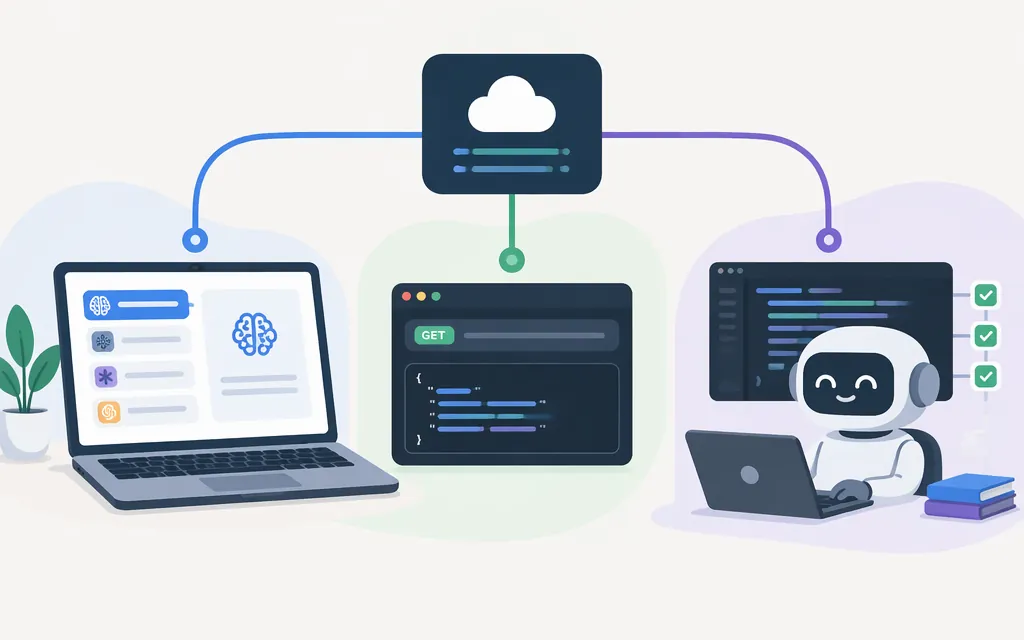
If you mean calling an API from your app, Cline documents an OpenAI-compatible Chat Completions API at https://api.cline.bot/api/v1/chat/completions. It uses a Cline API key and a model ID. This API provides programmatic model access; it is not the same as remotely controlling the Cline coding agent.
Choose the integration you need
| Goal | Use this | What it does |
|---|---|---|
| Use a model provider inside Cline | Configure a provider in Cline settings | Cline sends requests to that provider using its authentication and model settings. |
| Call a model from your application through Cline | Cline API | Your app sends Chat Completions requests to Cline’s API endpoint. This is model access, not a remote IDE session. |
| Run coding-agent tasks from scripts or an application | Cline CLI or SDK | The CLI supports headless tasks; the SDK lets you embed Cline’s agent runtime in a TypeScript application. |
These are distinct paths: the Cline API is for model access, while the SDK and CLI are documented options for running agent tasks.
Call the Cline API from an application
You’ll need a Cline account and an HTTP client such as curl. Create an API key in the Cline app under Settings → API Keys and copy it when it is created; the guide says it will not be visible again after you leave the page. The documented endpoint is POST https://api.cline.bot/api/v1/chat/completions, with a Bearer token in the Authorization header.
Keep the key in an environment variable or secrets manager, not in source code or a client-side app. For example, Cline’s getting-started guide uses this non-streaming request, including the X-Response-Format: openai header:
export CLINE_API_KEY="your_api_key"

curl -X POST "https://api.cline.bot/api/v1/chat/completions" \\
  -H "Authorization: Bearer $CLINE_API_KEY" \\
  -H "Content-Type: application/json" \\
  -H "X-Response-Format: openai" \\
  -d '{
    "model": "anthropic/claude-sonnet-4-6",
    "messages": [{"role": "user", "content": "Reply with a short connection test."}],
    "stream": false
  }'
The model ID above is the guide’s example. The documented JSON response includes the reply at choices[0].message.content and token counts in usage. A successful response confirms that this request authenticated and returned a model response; it does not, by itself, establish production readiness.
The cited getting-started instructions do not provide exact prices, a complete rate-limit schedule, or production service-level terms. Check current account and API documentation for billing and limits before budgeting or deploying. Cline’s authentication guidance recommends keeping keys out of version control, using separate development and production keys, and rotating keys periodically.
Connect a model provider to Cline
If you want Cline in a supported editor to use a provider’s model, configure that provider in Cline settings. This is different from sending requests to the Cline API.
OpenAI API key: In Cline settings, choose OpenAI, enter your OpenAI API key, and select a model. The Cline provider guide says you can optionally enter a proxy or custom OpenAI API base URL; most users can leave the default unchanged. This API-key route is separate from OpenAI Codex OAuth.
OpenAI Codex OAuth: Choose OpenAI Codex, select Sign in with OpenAI, complete authorization in your browser, then choose an available model. This route uses account authorization rather than an API key; available models depend on your OpenAI plan.
Another OpenAI-compatible provider: Choose OpenAI Compatible, then enter that provider’s base URL, API key, and model ID. Use values supplied by that provider; they are not universal Cline settings.
For any route, a successful chat is a useful connection check—not proof of production suitability. Confirm that Cline is using the provider and model you intend, and review that provider’s current pricing, usage limits, and operational terms separately. The cited Cline setup pages do not establish those details for every provider.
Automate Cline’s coding agent
Use the Cline SDK to embed the agent runtime in a TypeScript application, or the Cline CLI for terminal and script-based tasks. The SDK guide specifies Node.js 22 or later; use its quick start for the current constructor, configuration, and task-invocation syntax rather than relying on an unverified code example.
For CLI automation, Cline documents a structured-output example: cline --json "list TODO comments". This demonstrates JSON output; it does not establish the command’s permission or approval behavior. Check the CLI documentation for execution controls before using a command in unattended workflows.
A GitHub discussion requested REST-style, headless activation of Cline, but that was a user feature request, not API documentation. Cline’s documentation describes the SDK and CLI as programmatic agent routes; don’t mistake the separate model Chat Completions API for an endpoint that remotely drives the IDE extension.