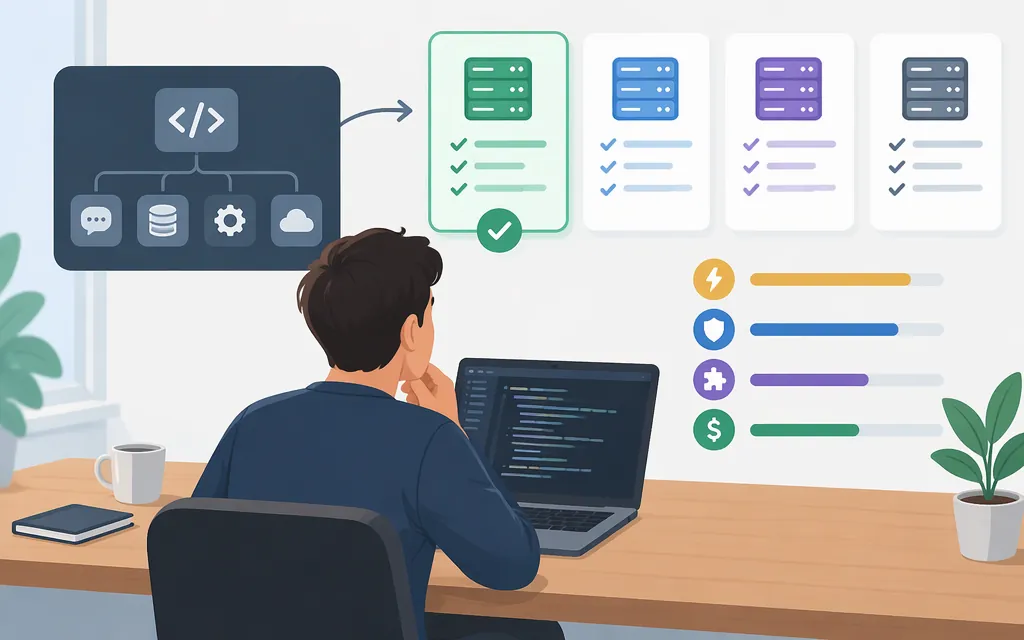
Short answer
A code MCP server is a tool connection, not a coding model. Choose a server for the job you need—such as accessing GitHub, automating a browser, or managing Netlify projects. Choose and configure the coding model/API separately, then test that the complete setup can perform your workflow. MCP defines how an AI application connects to servers; it does not dictate how that application uses a language model. (Model Context Protocol architecture)
A server working in an MCP-capable coding app therefore does not, by itself, prove that a particular production model API supports the same tool workflow.
Choose by the coding task
| If you need to… | Candidate to consider | What the documentation supports—and what it doesn’t |
|---|---|---|
| Read repositories, search code, or work with issues and pull requests | GitHub MCP Server | GitHub describes repository, issue, pull-request, and workflow capabilities. Its hosted server offers a read-only endpoint option. This is a fit for GitHub work, not a general-purpose local coding agent. (GitHub MCP Server) |
| Automate a browser | Microsoft Playwright MCP | Its server provides browser automation using Playwright. (Microsoft Playwright MCP README) |
| Create, deploy, or manage Netlify projects and resources | Netlify MCP Server | Netlify documents access to its API and CLI for project and deployment tasks. That makes it relevant to Netlify workflows, not a universal code-server recommendation. (Netlify MCP Server) |
These are task matches, not a head-to-head performance or security ranking. If the job is reading and writing local files, a Filesystem server is another category to evaluate; limit its access to only the directories the workflow needs. (MCP server concepts)
Decision rule: start with the external system the agent needs to interact with. Use GitHub tools for GitHub work, browser tools for browser work, and a provider-specific server for that provider’s resources. Inspect exposed tools and permissions before enabling write actions.
MCP server vs. coding model: what are you selecting?
In MCP’s architecture, an MCP host is the AI application, an MCP client maintains a connection, and an MCP server provides context or capabilities to that client. The host coordinates the interaction; MCP itself does not specify how the application uses its language model. (Model Context Protocol architecture)
In practical terms, you may need:
- An MCP server to expose tools or data for the workflow.
- An MCP-capable host/client to connect to that server and present its tools.
- A coding model/API selected and configured for the application’s inference needs.
Do not assume that a model API can use an MCP server just because a separate coding app supports MCP. Confirm whether your intended host connects to the server directly or whether your application must discover and orchestrate tools itself. The cited product documentation provides server and client examples, but does not establish a tested production model/API pairing.
Example: connect GitHub tools in Claude Code
GitHub documents a hosted MCP endpoint and a /readonly option that restricts the server’s toolset to read-only actions. A read-only endpoint does not itself grant a token access to repositories. Use a fine-grained personal access token scoped to the repositories you intend to use, and check the selected tool’s current GitHub documentation and authorization prompts for the permissions needed for your specific read operation. GitHub’s general PAT permission documentation describes REST API access; it does not, by itself, establish an exact permission mapping for every hosted MCP tool. (GitHub remote server guide; GitHub PAT permissions; fine-grained PAT guidance)
For Claude Code 2.1.1 or newer, GitHub documents registering the remote server with claude mcp add-json. Claude Code supports environment-variable expansion in MCP configuration values, including HTTP headers. The following Bash-compatible macOS/Linux example prompts for the PAT without echoing it, keeps the variable in the current shell, and stores a variable reference—not the literal token—in the header configuration. (GitHub Claude setup guide; Claude Code MCP documentation)
read -rsp "GitHub fine-grained PAT: " GITHUB_PAT
echo
export GITHUB_PAT

claude mcp add-json github '{"type":"http","url":"https://api.githubcopilot.com/mcp/readonly","headers":{"Authorization":"Bearer ${GITHUB_PAT}"}}'
Run the command in a terminal, not inside a Claude Code session. Start Claude Code from the same shell so it inherits GITHUB_PAT; do not paste the token into the JSON or commit it. GitHub’s guide notes that add-json may return an input error for some Windows/CLI setups; if that occurs, follow its current platform-specific instructions rather than assuming this Bash command applies unchanged. (GitHub Claude setup guide)
Validate the connection: run claude mcp list, then use /mcp in a session to inspect the connected server and its exposed tools. Test a low-risk read, such as listing issues in a repository the token can access. Confirm the necessary token permissions for the selected issue-listing tool before relying on the test. These checks are specific to Claude Code. (Claude Code MCP documentation)
Before using a production coding-model API
The cited MCP server setup guides do not specify a coding model, inference endpoint, model request or response schema, API limits, or a verified model/server compatibility result. Netlify’s documented API access is for Netlify resources, not model inference. (Netlify MCP Server)
For the provider, model, deployment channel, and region you actually plan to use, verify in current provider documentation:
- Model and endpoint: the exact model identifier and production inference endpoint.
- Authentication: the credential type, storage approach, and permissions your application needs.
- Request and response format: the required payloads and how tool calls and results are represented.
- Tool orchestration: whether your host or application can route the model’s tool requests to the MCP server—or whether you need an adapter or custom orchestration.
- Constraints: applicable rate, context, or output limits, plus any relevant region or deployment restrictions.
- End-to-end test: confirm that the chosen model can use the intended tool, receive its result, and complete a representative coding task with the permissions you intend to grant.
If comparing API purchase options, check current prices, currency, billing units, and relevant commitment or tier differences. Keep inference API charges separate from coding-product subscriptions. The server documentation cited here establishes neither a pricing comparison nor a model recommendation.
Bottom line: choose the MCP server for the external system or capability your coding workflow needs. Then verify the host/client connection and production model API as separate parts of one end-to-end test.
Sources
Architecture overview — Model Context Protocol
Understanding MCP servers — Model Context Protocol
Remote GitHub MCP Server — GitHub
Install GitHub MCP Server in Claude Applications — GitHub
Connect Claude Code to tools via MCP — Claude Code Docs
MCP: Model Context Protocol — Quickstart
Netlify’s Official MCP Server — Netlify
Permissions required for fine-grained personal access tokens — GitHub Docs