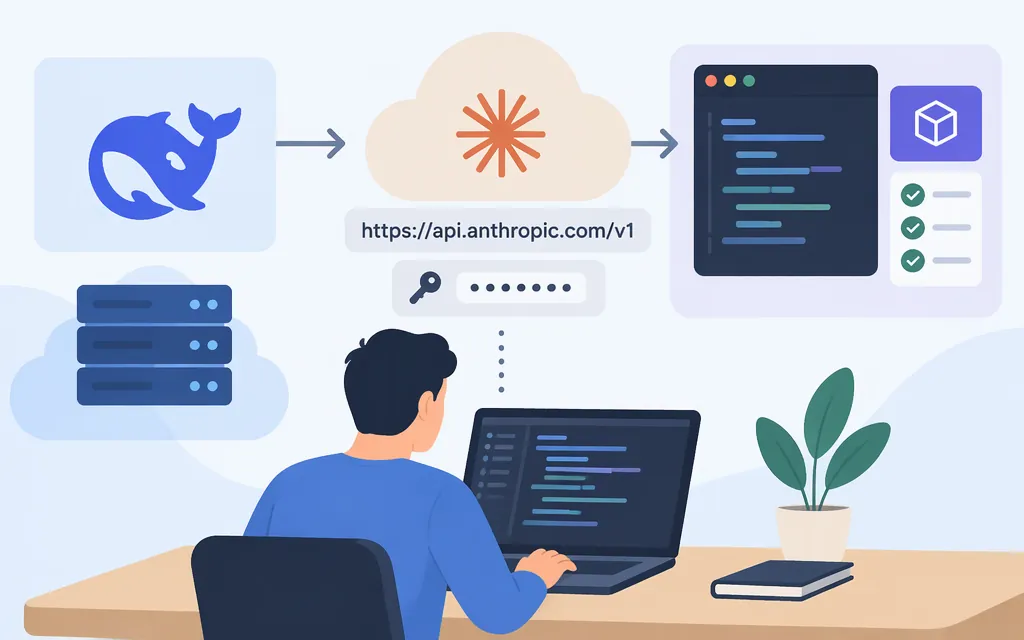
Yes. DeepSeek documents an Anthropic-compatible API and shows how to call it with the Anthropic SDK. Set the SDK base URL to https://api.deepseek.com/anthropic and use a DeepSeek API key. This sends requests to DeepSeek models using the Anthropic Messages API format; it does not give you access to Anthropic’s Claude models. (DeepSeek Anthropic API guide)
Make your first request with the Anthropic Python SDK
Install the SDK and set the environment variables in your terminal. Replace the placeholder with your DeepSeek API key, and keep the key out of your application code:
pip install anthropic
export ANTHROPIC_BASE_URL="https://api.deepseek.com/anthropic"
export ANTHROPIC_API_KEY="your-deepseek-api-key"
Then run this Python script:
import anthropic

client = anthropic.Anthropic()

message = client.messages.create(
    model="deepseek-flash",
    max_tokens=1000,
    system="You are a helpful assistant.",
    messages=[
        {
            "role": "user",
            "content": [
                {"type": "text", "text": "Hi, how are you?"}
            ],
        }
    ],
)

print(message.content)
The success check is returned message content printed to the terminal. The SDK appends /v1/messages to the base URL, so use https://api.deepseek.com/anthropic as the base URL—not a URL that already includes the endpoint path. DeepSeek’s guide supplies the installation, environment-variable setup, and Python request pattern; its Messages API reference documents the endpoint and request format. This example follows those docs; it has not been independently tested here.
Use a DeepSeek model identifier
The example uses deepseek-flash, a model identifier listed in DeepSeek’s Anthropic API guide. The guide also lists deepseek-v4-pro. Use the DeepSeek model name when you want to make clear which provider’s model is answering. (DeepSeek Anthropic API guide)
DeepSeek also documents aliases beginning with claude-opus, claude-haiku, and claude-sonnet: claude-opus* maps to deepseek-v4-pro, while claude-haiku* and claude-sonnet* map to deepseek-flash. These aliases still route to DeepSeek models; they do not call Claude. Prefer a DeepSeek identifier unless you specifically need a documented alias for a client that requires a Claude-style model name. (DeepSeek Anthropic API guide)
Compatibility checks before production
DeepSeek documents support for the Anthropic Messages format, but its guide also lists differences and ignored fields. Check the features your application actually uses rather than assuming full feature parity.
- Conversation history: The Messages API is stateless. Include the history needed for each turn. (Messages API reference)
- Streaming: DeepSeek lists streaming as supported for its Anthropic-compatible API. Test your application’s event handling and completion behavior before relying on it in production. (DeepSeek Anthropic API guide)
- Tools: For client-defined tools, the guide specifies
nameandinput_schema, withdescriptionoptional; it says not to passtype. Tool-choice behavior has qualifications: for example,anybehaves likeauto, and forcing a named tool is not supported in thinking mode. Review the guide’s compatibility details if your workflow depends on tool choice. (DeepSeek Anthropic API guide) - Ignored fields: DeepSeek lists
container,mcp_servers,service_tier, andtop_kas ignored. Do not depend on those fields having their usual effect. (DeepSeek Anthropic API guide; Messages API reference) - Concurrency: DeepSeek’s rate-limit page lists account-level concurrency limits of 2,500 for
deepseek-flashand 500 fordeepseek-v4-pro; it says requests over the account limit receive HTTP 429. Confirm your applicable quota and plan how your application will handle 429 responses. (Rate Limit & Isolation)
In short: use the Anthropic SDK with DeepSeek’s Anthropic base URL and a DeepSeek API key, then request a DeepSeek model such as deepseek-flash. Validate any additional features your application needs against DeepSeek’s route-specific compatibility documentation.
Sources
Using the Anthropic API | DeepSeek API Docs