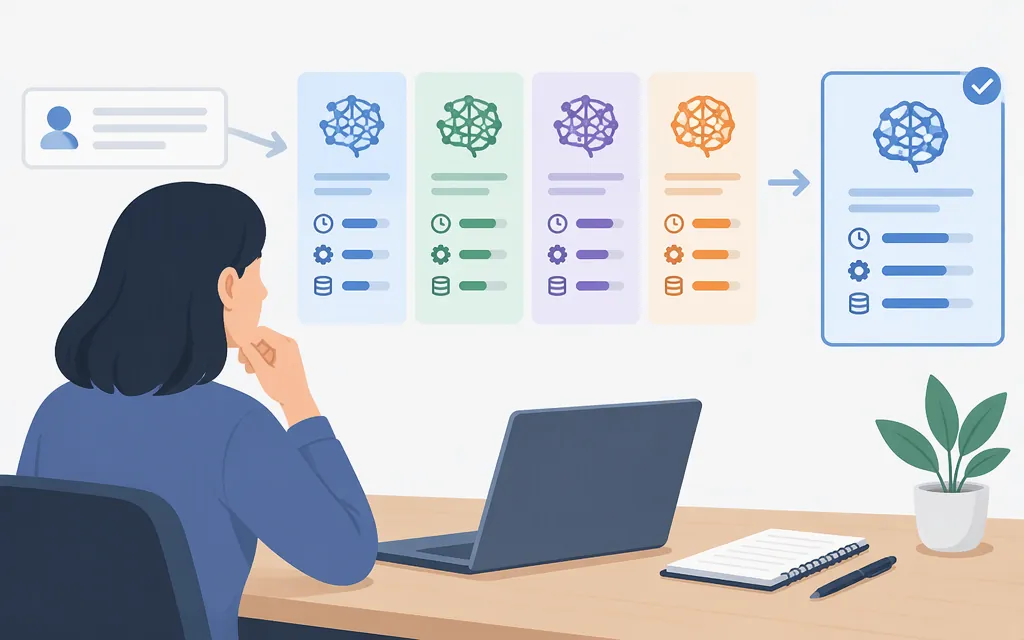
Short answer: For image input, deepseek-flash is the documented option in DeepSeek’s API model information; deepseek-v4-pro is listed as not supporting vision. The detailed API pricing documentation used below lists lower rates for Flash in each input and output price category. DeepSeek’s change log attributes coding and agent benchmark scores to the DeepSeek-V4.1-Flash-1017 update, but those vendor-reported results do not establish that Flash will outperform Pro on your specific task.
DeepSeek API models at a glance
| API model ID | Version shown in the detailed API pricing documentation | Documented distinction | Practical takeaway |
|---|---|---|---|
deepseek-flash |
DeepSeek-V4.1-Flash-1017 | Vision supported; 1M-token context and maximum 384K output are listed. | The documented choice here for image input; lower listed token rates than Pro. |
deepseek-v4-pro |
DeepSeek-V4-Pro-0813 | Vision not supported; 1M-token context and maximum 384K output are listed. | A text-input option in this comparison. The sources cited here do not establish a task where it is the better choice. |
These are the two models shown in DeepSeek’s detailed API pricing documentation, not a claim that they are its complete product catalog. The API model ID is the name to use in requests and can differ from the display or version name. The model-list documentation describes GET /models as returning currently available models and metadata; its example is not stated to be exhaustive. (Models & Pricing, Lists Models)
The model-list example pairs deepseek-flash with the display name DeepSeek-V4.1-Flash. The detailed pricing documentation identifies the version as DeepSeek-V4.1-Flash-1017. Use the current API model ID shown in DeepSeek’s documentation when configuring a request. (Lists Models, Models & Pricing)
DeepSeek API prices: cache-hit, cache-miss, and output
The detailed API pricing documentation lists these U.S. dollar rates per 1 million tokens. It separates peak and off-peak rates, as well as cache-hit input, cache-miss input, and output. (Models & Pricing)
| Model | Input, cache hit — peak | Input, cache hit — off-peak | Input, cache miss — peak | Input, cache miss — off-peak | Output — peak | Output — off-peak |
|---|---|---|---|---|---|---|
deepseek-flash |
$0.006 | $0.003 | $0.30 | $0.15 | $1.20 | $0.60 |
deepseek-v4-pro |
$0.044 | $0.022 | $0.66 | $0.33 | $1.98 | $0.99 |
According to the pricing documentation, peak hours are 01:00–04:00 and 06:00–10:00 UTC, Monday through Friday, excluding Chinese public holidays; all other times are off-peak. The documentation says off-peak rates are half the peak rates and that prices may change. Check the applicable rates before budgeting. These are API token rates, not subscription prices. (Models & Pricing)
Worked example: Suppose a request batch uses 1 million cache-miss input tokens and 100,000 output tokens, all during peak hours:
deepseek-flash: (1 × $0.30) + (0.1 × $1.20) = $0.42.deepseek-v4-pro: (1 × $0.66) + (0.1 × $1.98) = $1.056.
If the same token mix is billed entirely off-peak, the estimates are $0.21 for Flash and $0.528 for Pro. These estimates cover token charges only; actual costs depend on token counts, cache status, and when usage is billed. (Models & Pricing)
Price-only decision: Flash has the lower listed rate in all three token categories during both time bands. That makes it the cheaper choice by listed token price, not automatically the better-value model for every workload. The official API-platform page displays different rates and uses the labels “DeepSeek-V4-Flash” and “DeepSeek-V4-Pro”; the calculations in this guide use the version-specific rates in the detailed API pricing documentation. The sources shown here do not establish why the displayed rates differ, so confirm the applicable rates with DeepSeek before budgeting. (API Platform, Models & Pricing)
Which DeepSeek model should you choose for your task?
| If your main task is… | Practical choice | What the documentation supports—and what it does not |
|---|---|---|
| Analyzing images, screenshots, or charts | deepseek-flash |
The detailed API pricing documentation marks Vision as supported for Flash and not supported for Pro. DeepSeek’s vision guide describes image uses such as describing pictures, reading screenshot text, and analyzing charts. This is a modality distinction, not proof that Flash is more accurate on every visual task. (Models & Pricing, Vision) |
| Coding or agent-style project work | Evaluate deepseek-flash on your workload; compare with Pro if both meet your requirements |
DeepSeek’s change log attributes Terminal-Bench 4.0 (42.3) and DeepSWE v1.1 (77.0) results to the DeepSeek-V4.1-Flash-1017 update. It says Terminal-Bench used the Claude Code framework and DeepSWE used Mini-SWE-V2. These are vendor-reported results, not a head-to-head evaluation against Pro or a guarantee for your workload. (Change Log) |
| General text or reasoning tasks where both models may fit | Run a task-specific comparison | The cited model and pricing information does not establish that Pro produces better results for a particular text or reasoning task. If cost is your main constraint, Flash has the lower listed token rates; choose Pro only if your own evaluation shows a worthwhile benefit for your requirements. (Models & Pricing) |
| Lowest listed API token cost | deepseek-flash |
It has lower listed prices for cache-hit input, cache-miss input, and output in both time bands. That alone does not establish equal quality, latency, or total cost for every workload. (Models & Pricing) |
The change log identifies DeepSeek-V4.1-Flash-1017 as the update associated with the cited benchmark scores. It also reports that Terminal-Bench 4.0 was tested with Claude Code and DeepSWE with Mini-SWE-V2, and that ZeroBench-main was evaluated at Pass@5. Those conditions help interpret the reported results; they do not establish which model performs best on your own prompts, tools, and evaluation criteria. (Change Log)
Check model IDs and continue to the API guide
Before deploying, confirm the model ID and applicable price in DeepSeek’s current Models & Pricing documentation. The documented model-list endpoint is GET /models, but its example may not be an exhaustive list or reflect every current version label.
For a broader overview of API access, costs, and deployment choices, see Token Forge Cloud’s DeepSeek API guide. For authentication, a base URL, and a first request, see DeepSeek’s official Your First API Call guide.
Sources
Models & Pricing | DeepSeek API Docs
Lists Models | DeepSeek API Docs
Your First API Call | DeepSeek API Docs