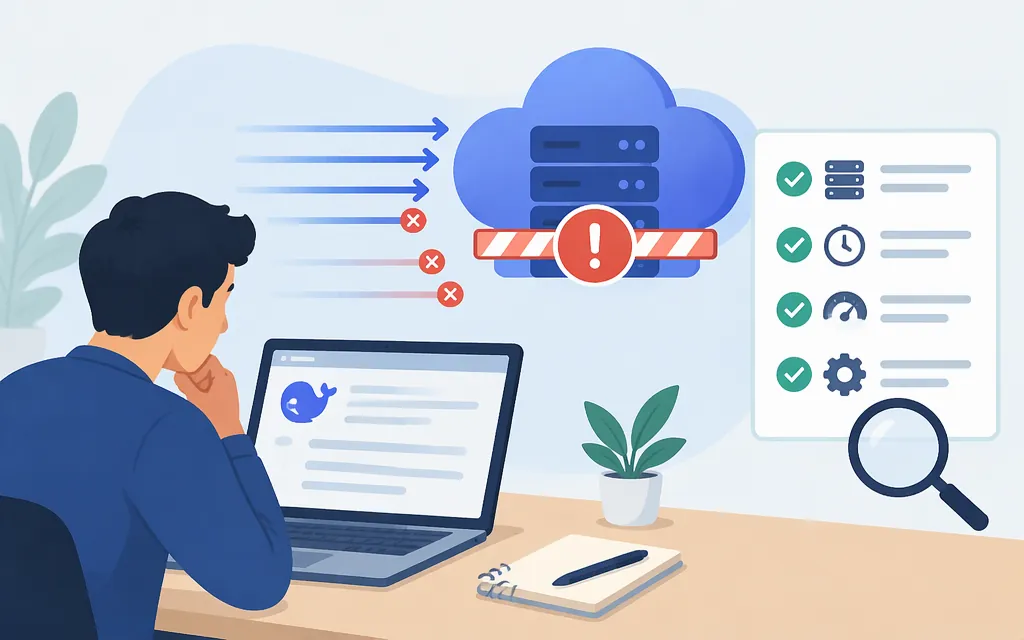
The message “rate limited upstream” does not, by itself, prove that DeepSeek directly limited your request. It may be generated by a gateway or client in front of DeepSeek. In a reported OpenCode issue, the message pointed users to OpenRouter integrations, and a maintainer characterized it as OpenRouter rate limits—not an OpenCode issue. That is useful context for that particular report, not proof that every message with this wording has the same source. (GitHub issue)
If you call DeepSeek through an intermediary, first identify which service returned the error. If you call DeepSeek directly, compare the HTTP status and response with DeepSeek’s current documented limits. Then decide whether to queue requests, contact the provider, or evaluate a different route.
What does “rate limited upstream” mean?
“Upstream” usually refers to a service a client or gateway calls on your behalf. But the phrase alone does not tell you which component emitted it, what limit was reached, or whether the underlying response came from DeepSeek. The OpenCode report shows the wording in an OpenRouter-related route; it is not an official definition of the phrase. (GitHub issue)
Keep these signals separate:
- A gateway or client message: identifies what that layer reports, but may not expose the original provider response.
- HTTP 429 from a direct DeepSeek API call: consistent with DeepSeek’s documented concurrency limit being exceeded. DeepSeek says a request counts as concurrent from when it is sent until the model response is complete. (DeepSeek rate-limit documentation)
- A timeout, empty response, or JSON parsing error: not enough on its own to diagnose rate limiting. For example, one GitHub issue reports a
JSONDecodeErrorafter requests waited about 60 seconds; the issue does not provide the HTTP status or raw response needed to confirm the cause. (DeepSeek-R1 GitHub issue)
Diagnose the source before changing your retry behavior
For a failed request, record the following in your application logs:
- Route: direct to DeepSeek, or through a gateway, router, SDK wrapper, or another service? Record the base URL and provider/model route, but never log API keys.
- HTTP status and response body: capture the actual response before attempting to parse it as a successful model response. A JSON decoder error may simply mean the body was empty or not the JSON your client expected; inspect the raw body safely, with secrets and user data redacted.
- Response headers and request ID: retain provider or gateway request IDs and any rate-limit or retry headers that are actually present. Don’t assume a particular header or reset time exists unless that route documents it.
- Model and load: record the requested model, number of calls currently in flight, and the time each request starts and finishes. DeepSeek’s documented limit is based on concurrent requests, not a stated requests-per-minute allowance. (DeepSeek rate-limit documentation)
- Client and intermediary logs: check whether the SDK or gateway transformed the provider’s original error or retried the request before returning its own message.
For a direct API test, curl -i displays the HTTP status and response headers. For example:
curl -i https://api.deepseek.com/chat/completions \
  -H "Authorization: Bearer $DEEPSEEK_API_KEY" \
  -H "Content-Type: application/json" \
  -d '{"model":"deepseek-flash","messages":[{"role":"user","content":"test"}]}'
Use this only with your own API key, and avoid sharing unredacted headers or response bodies. DeepSeek’s quick-start documentation lists https://api.deepseek.com as its OpenAI-compatible base URL and deepseek-flash and deepseek-v4-pro as model names. (DeepSeek API quick start)
If the direct DeepSeek response confirms a concurrency limit
DeepSeek’s current rate-limit documentation lists account-level concurrency limits of 2,500 for deepseek-flash and 500 for deepseek-v4-pro. A request occupies one concurrent connection until the model response is complete; exceeding the applicable limit returns HTTP 429. Limits are calculated at the account level regardless of API key, so another key on the same account does not, by itself, add capacity. (DeepSeek rate-limit documentation)
A practical response is to cap in-flight requests and queue excess work until active calls finish. Measure your own traffic: the same number of simultaneous requests can be reached by a small burst of long-running calls or a larger stream of short calls. Don’t convert the concurrency figure into a fixed requests-per-minute quota without accounting for how long your calls remain open.
If your workload needs more concurrent capacity on the direct DeepSeek API, DeepSeek says you can submit a capacity expansion request. It says the appropriate concurrency will be matched to your actual business needs and that expansion has no additional cost. (DeepSeek rate-limit documentation)
If the error comes through a gateway or intermediary
Check that service’s error details, route configuration, and account or provider-key settings. A gateway may have its own limits, or it may be reporting that an upstream provider route is temporarily limited. The OpenCode issue is an example of the distinction: the reported message named DeepSeek, but the maintainer attributed the limit to OpenRouter. (GitHub issue)
If the gateway offers a direct-provider-key option, test it only as a way to clarify which quota applies—not as a guaranteed fix. Adding a key will not necessarily add capacity if the provider calculates limits across the same account. DeepSeek documents account-level concurrency across its API keys. (DeepSeek rate-limit documentation)
Should you switch API routes or models?
Not based on this message alone. First establish whether the route is unsuitable because of confirmed capacity, repeated failures, or a capability your workload requires. Then compare candidate routes against your actual needs:
- Model fit: test the tasks, output quality, latency, and context your application needs.
- Capacity: confirm the applicable concurrency or other limits and whether the candidate has independent available capacity.
- Compatibility: verify endpoint, request format, streaming behavior, and error handling in your integration.
- Commercial terms: check current pricing, billing units, service terms, and any other purchase-relevant conditions for the route you would use.
A fallback is useful only if it can serve the workload and has capacity when the primary route is limited. The sources cited here do not verify a specific intermediary’s reliability, pricing, or production suitability, so they are not enough to recommend a replacement provider.
Bottom line: attribute the message from the actual route and response first. Treat a direct DeepSeek HTTP 429 as a possible confirmed concurrency-limit response; treat a gateway message, timeout, or JSON parsing error as unresolved until the underlying status and body support a diagnosis.
Sources
Rate Limit & Isolation | DeepSeek API Docs
DeepSeek v4 pro hanging · OpenCode issue
Your First API Call | DeepSeek API Docs
DeepSeek should publicly disclose its rate limit rules · GitHub issue