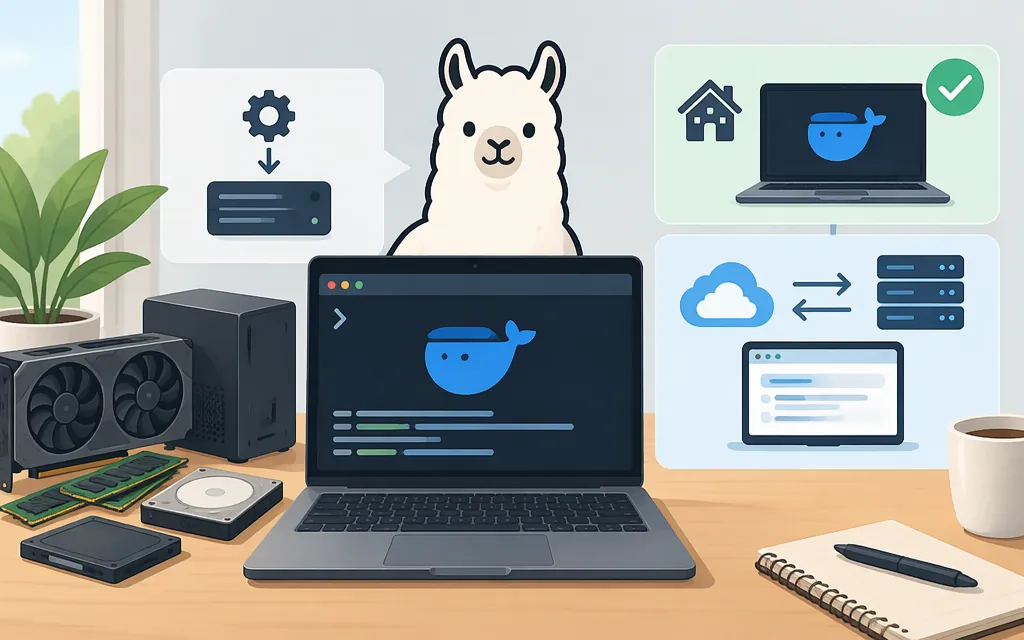
Yes—you can run a DeepSeek R1 variant locally with Ollama. This guide uses deepseek-r1:1.5b, a smaller Qwen-based distilled model. Its listed download is about 1.1 GB, but download size is not the memory needed to run it. Ollama’s guidance distinguishes system memory for CPU inference from VRAM for GPU inference, and the model’s context setting also affects memory use. The documentation cited here does not establish a minimum memory requirement for this exact model tag. Treat it as a small trial option, not a confirmed fit for every computer.
What “DeepSeek locally” means
Here, “locally” means downloading a model to your computer and running inference with Ollama. The deepseek-r1:1.5b tag corresponds to a smaller Qwen-based DeepSeek R1 distilled model; it is not the full, large DeepSeek R1 model. DeepSeek describes its 1.5B distilled model as derived from the Qwen-2.5 series. (Ollama model page)
Ollama lists deepseek-r1:1.5b at about 1.1 GB and deepseek-r1:7b at about 4.7 GB. The 1.5B artifact is listed as Q4_K_M. These are model-file details—not guarantees about runtime memory, speed, or compatibility. Ollama says CPU inference uses system memory, GPU inference uses VRAM, and larger context settings need more memory. (Ollama model tags; Ollama FAQ; context length)
Hardware preflight
Before downloading, check that your system meets the operating-system requirements below and has enough free storage for the Ollama installation and model files. For inference, Ollama can use system memory with a CPU or VRAM with a compatible GPU; ollama ps shows whether a loaded model is using CPU memory, GPU memory, or both. The exact memory needed depends in part on context length. The cited Ollama documentation does not specify a minimum RAM or VRAM amount for deepseek-r1:1.5b, so there is no reliable model-specific minimum to promise here. If you are unsure, try this smaller tag and use the response and ollama ps checks below to assess your own setup; a successful download alone does not establish that it will run well. (Ollama FAQ; context length; 1.5B model details)
License note: Ollama’s page for the deepseek-r1:1.5b tag identifies the model weights as MIT-licensed; DeepSeek identifies the Qwen-derived 1.5B model as based on Qwen-2.5, originally licensed under Apache 2.0. The Ollama runtime has its own terms. Before redistributing a model or incorporating it into an application, review the applicable model and runtime notices rather than assuming every DeepSeek tag has identical terms. (Ollama model page; DeepSeek-R1 repository)
Local inference or a hosted API?
| Choose local inference when… | Consider a hosted API when… |
|---|---|
| You want to run the model on your own computer and can provide its storage and computing resources. | You don’t want to install models or manage the hardware that serves them. |
| You are experimenting on one machine or building a local prototype. | Your application needs hosted inference; check the provider’s model availability, limits, reliability, data terms, and pricing. |
| You can evaluate whether your computer’s speed and output suit your needs. | You prefer a provider to manage serving infrastructure and can depend on its service and terms. |
Local inference means the prompt is processed by the local runtime; it does not guarantee privacy for every surrounding application, log, or workflow. You need connectivity to install Ollama and download the model. Once downloaded, local inference does not require sending prompts to a hosted inference service.
For a production API, check the provider’s current model names, limits, data-handling terms, reliability, and prices before choosing it. This guide does not make claims about a particular provider’s API or pricing.
Install and run DeepSeek R1 with Ollama
1. Install Ollama
Use the instructions for your operating system on Ollama’s official download pages:
-
macOS: Ollama documents macOS Sonoma (version 14) or newer as a requirement. Its preferred installation method is to open the downloaded DMG and drag Ollama into the system-wide Applications folder. On first launch, the app checks whether the
ollamacommand is available and can prompt to add it to your PATH. (Ollama macOS documentation) -
Windows: The documented requirements are Windows 10 version 22H2 or newer, Home or Pro, and at least 4 GB of space for the Ollama installation. Check the official Windows instructions for any GPU driver requirements that apply to your hardware before installing. In PowerShell, Ollama provides this installer command: (Ollama Windows download)
irm https://ollama.com/install.ps1 | iex -
Linux: Follow Ollama’s official Linux installation instructions. Its download instructions provide this installer command: (Ollama Linux download)
curl -fsSL https://ollama.com/install.sh | sh
After installation, start the Ollama app or service as appropriate for your system. The commands below need a running Ollama service; do not start a second server if one is already running.
2. Download a model
Open a terminal or PowerShell and pull the exact model tag:
ollama pull deepseek-r1:1.5b
Ollama lists this download at about 1.1 GB. If you want to try a larger listed Qwen distill, deepseek-r1:7b is about 4.7 GB. These file sizes don’t establish that a model will fit in memory or run at a particular speed on your computer. (Ollama model tags)
3. Run a prompt and check the result
Run the model:
ollama run deepseek-r1:1.5b
At the prompt, try a simple question:
Explain what a C++ class is in three sentences.
If Ollama returns a response in the terminal, you have confirmed that the model can answer a prompt in your setup. While it is loaded, run ollama ps in another terminal to inspect the running model, size, processor allocation, and context information. A larger context setting requires more memory. (Ollama FAQ; context length)
If the command cannot connect, first check that the Ollama app or service is running. When a server needs to be started manually, Ollama’s Linux setup documentation uses ollama serve for that purpose. Avoid starting a duplicate server. (Ollama Linux documentation)
Optional: send a request to the local API
Ollama also provides a local API. For example, this request sends a prompt to the model on your computer: (Ollama API: chat)
curl http://localhost:11434/api/chat -d '{
  "model": "deepseek-r1:1.5b",
  "messages": [{"role": "user", "content": "Explain what a C++ class is in three sentences."}]
}'
This local endpoint communicates with your Ollama instance; it is not automatically a production-hosted API. Before exposing a local service beyond your computer, review its authentication and network-access configuration.
Bottom line
To try DeepSeek locally, install Ollama, pull deepseek-r1:1.5b, and run it with ollama run deepseek-r1:1.5b. The 1.1 GB download is not a hardware-compatibility guarantee, and the cited documentation does not give a minimum memory requirement for this exact tag. Use the returned terminal response as a basic success check and ollama ps to inspect a loaded model. If local performance or hardware management does not suit your application, compare hosted APIs on the exact model, terms, limits, reliability, and price you need.
Sources
Windows — Ollama documentation
Context length — Ollama documentation
DeepSeek-R1 tags — Ollama Library
DeepSeek-R1 1.5B — Ollama Library