Can you still call DeepSeek V3.1 through an API?
The DeepSeek API sample for V3.1 Terminus uses the base URL https://api.deepseek.com/v3.1_terminus_expires_on_20251015 and returns the model name deepseek-v3.1-terminus. The URL contains an October 15, 2025 expiry label; the sample does not establish whether that route is currently callable. DeepSeek’s current API documentation lists other model names, so the reviewed material does not verify a current DeepSeek-owned V3.1 route. (V3.1 Terminus sample; current API docs)
DeepSeek’s change log also announced that the legacy names deepseek-chat and deepseek-reasoner would be discontinued on July 24, 2026, and described them during the transition as pointing to V4 Flash modes. Do not assume those historical aliases select V3.1. (DeepSeek change log)
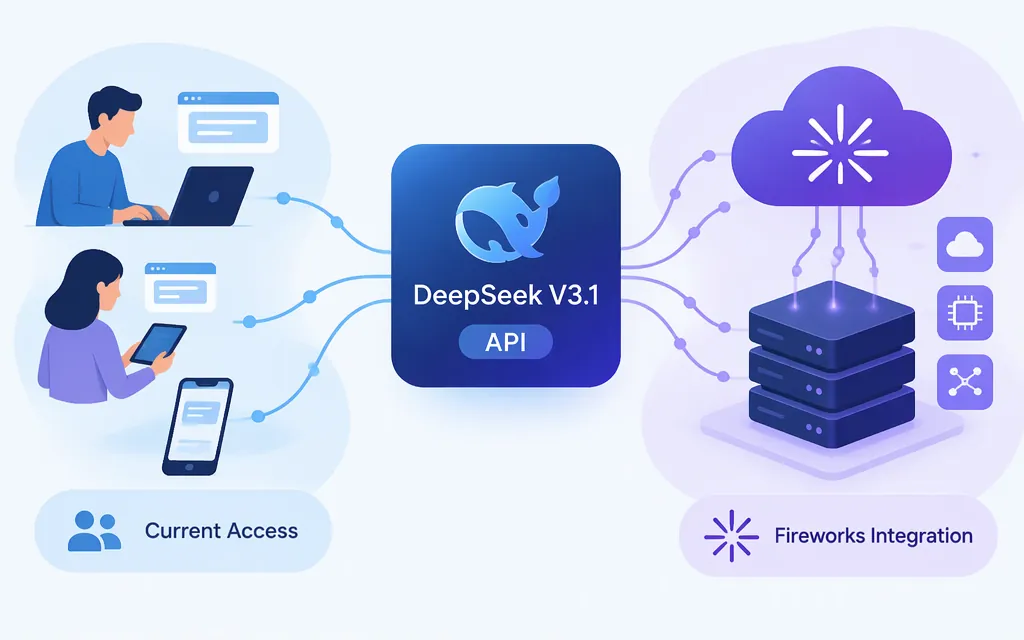
A provider-listed V3.1 route is Fireworks AI on-demand deployment. Its model listing marks DeepSeek V3.1 “Ready,” gives the model path accounts/fireworks/models/deepseek-v3p1, and offers on-demand deployment. The path identifies the model to deploy; after deployment, use the returned deployment ID in inference requests. The listing marks serverless use unsupported. (Fireworks V3.1 listing)
Set up a Fireworks V3.1 deployment
You’ll need a Fireworks API key and the firectl CLI. Fireworks’ quickstart says the default deployment-shape option requires firectl 1.8.8 or newer. (Deployments Quickstart)
-
Create an API key in Fireworks and set it in your shell. Install
firectlusing the provider’s platform-specific instructions, then sign in:export FIREWORKS_API_KEY="your_fireworks_api_key" firectl signin -
Create the deployment from the V3.1 model path:
firectl deployment create accounts/fireworks/models/deepseek-v3p1 \
  --deployment-shape default \
  --wait
Fireworks says
--deployment-shape defaultasks it to select a validated shape for the model. If you want to inspect compatible shapes instead, runfirectl deployment-shape-version match --model accounts/fireworks/models/deepseek-v3p1and choose a returned shape. The documentation describes this selection process generally; check the available shapes for this model in your account before relying on a particular hardware configuration. The create command returns an identifier in the formaccounts/<ACCOUNT_ID>/deployments/<DEPLOYMENT_ID>; save it for inference. (Deployment guide; firectl command reference)
Make a minimal chat request
Fireworks documents an OpenAI-compatible chat-completions API. Its SDK base URL is https://api.fireworks.ai/inference/v1; the full HTTP endpoint is https://api.fireworks.ai/inference/v1/chat/completions. Set the deployment ID returned by firectl as the request’s model value. (OpenAI compatibility; text-model guide)
Install the OpenAI Python SDK and set the deployment ID:
pip install openai
export FIREWORKS_DEPLOYMENT="accounts/your-account/deployments/your-deployment"
Then send a chat-completions request:
import os
from openai import OpenAI

client = OpenAI(
    api_key=os.environ["FIREWORKS_API_KEY"],
    base_url="https://api.fireworks.ai/inference/v1",
)

response = client.chat.completions.create(
    model=os.environ["FIREWORKS_DEPLOYMENT"],
    messages=[
        {"role": "user", "content": "Reply with: DeepSeek V3.1 API connected."}
    ],
)

print(response.choices[0].message.content)
The request pattern, authentication configuration, and response accessor follow Fireworks’ general OpenAI-compatible instructions; the V3.1 model path comes from its model listing. This is a documentation-based example, not a live test. (Fireworks text-model guide)
Which mode and capabilities should you plan for?
DeepSeek’s V3.1 release announcement historically mapped deepseek-chat to non-thinking mode and deepseek-reasoner to thinking mode. Those names should not be substituted into the Fireworks example above: use the Fireworks deployment ID for that route. The release announcement does not verify a current Fireworks mode-selection parameter. (DeepSeek V3.1 release announcement)
Context figures differ by source: DeepSeek’s release announcement stated 128K for both API modes, while Fireworks’ listing reports 163k tokens for its listing. These are provider-specific statements, not one universal V3.1 limit. Confirm the limit and supported request options for your deployment before relying on them. Fireworks marks function calling as supported, but its model listing does not provide a schema or request example. (DeepSeek release announcement; Fireworks V3.1 listing)
Production cost and operational trade-offs
Fireworks says on-demand deployments use dedicated GPUs and are billed by GPU-second, unlike serverless models billed per token. The sources here do not establish a fixed V3.1 dollar rate; check the pricing applicable to your deployment and selected shape. (Fireworks deployment guide)
If you configure scale-to-zero, Fireworks documents that requests may receive a 503 while a deployment scales back up and are not queued. Account for that behavior when designing your application’s retry handling. (Fireworks autoscaling guide)
Bottom line: Fireworks lists DeepSeek V3.1 for on-demand deployment using the model path accounts/fireworks/models/deepseek-v3p1; create the deployment first, then send chat requests using its returned deployment ID. The reviewed sources do not verify a currently callable DeepSeek-owned V3.1 route. Treat the Terminus sample’s expiry label as a warning in the URL, not by itself as confirmation of current route status.
Sources
DeepSeek API Docs: V3.1 Terminus Python sample
DeepSeek API Docs: Your First API Call
DeepSeek V3.1 Release announcement
Fireworks AI: DeepSeek V3.1 model listing
Fireworks AI Docs: Deployments Quickstart
Fireworks AI Docs: On-demand Deployments
Fireworks AI Docs: Querying Text Models
Fireworks AI Docs: OpenAI compatibility