Short answer
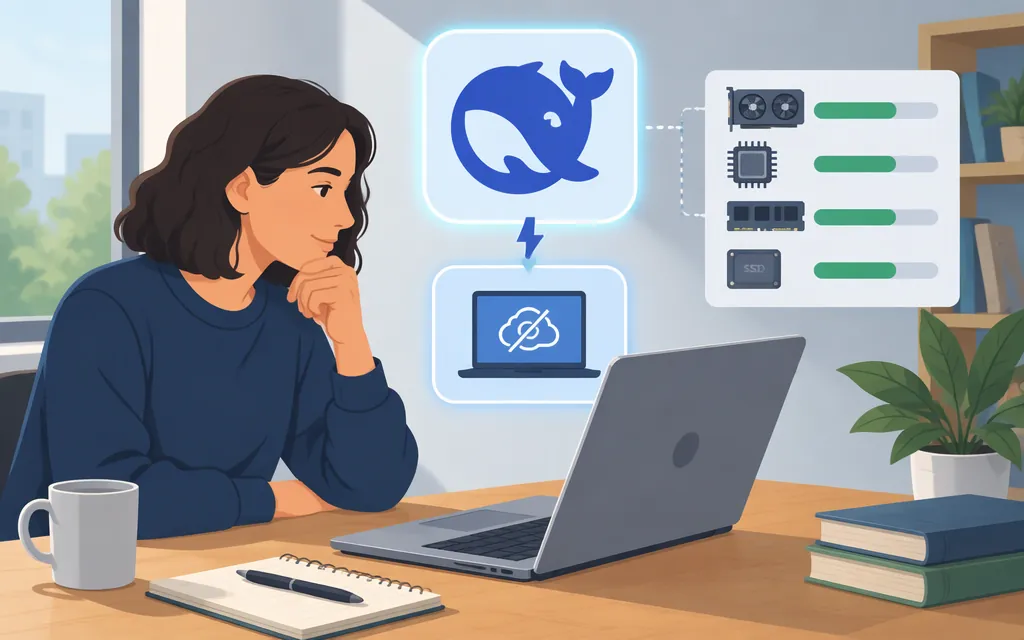
DeepSeek-V4-Flash has documented self-hosting examples, but the available evidence does not establish a generally practical hardware minimum. The official model README includes serving examples for vLLM and SGLang; it does not give a minimum GPU, RAM, or computer configuration. Whether local inference will work usefully depends on the exact model artifact, runtime, and workload—not just the model name.
For hosted use, the current DeepSeek API model name is deepseek-flash, served by DeepSeek-V4.1-Flash-1017. The older API names deepseek-v4-flash and deepseek-v4-flash-vision-exp are still accepted but route to that newer model; that does not establish that the original downloadable V4 Flash weights and hosted model are interchangeable. DeepSeek’s API documentation (api-docs.deepseek.com)
Practical takeaway: consider self-hosting if you can obtain and run the exact artifact on suitable hardware, then test it under your intended workload. If you want hosted access without operating local inference, the current API is an alternative.
What the local-running evidence establishes
The official DeepSeek-V4-Flash README lists serving examples for vLLM and SGLang. That confirms documented serving routes, not that they will run well on a particular consumer computer or that a general hardware minimum is supported.
Separately, a commenter in a discussion attached to the Hugging Face model page reports an experimental CPU-only Linux run using a 78.62 GiB GGUF, 7.7 GiB physical RAM, and NVMe storage. The author says the file remained backed by NVMe and Linux paged its contents into memory on demand, so the model did not fit in RAM. The experiment used a custom research fork with AProjQ4 CPU support and an opt-in no-prefetch mode. Its reported 5.33-second result is a cold first-token diagnostic, which the author explicitly says is not a sustained-generation performance benchmark. Treat this as an individual, specialized experiment—not a standard setup recommendation or evidence of everyday performance.
A third-party guide claims a quantized artifact is about 81 GB and suggests 128 GB of unified memory, but its download command uses a placeholder repository name rather than a usable model location. The available evidence does not substantiate those hardware claims or establish that the guide’s artifact is the same file as the 78.62 GiB community test. Do not treat either number as an official hardware requirement.
| Evidence | What it supports | What it does not establish |
|---|---|---|
| Official model README | vLLM and SGLang serving examples | A minimum hardware configuration, performance, or suitability for a particular PC |
| Community low-RAM experiment | One author-reported, NVMe-backed demand-paging experiment | That the model fits in RAM, has useful sustained speed, or works the same way on another machine |
| Third-party quantization guide | The guide’s own quantization and memory claims | A verified artifact, official minimum, or independently substantiated performance |
Check these points before attempting local inference
Evaluate the exact artifact and runtime you plan to use:
- Model and file: Confirm whether you mean the original V4 Flash weights or a converted or quantized artifact. Check the file format, actual download size, license, and runtime compatibility.
- Memory and storage: Compare your available GPU or unified memory with requirements for the artifact, runtime, and intended context/KV cache. Disk-backed paging is not the same as fitting a model in RAM.
- Runtime and acceleration: Use the model repository’s instructions for a compatible backend and check that the intended acceleration is active. The serving examples do not guarantee compatibility with every machine.
- Your real workload: Test the prompt and context lengths, output lengths, and concurrency you expect. Measure first-token latency, sustained generation speed, memory use, and whether the machine remains responsive.
The discussion includes a user request for a smaller model that would work with 32 GB RAM. That is a request—not a tested 32 GB configuration, an official hardware threshold, or confirmation that a smaller model is available. The reported 78.62 GiB file and the third-party guide’s approximately 81 GB artifact have not been established as the same file.
Local model or production API?
| Choose | When it may make sense | Main trade-off |
|---|---|---|
| Local deployment | You want to run weights on infrastructure you control and can validate the artifact, hardware, runtime, and performance. | You operate the deployment; the cited official materials do not give a general hardware minimum. |
| DeepSeek API | You want hosted access and do not want to provision and operate local inference hardware. | Requests go to a hosted service and are billed according to token use and cache status. |
Current DeepSeek API model and price
DeepSeek’s documentation lists deepseek-flash as the model name, served by DeepSeek-V4.1-Flash-1017. It lists a 1M-token context length and a maximum output of 384K tokens. These are the documented labels; check the current documentation for applicable limits and conditions. (DeepSeek API model and pricing documentation) (api-docs.deepseek.com)
The listed rates are dollars per 1 million tokens. For deepseek-flash, input costs are $0.15 per million cache-miss tokens and $0.003 per million cache-hit tokens off-peak; peak rates are $0.30 and $0.006, respectively. Output costs are $0.60 per million tokens off-peak and $1.20 at peak. Peak hours are 01:00–04:00 and 06:00–10:00 UTC, Monday through Friday, excluding Chinese public holidays. Weekends and Chinese public holidays are off-peak. Prices may change, so check the current pricing page before budgeting. (api-docs.deepseek.com)
DeepSeek documents the OpenAI-format base URL as https://api.deepseek.com. Calls require an API key and use the /chat/completions endpoint. Its example uses a model field and a messages array; a minimal request is: (DeepSeek first API call guide)
export DEEPSEEK_API_KEY="your-api-key"

curl https://api.deepseek.com/chat/completions \
  -H "Content-Type: application/json" \
  -H "Authorization: Bearer ${DEEPSEEK_API_KEY}" \
  -d '{
    "model": "deepseek-flash",
    "messages": [{"role": "user", "content": "Hello!"}]
  }'
This request targets the current API model name, not a separately verified local V4 Flash deployment.
Bottom line
- Try local inference if you can obtain the intended artifact, match it with a compatible runtime, and benchmark it on your own hardware and workload. Official serving examples exist, but the cited documentation does not establish a universal consumer-hardware minimum.
- Do not infer practical speed from the low-RAM anecdote. It describes a custom-fork, NVMe-backed paging experiment and a first-token diagnostic—not an ordinary in-memory setup or sustained-generation result.
- Consider the hosted API if you prefer a documented service to researching and operating a local deployment. For new API calls, use
deepseek-flash; legacy V4 Flash API names route to V4.1-Flash-1017.
Model and API availability, supported runtimes, and prices can change. Check the linked official documentation and the exact model artifact before deployment or budgeting.
Sources
DeepSeek-V4-Flash model README
DeepSeek-V4-Flash discussion: Too big to run locally
Third-party guide to running DeepSeek V4 Flash locally