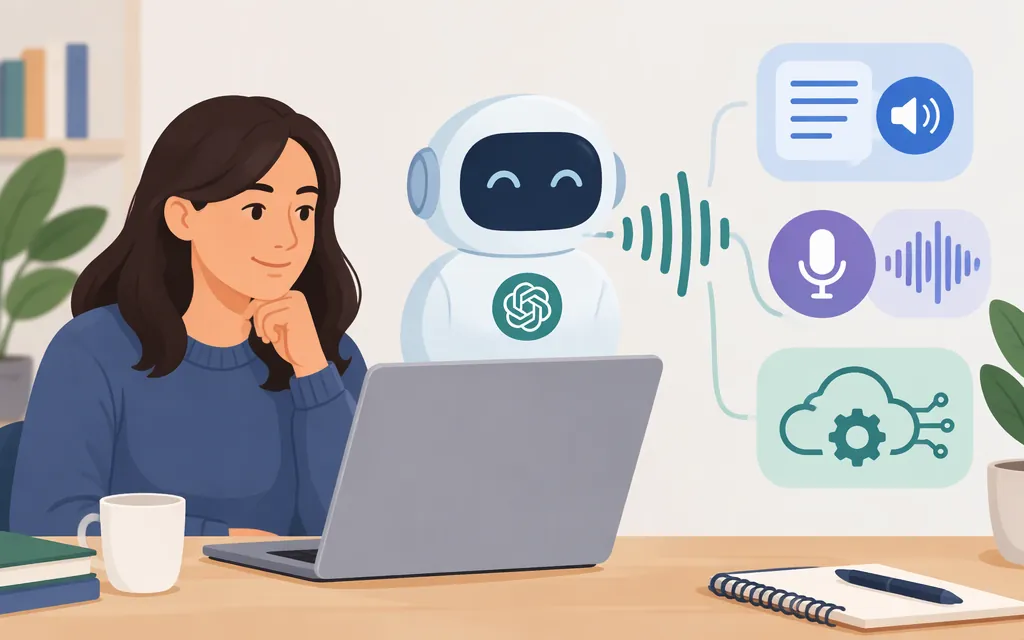
Does ChatGPT have text-to-speech?
Yes, in two different in-product ways: ChatGPT’s mobile apps list Read aloud among response actions, and Voice lets you speak with ChatGPT and hear spoken replies. If you’re building an application, OpenAI also documents an API workflow for generating speech from supplied text—but the models for that workflow are scheduled to shut down on January 6, 2027. The recommended Realtime migration uses a different workflow. (ChatGPT app FAQ; ChatGPT Voice; Text to speech API guide)
These options are not interchangeable: Read aloud plays an existing ChatGPT response; Voice is a spoken conversation; an API lets software generate or deliver audio.
Hear a ChatGPT response aloud
In the ChatGPT mobile app, use the response-action buttons beneath a reply or open the more options (•••) menu, then select Read aloud if it appears. OpenAI notes that available actions can vary by message. (ChatGPT app FAQ)
To start a Voice conversation, select the Voice icon in the message bar. If prompted, allow microphone access; then speak after Voice opens. If Voice isn’t available, check OpenAI’s current Voice Help Center guidance for availability information. (ChatGPT Voice)
Choose Read aloud to hear a reply without starting a conversation. Choose Voice to talk back and forth. Dictation is different again: it turns your speech into text rather than starting a spoken conversation. (ChatGPT Voice)
Generate speech in your own app: plan for the API transition
For supplied text that you want to turn into an audio file, OpenAI’s documented Speech API workflow takes a model, text input, and voice, and can save the returned audio as an MP3. However, OpenAI says tts-1, tts-1-hd, and gpt-4o-mini-tts are deprecated and will shut down on January 6, 2027. The guide recommends migrating to gpt-realtime-2.1-mini through the Realtime API; that model is not supported at /v1/audio/speech. This is a change of workflow, not a model-name swap. (Text to speech API guide)
Choose based on what you’re building:
- For an existing integration that turns supplied text into audio, the current guide documents
/v1/audio/speechand the required model, text, and voice inputs—but that workflow has a stated shutdown date. The Python example below demonstrates it; it is not a durable default for a new long-lived system. - For a conversational voice agent, OpenAI’s Realtime guide describes a session-based speech-to-speech workflow. In the documented browser flow, your server creates an ephemeral client secret, and the frontend connects a Realtime session over WebRTC. The guide also identifies WebSocket as a server-side connection option. (Realtime API guide)
- Important limitation: the current Realtime guidance establishes a path for conversational speech, but the documentation retrieved here does not establish a drop-in Realtime request for narrating arbitrary supplied text verbatim into a playable audio file. Don’t assume it is equivalent to
/v1/audio/speechfor exact-text narration; verify that use case against the current Realtime documentation before committing to an architecture.
A minimal example of the currently documented, soon-to-be-retired Speech API workflow in Python is:
from pathlib import Path
from openai import OpenAI

client = OpenAI()
speech_file = Path("speech.mp3")

with client.audio.speech.with_streaming_response.create(
    model="gpt-4o-mini-tts",
    voice="coral",
    input="Your text goes here.",
) as response:
    response.stream_to_file(speech_file)
The documented example writes an MP3 file. Treat this as guidance for the existing Speech API workflow, not a recommendation to launch a new long-lived integration on a model scheduled for shutdown. (Text to speech API guide)
API usage is billed separately from a ChatGPT subscription. Check the current API pricing before estimating production costs. (OpenAI billing FAQ)
Which option fits your need?
| What you want | Use | Key consideration |
|---|---|---|
| Listen to a ChatGPT reply | Read aloud, when listed in response actions | In the mobile app, check the buttons below the reply or the more options menu; actions vary by message. (ChatGPT app FAQ) |
| Speak with ChatGPT and hear it respond | ChatGPT Voice | Start with the Voice icon in the message bar. If Voice isn’t available, consult the current Voice Help Center guidance. |
| Build a conversational voice agent | Realtime API | The documented workflow uses a Realtime session; confirm the connection path for your client and server. It is not established here as a drop-in exact-text narration workflow. (Realtime API guide) |
| Turn supplied text into an audio file | Speech API for existing integrations | Its documented models are scheduled to shut down January 6, 2027. Confirm a suitable migration before building a long-lived integration. (Text to speech API guide) |
Bottom line: ChatGPT can read replies aloud and speak in Voice conversations. For software, the documented supplied-text Speech API workflow is temporary; Realtime is the recommended migration, but verify its fit if your requirement is verbatim narration of text.
Sources
ChatGPT iOS and Android app FAQ — OpenAI Help Center
ChatGPT Voice — OpenAI Help Center
Getting started with the Realtime API — OpenAI API
Managing billing for ChatGPT and the API platform — OpenAI Help Center