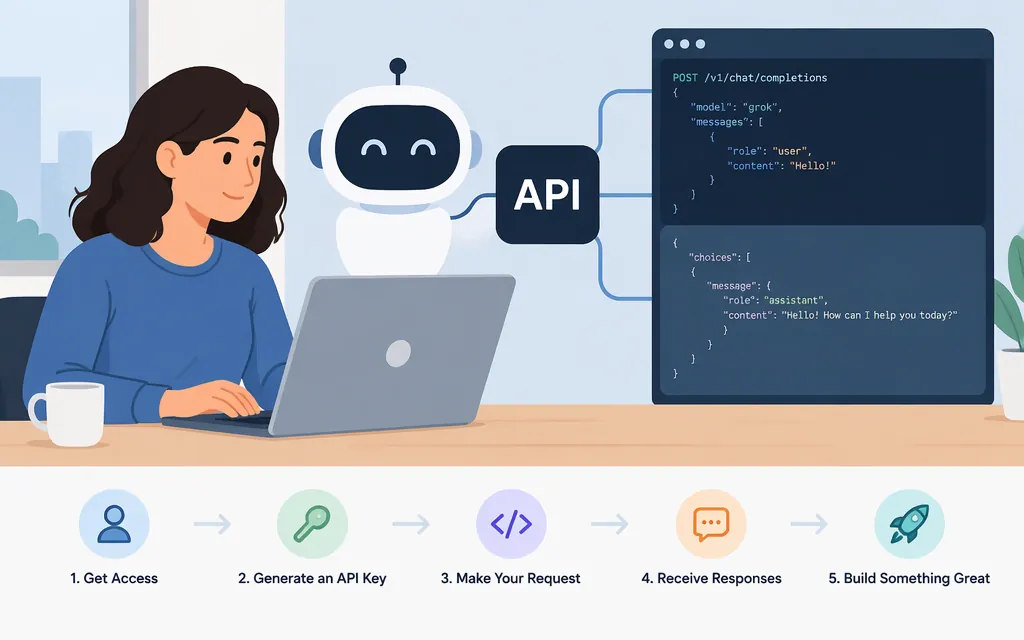
Does Grok have an API?
Yes. xAI provides a direct API for developers to build with Grok. You can make API requests using an xAI API key; a third-party provider or framework is optional. xAI lists https://api.x.ai as its inference API base URL and describes the Responses API as its primary interface for text generation, reasoning, and tool use. (API reference, Responses API reference)
The Grok app and the API are different access paths: for API requests, create an account and API key in the xAI Console. A framework such as Pipecat can wrap API access, but it is not required to call xAI’s API. (xAI quickstart)
Make a first Grok API request
For a basic text request, create an xAI account, load it with credits, and generate an API key in the Console. Set the key as an environment variable before making the request. (xAI quickstart)
export XAI_API_KEY="your_api_key"

curl https://api.x.ai/v1/responses \
  -H "Authorization: Bearer $XAI_API_KEY" \
  -H "Content-Type: application/json" \
  -d '{
    "model": "grok-4.7",
    "input": "Explain what an API is in one sentence."
  }'
This sends a POST request to /v1/responses. The request body uses a model name and an input prompt; the documented input field accepts a string or an array. A successful response includes a status such as completed and an output array containing the generated answer. (Responses API reference, response format comparison)
If the request fails: check that the API key is set correctly, your account has credits available, and the requested model is available to your API key. You can query GET https://api.x.ai/v1/models to list models available to the authenticating key. (Models API reference)
Which API and model should you use?
For a new text-generation integration, start with the Responses API. xAI describes it as the primary interface for text generation, reasoning, and tool use. xAI’s documentation labels Chat Completions a legacy endpoint and says new integrations should use Responses. (Responses API reference, Chat Completions documentation)
Model names and access can change. The xAI model documentation presents Grok 4.7 as its flagship model for code and general use. Check the models available to your API key rather than assuming a model name in an older tutorial will still work. (xAI models, Models API reference)
Before building around a feature, verify its support for the specific model and endpoint you plan to use. xAI’s API documentation describes features such as tool use; framework documentation describes that particular integration and should not automatically be treated as a guarantee for every direct API model or route. (xAI tools overview)
Direct API or a framework?
- Use the xAI API directly when you want to control HTTP requests and integrate Grok into your own application.
- Use a framework integration when its abstraction or orchestration features fit your application. For example, Pipecat documents a Grok service using the base URL
https://api.x.ai/v1and an xAI API key; its installation and Python setup apply to Pipecat, not to every direct API call. (Pipecat Grok documentation)
The API is a direct developer integration path, but access to a particular model, pricing, limits, and feature support depend on the current xAI documentation and your account. Check the official quickstart, Responses API reference, and models page before deploying.