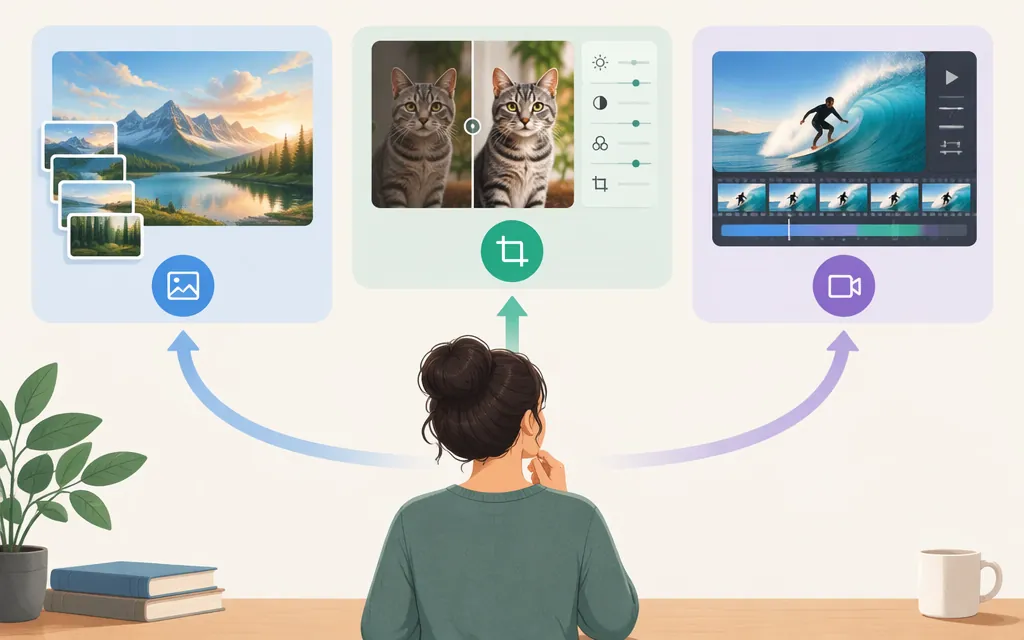
“FLUX model” refers to a Black Forest Labs model family, not one interchangeable model. For image work, consider options such as FLUX.2 and FLUX 3 Image; for local image workflows, both FLUX.2 Klein and FLUX 3 Image Klein are candidates, subject to their distinct hardware and license checks. FLUX 3 Video and FLUX Tools address video and task-specific editing workflows. Product descriptions can help narrow a shortlist, but they do not establish an overall winner. (Black Forest Labs: FLUX models)
What is the FLUX model?
Black Forest Labs’ model page lists FLUX 3 offerings for image generation and editing, video, and action, as well as FLUX Tools and a separate “Earlier FLUX models” section. The company’s FLUX.1 repository describes its inference code as supporting image generation and editing. These are different products and generations—not one model with identical inputs, licensing, or deployment options. (Black Forest Labs: FLUX models; FLUX.1 inference repository)
For technical background specifically on FLUX.1, an unofficial report describes it as a rectified-flow transformer operating in an image encoder’s latent space. The report is not official product or API documentation, and its description should not be generalized to every FLUX model. (Demystifying Flux Architecture)
Which FLUX model should you shortlist?
| If your main task is… | Shortlist | Why it may fit—and what to confirm |
|---|---|---|
| Image generation and editing with multiple references | FLUX.2 [pro] or [flex] | BFL describes these as production-grade image generation and editing models with multi-reference control and 4MP output. Confirm the specific variant, supported inputs, limits, and price for your workflow. (FLUX.2) |
| Fast image generation or editing, including local deployment | FLUX.2 [klein] | BFL describes FLUX.2 Klein as available through its API or for local use. Its product page lists 4B and 9B variants with different VRAM figures and inference-time estimates for named GPUs; treat these as BFL’s stated figures, not a guarantee for your setup. Check the exact variant and license before deploying. (FLUX.2 Klein) |
| Open-weight image generation, editing, or multi-reference composition on local hardware | FLUX 3 Image Klein | BFL describes this model as supporting image editing, text-to-image generation, and combining up to ten references. Its product page offers weights to run on your own hardware, but the cited description does not specify a hardware configuration. Verify the applicable license, hardware fit, and version-specific requirements before deployment. (FLUX 3 Image Klein) |
| Editing parts of an image while preserving the rest | FLUX 3 Image | BFL describes box-by-box canvas editing, where areas outside the edit remain unchanged. The page also displays “Bounding boxes” and “Native 4K” labels; check the API documentation for exact inputs and output limits. (FLUX 3 Image) |
| Video from text, images, or keyframes, with audio | FLUX 3 Video | BFL describes native audio, clips up to 20 seconds in a single generation, and starts from text, an image, or keyframes. Confirm supported duration, output settings, and audio behavior for the endpoint you plan to use. (FLUX 3 Video) |
| A fast video-generation workflow | FLUX 3 Max | BFL advertises a 10-second video in 12 seconds and calls it its fastest video model. The product page does not provide test conditions, so measure performance on your own workload before relying on that claim. (Black Forest Labs: FLUX models) |
| A task-specific image or video operation | FLUX Tools | BFL describes use-case-specific APIs for operations including erase, outpaint, upscale, and virtual try-on. Check each tool’s supported inputs, outputs, and constraints. (FLUX Tools) |
| Action prediction for a robot, simulator, or game | FLUX 3 Action | BFL describes this as a 7B open-weight world-action model and provides a research report and a weight-download option. The page labels it “Research”; do not assume that means it is a production image-generation API. (FLUX 3 Action) |
For older FLUX.1 names, BFL’s repository maps schnell to text-to-image, Fill [dev] to in/out-painting, and Kontext [dev] to image editing. These task labels help identify the variants; “Earlier FLUX models” does not, by itself, establish that a model is discontinued or unavailable. (FLUX.1 inference repository)
The available product descriptions do not establish an overall winner. They can help narrow options by stated capability, but they do not provide a comparable evaluation of quality, speed, or cost across your prompts and production conditions.
Example: narrowing a shortlist
A team that needs product images edited from reference photos and also needs short promotional videos could start by evaluating FLUX.2 for the image work and FLUX 3 Video for the video work. That is a capability-based shortlist, not a claim that either model performs best overall. Test representative inputs, check endpoint-specific limits, and compare quality, latency, and total cost before committing.
What to check before choosing a FLUX production API
BFL’s official FLUX.1 repository says its API offers access to models including Pro models whose weights are not open, and directs developers to BFL’s API documentation. BFL’s documentation index describes credit-based pricing for FLUX 3, FLUX.2, FLUX.1, and batch requests; it states that 1 credit equals $0.01 USD. That is the stated value of a credit, not the price of a particular image or video request. Confirm the model- and settings-specific credit charge before estimating spend. (FLUX.1 inference repository; BFL API documentation index)
Before production, verify in the current API documentation:
- The exact model ID and endpoint you intend to call.
- Authentication, request and response formats, and how results are returned.
- Supported image, video, audio, or reference inputs—and their size, duration, and format limits.
- Request limits, error behavior, and any documented availability commitments.
- The model’s current credit cost for the specific settings you will use.
- Whether the applicable API terms fit your commercial use case.
Do not confuse BFL’s open-weight usage-tracking example with a generation API integration. The repository shows a BFL_API_KEY and --track_usage CLI example for commercial usage reporting with open-weight FLUX.1 models; it is not an API request schema or endpoint example. (FLUX.1 inference repository)
Open weights, local use, and commercial rights are different questions
“Open weights,” permission to use a model commercially, availability of a download, and the hardware needed for local inference are separate issues. For example, BFL describes FLUX 3 Image Klein as open-weight, offers its weights for local use, and says it can run on your own hardware. The cited description does not specify a hardware configuration. Check the exact model, release, license, and hardware requirements rather than assuming one model’s terms or needs apply to another. (FLUX 3 Image Klein; FLUX.2 Klein)
The FLUX.1 repository lists FLUX.1 [schnell] under Apache-2.0 and several other FLUX.1 models under a “FLUX.1-dev Non-Commercial License.” Those labels apply to the named FLUX.1 entries; they do not establish licensing for newer models. The repository also points to separate commercial licensing for open-weight model use, so check the terms for the exact model and release you plan to deploy. (FLUX.1 inference repository)
Bottom line
Start with the task, not the FLUX name: shortlist FLUX.2 or FLUX 3 Image for image generation and editing, FLUX 3 Video for video, and FLUX Tools for specific editing operations. For local image work, compare FLUX.2 Klein and FLUX 3 Image Klein; check each model’s variant-specific hardware needs, weight access, and license. Before choosing a production API, confirm its exact endpoint, limits, commercial terms, and model-specific credit cost.
Sources
FLUX.2 [klein] — Black Forest Labs
FLUX 3 Image Klein: Image editing with open weights | Black Forest Labs
FLUX 3 Image: Maximum control over every pixel | Black Forest Labs
FLUX 3: One Multimodal Model | Black Forest Labs
FLUX Tools — Black Forest Labs
FLUX 3 Action: A 7B World Action Model for Robot Control
Official inference repo for FLUX.1 models — Black Forest Labs