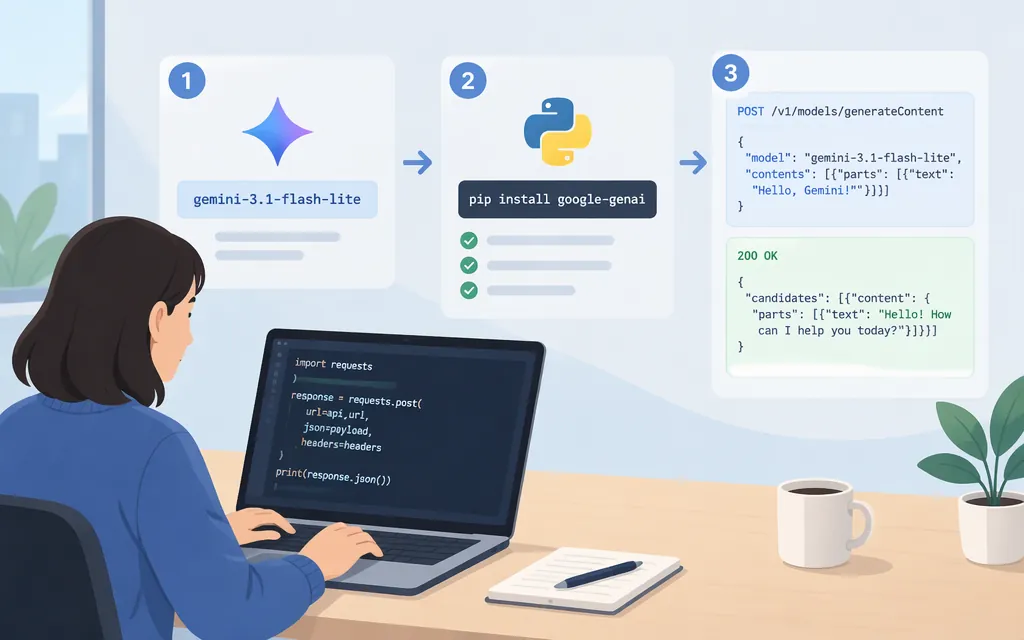
For Google’s Gemini API, the stable model ID is gemini-3.1-flash-lite. Google’s official Python SDK can call it with client.models.generate_content(...); you do not need the separate Cloudflare or MixRoute routes shown in some third-party guides. Google lists a 1,048,576-token input limit and 65,536-token output limit for this model. (Google model documentation)
The model ID matters: gemini-3.1-flash-lite-image is a separate image-generation model, not the identifier to substitute into a text-generation request for the general Flash-Lite model. (Google image model documentation)
Make your first Gemini 3.1 Flash-Lite API request
This example uses Google’s official, generally available GenAI SDK for Python and the stable Gemini API model ID. (Google SDK documentation)
- Create or select a Gemini API key in Google AI Studio.
- Install the SDK and set the key as an environment variable. The Google quickstart uses
GEMINI_API_KEY. (Google AI Studio quickstart) - Save and run this Python script:
pip install -U google-genai
export GEMINI_API_KEY="YOUR_API_KEY"
from google import genai

client = genai.Client()
response = client.models.generate_content(
    model="gemini-3.1-flash-lite",
    contents="Summarize the purpose of an API in one sentence.",
)

print(response.text)
Expected result: the SDK returns a generated text response, and response.text prints it. Google’s model page uses this same client.models.generate_content pattern with the gemini-3.1-flash-lite model ID. (Google model documentation)
Credentials and production considerations
Keep the API key in a server-side secret store or environment variable; do not embed a private key in public client-side code. Google’s key documentation describes API-key authentication and distinguishes standard keys from authorization keys. It says that, starting May 28, 2026, new keys created in AI Studio are authorization keys by default, and unrestricted standard keys are rejected. If an older integration stops authenticating, check the key type and restrictions rather than changing the model ID first. (Google API key documentation)
Google identifies the model as stable and lists its input and output token limits above. These limits do not establish the quota or availability for a particular account. Confirm applicable rate limits, billing, and access in the Google project you will deploy with; prices shown by a gateway or another provider should not be assumed to apply to direct Google API requests.
Google recommends its GenAI SDK for application development and describes the libraries as production-ready. That endorsement applies to the SDK, not as a guarantee of a particular model’s latency, uptime, or suitability for your workload. Test your own prompts, expected output quality, error handling, throughput, and cost before production rollout. (Google SDK documentation)
Don’t mix provider routes or model IDs
- Direct Google Gemini API: use
gemini-3.1-flash-litewith Google’s Gemini API credentials and SDK. (Google model documentation) - Cloudflare AI Gateway through TypingMind: a third-party TypingMind guide lists
google/gemini-3.1-flash-liteand a Cloudflare compatibility endpoint. That is a gateway-specific configuration, not the direct Google SDK example above. - MixRoute image endpoint: MixRoute documents
gemini-3.1-flash-lite-imageat its owngenerateContentendpoint. Its image request format and MixRoute bearer key are specific to that image model and service; do not copy them into the direct Google text example. (MixRoute image-model documentation)
If you need direct Google integration, start with the SDK request above. If you choose a gateway instead, use that gateway’s current model identifier, endpoint, authentication, and payload documentation as a matched set.
Sources
Gemini 3.1 Flash-Lite | Gemini API | Google AI for Developers
Gemini 3.1 Flash Lite image | Gemini API | Google AI for Developers
Gemini API libraries | Google AI for Developers
Getting started | Gemini API | Google AI Studio
Using Gemini API keys | Google AI for Developers
Use Gemini 3.1 Flash Lite with Cloudflare AI Gateway API Key | TypingMind