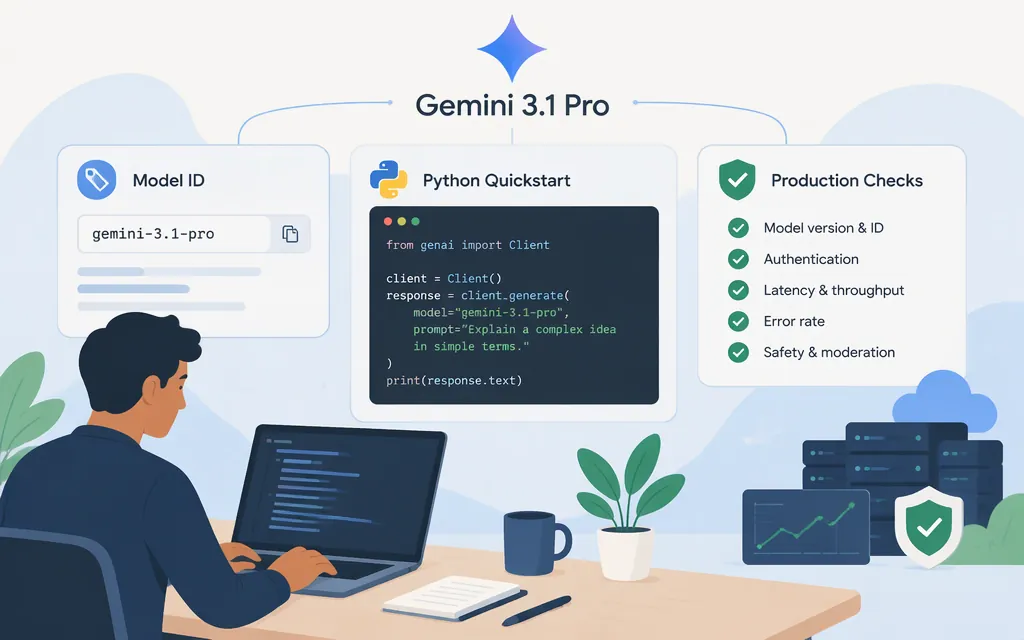
Gemini 3.1 Pro is available through Google’s Gemini Developer API as a Preview model. Its direct API model ID is gemini-3.1-pro-preview. Use Google’s SDK and API surface for a direct integration; a third-party gateway may require its own model identifier and credentials. (Google model reference)
Quickstart: make a direct API request in Python
You’ll need Python, a Gemini API key from Google AI Studio, and Google’s Gen AI Python SDK. Google’s setup guide shows setting GEMINI_API_KEY as an environment variable and installing the SDK with pip. The model page labels Gemini 3.1 Pro Preview as paid; don’t assume a valid key alone means your project has access. Check the model’s current pricing and your project’s billing and access in AI Studio before relying on the request. (Google setup guide · model reference · billing guide)
pip install -U google-genai
export GEMINI_API_KEY="YOUR_API_KEY"
Save this as gemini_test.py and run it with python gemini_test.py:
from google import genai

client = genai.Client()

response = client.models.generate_content(
    model="gemini-3.1-pro-preview",
    contents="Explain what an API is in one sentence.",
)

print(response.text)
A successful request prints the generated text. This uses Google’s Gemini Developer API and Google Gen AI SDK—not an OpenAI-compatible intermediary. The generate_content pattern and response.text extraction are documented in Google’s text-generation guide. (Google text-generation guide)
If the call fails, check that the environment variable is available to the Python process, that the key and project are set up for the Gemini API, and that your project has access to this paid Preview model. Google’s rate limits vary by project and model, and are more restricted for Preview models; check the active limits in AI Studio rather than assuming a fixed quota. (Google rate limits)
Model capabilities and limits that affect integration
Google’s model reference lists these limits and supported data types for gemini-3.1-pro-preview:
- Input context: 1,048,576 tokens
- Maximum output: 65,536 tokens
- Inputs: text, images, video, audio, and PDF
- Output: text
The same reference marks function calling, structured outputs, and thinking as supported. It marks Live API and image generation as unsupported. File Search is listed as supported in AI Studio only. These are model-page support statuses, not examples of how to configure each feature; consult the linked feature documentation before building a request around one. (Google model reference)
Production checks: Preview status, limits, and data handling
Treat this as a Preview integration, not a generally available stable-model commitment. Before deployment, check that the model is still available to your project and review its current project-specific rate limits. Google says Preview models have more restricted rate limits; the active limits are visible in AI Studio. (Google model reference · rate limits)
Separate use for product improvement from request logging and retention. Google’s billing guidance says paid-tier prompts and responses are not used to improve Google products under the paid-services terms. Its data-logging documentation separately says project logs are private to the project by default and distinct from abuse-monitoring logs. (Google billing guide · data logging and sharing)
Check the logging setting for the API and project you actually use. Google says logging is on by default for Interactions API calls and, for Generate Content API calls, for projects created on or after October 26, 2026. Project logs have a default maximum retention period of 55 days; after that period, they are automatically marked for deletion. AI Studio lets a project’s logging window be set so logs are marked for deletion after 7, 14, 28, or 55 days. These details describe project logs, not the separate abuse-monitoring logs; the cited logging page does not establish an abuse-monitoring retention period or a zero-retention guarantee. (Google data logging and sharing)
Direct Google API versus a gateway
For a direct integration, use Google’s SDK or Gemini API with gemini-3.1-pro-preview. A gateway may instead require its own URL, credentials, and model name. For example, a Requesty listing uses google/gemini-3-pro-preview:flex; that listing does not establish that its identifier is equivalent to Google’s Gemini 3.1 Pro Preview model. (Google model reference · Requesty listing)
Official documentation
- Gemini 3.1 Pro Preview model reference
- Gemini API getting started
- Text generation guide
- Billing and tiers
- Rate limits
- Data logging and sharing
Sources
Gemini 3.1 Pro preview | Gemini API | Google AI for Developers
Getting started - Gemini API | Google AI Studio
Text generation - generateContent API | Google AI for Developers
Billing | Gemini API | Google AI for Developers
Rate limits | Gemini API | Google AI for Developers
Data logging and sharing | Gemini API | Google AI for Developers
Google Gemini API gemini-3-pro-preview:flex API Pricing & Cost