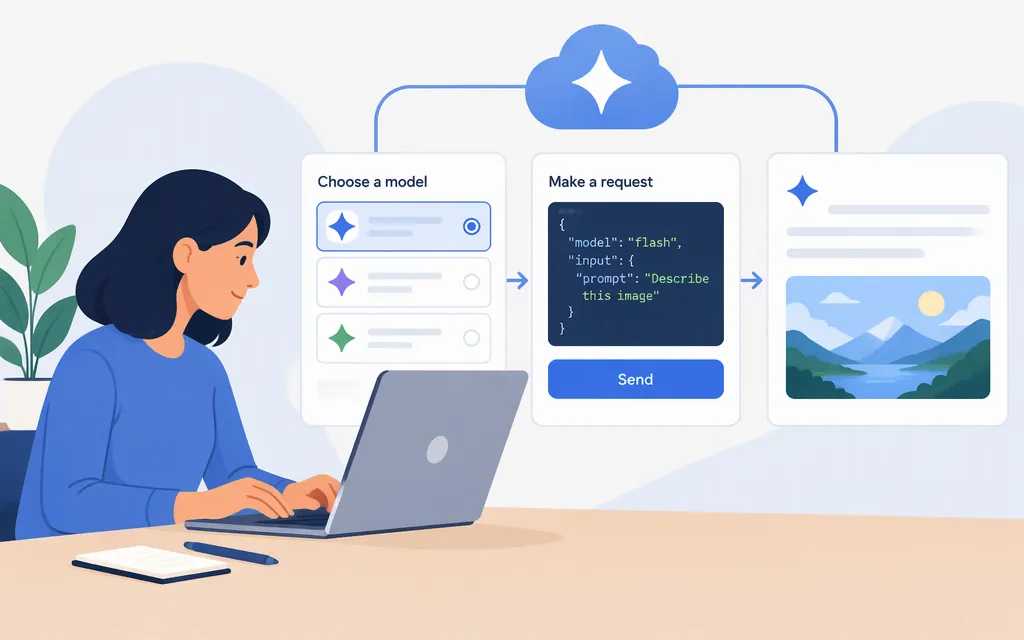
For a new integration with Google’s direct Gemini API, the model page lists gemini-3.8-flash as Stable. You can call it with the Google Gen AI SDK or the REST API. This guide uses an AI Studio API key; Vertex AI and Gemini Enterprise Agent Platform have separate setup and authentication instructions. (ai.google.dev)
Choose the API route and model
This walkthrough uses the direct Gemini API. If you choose Vertex AI or Gemini Enterprise Agent Platform instead, follow that route’s model, endpoint, and credential instructions. For example, the Agent Platform reference includes a Google Cloud ADC flow; it is not the API-key setup shown here. (aistudio.google.com)
Use gemini-3.8-flash as the model ID in the examples below. Check the official model page before implementation for its current status and specifications; don’t assume model names in older tutorials are interchangeable. (ai.google.dev)
Get an API key and install the Python SDK
Create or manage a Gemini API key in Google AI Studio, then set it as an environment variable. On macOS or Linux:
export GEMINI_API_KEY="YOUR_API_KEY"
pip install google-genai
The Python SDK reads GEMINI_API_KEY when you create a client without passing a key explicitly. Keep the key out of public repositories and browser-side code. (aistudio.google.com)
Check which kind of key you have: Google says that, starting May 28, 2026, new keys created in AI Studio are authorization keys by default. The Gemini API rejects unrestricted standard keys; standard keys with explicit restrictions continue to work. The rejection statement applies to unrestricted standard keys—not to every older key. (ai.google.dev)
Make your first Gemini Flash API request in Python
Save this as gemini_flash.py and run it from the shell where you set the key:
from google import genai

client = genai.Client()

response = client.models.generate_content(
    model="gemini-3.8-flash",
    contents="Explain how an API works in one sentence.",
)

print(response.text)
The SDK sends a text-generation request and response.text prints the generated text. Google’s current API documentation recommends the Interactions API for new projects, while generateContent remains supported; use the matching documentation if you choose to build with Interactions instead. (ai.google.dev)
Equivalent REST request
For a direct REST call, send a POST to the generateContent endpoint. This example uses the same model ID and API key:
curl "https://generativelanguage.googleapis.com/v1beta/models/gemini-3.8-flash:generateContent" \
  -H "x-goog-api-key: $GEMINI_API_KEY" \
  -H "Content-Type: application/json" \
  -X POST \
  -d '{"contents":[{"parts":[{"text":"Explain how an API works in one sentence."}]}]}'
In the JSON response, generated text is in the first candidate’s content parts. The API reference documents v1beta and v1; this example uses v1beta. (ai.google.dev)
What Gemini 3.8 Flash supports
Google lists text, image, video, audio, and PDF as inputs, with text output. The model page lists an input-token limit of 1,048,576 and a maximum output of 65,536 tokens. It also lists function calling and structured outputs as supported. Check the model page and API reference for the conditions that apply to your request; these specifications are not a guarantee of quota, latency, or cost for a particular workload. (ai.google.dev)
The Gemini API also supports streamed responses. For this model, Google’s Interactions API documentation shows streaming with model="gemini-3.8-flash" and stream=True. The model page lists Live API as unsupported, so don’t confuse streamed text responses with a real-time Live API session. (ai.google.dev)
Official references
- Gemini 3.8 Flash model specifications: (
ai.google.dev) - Gemini API key types and restrictions: (
ai.google.dev) - Gemini API quickstart and account setup: (
aistudio.google.com) - Google Gen AI SDK installation and production support: (
ai.google.dev) generateContentrequest and REST example: (ai.google.dev)- Interactions API streaming example: (
ai.google.dev)
Sources
Gemini 3.8 Flash | Gemini API | Google AI for Developers
Using Gemini API keys - generateContent API | Google AI for Developers
Getting started - Gemini API | Google AI Studio
Migrate to the Google GenAI SDK - Gemini API | Google AI Studio
Gemini API libraries - Google AI for Developers
Gemini thinking - generateContent API | Google AI for Developers
Migrating to the Interactions API | Google AI for Developers
Streaming interactions | Gemini API | Google AI for Developers
Generate content with the Gemini API | Gemini Enterprise Agent Platform