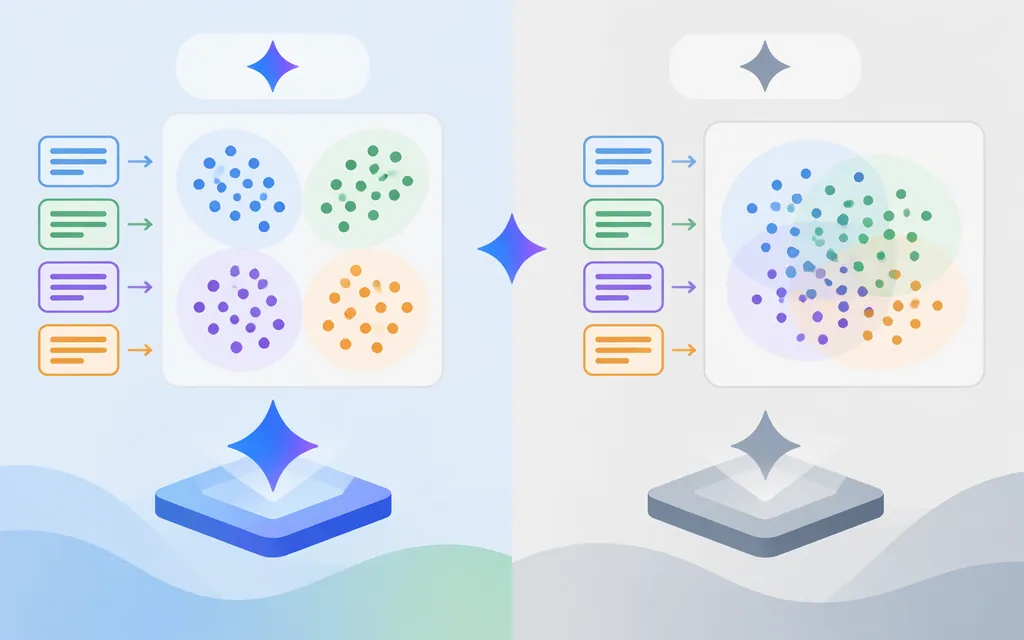
Short answer: Google documents two Gemini API options: gemini-embedding-2 for text and multimodal embeddings, and gemini-embedding-001 for text-only use. Choose Embedding 2 when you need text, images, video, audio, or PDFs in a shared embedding space. For text-only search, compare both on representative data and consider the input limit, vector dimensions, and retrieval setup. (Google AI Studio embeddings documentation)
Which Gemini embedding model should you choose?
| Model | Best fit | Documented input and output | Selection consideration |
|---|---|---|---|
gemini-embedding-2 |
Multimodal and cross-modal retrieval, or text workloads that need this model | Text, images, video, audio, and PDFs; up to 8,192 input tokens; adjustable output dimensions from 128 to 3,072. Google recommends 768, 1,536, or 3,072 dimensions. | Use when content crosses modalities—for example, searching images with text. Multimodal capability alone does not prove it will rank your text-only results better. (Model documentation) |
gemini-embedding-001 |
Text-only retrieval, semantic search, similarity, or other text embedding tasks | Text input; up to 2,048 tokens; adjustable output dimensions from 128 to 3,072. Google recommends 768, 1,536, or 3,072 dimensions. | Google says it remains available for text-only use. Its shorter input limit may matter for long chunks. (Model documentation) |
Google describes embeddings as useful for semantic search, classification, and clustering. A research report also names retrieval, similarity, ranking, and classification, but broad task descriptions do not establish which model will perform best on your documents, languages, or relevance judgments. Evaluate with representative data rather than treating benchmark claims as a universal ranking. (Google AI Studio embeddings documentation; Google DeepMind research report)
Practical selection rules
- Choose Embedding 2 if you need to search across content types, such as using text to retrieve images or searching documents alongside media. Google describes it as mapping these inputs into a unified embedding space. (Google AI Studio embeddings documentation)
- Consider
gemini-embedding-001if your system is text-only and its 2,048-token input limit fits your chunking approach. (Model documentation) - Treat dimensions as a measured storage-and-quality trade-off. Google recommends 768, 1,536, or 3,072 dimensions. Compare retrieval quality and index size on your own evaluation set instead of assuming a smaller vector will be equally accurate. (Embedding 2 model documentation)
- If changing models, plan to re-embed the corpus. Keep document and query vectors compatible in model and dimension, and validate the index after a change.
Call the production Gemini API
The Gemini Developer API’s official Python SDK is google-genai. Configure GEMINI_API_KEY in the environment; the client can read it automatically. This example makes a retrieval-query embedding request with 768 output dimensions. (Python SDK documentation; Embedding 2 retrieval guidance)
pip install -U google-genai
export GEMINI_API_KEY="your-api-key"
from google import genai
from google.genai import types

client = genai.Client()

result = client.models.embed_content(
    model="gemini-embedding-2",
    contents="task: search result | query: How do I reset my account password?",
    config=types.EmbedContentConfig(output_dimensionality=768),
)

# Python SDK response-object accessor; confirm it against your installed SDK version.
vector = result.embeddings[0].values
Google’s API documentation shows the Python result’s embeddings field, and its API reference describes an embedding as a list of floats. The retrieved examples do not establish the exact Python .values accessor for every SDK version, so confirm that field against the version you install before using this line in production. (Gemini API embeddings documentation; Embeddings API reference; Google Gemini Cookbook example)
The example is specifically for a query. When embedding corpus documents for Embedding 2 retrieval, use the document format instead—for example, title: none | text: .... Use the matching query and document formats for your retrieval workflow. (Google’s Embedding 2 retrieval guidance)
Retrieval configuration differs by model. For Embedding 2, Google’s guidance uses task prefixes in the input text—for example, task: search result | query: ... for a query and title: none | text: ... for a document. For gemini-embedding-001, the API’s task-type options include RETRIEVAL_QUERY and RETRIEVAL_DOCUMENT; use the query type for queries and the document type for corpus items. (Google’s Embedding 2 retrieval guidance; Embeddings API reference)
Reduced-dimension normalization also differs. Google says Embedding 2 automatically normalizes embeddings requested below 3,072 dimensions. For gemini-embedding-001, Google says you need to normalize manually when requesting fewer than 3,072 dimensions. (Google AI Studio embeddings documentation)
Keep framework examples distinct from direct API calls. Haystack and TiDB show integrations that wrap embedding requests; their component settings and database setup are not the raw Gemini API contract. TiDB’s documentation says its Auto Embedding feature is available only on TiDB Cloud Starter instances hosted on AWS. (TiDB Gemini Embeddings documentation)
Pricing and production checks
Google’s July 14, 2025 announcement priced gemini-embedding-001 at $0.15 per 1 million input tokens for the Gemini API and described free and paid tiers. That is the price stated in that dated announcement, not confirmation of today’s rate. The evidence available for this guide does not establish a current numeric price for gemini-embedding-2; confirm the current price and applicable tier for your API channel before forecasting spend. (Google’s 2025 availability announcement)
Before production, validate these points for the channel you will actually use:
- Model ID and channel: Gemini Developer API and Google Cloud’s Gemini Enterprise Agent Platform have their own documentation and API patterns. Don’t copy a Vertex endpoint or a third-party wrapper’s model-name syntax into a Gemini API request.
- Input limits: Keep inputs within the selected model’s documented limit: 2,048 tokens for
gemini-embedding-001and 8,192 for Embedding 2. Check any modality-specific limits in the documentation for your channel. (gemini-embedding-001model documentation; Embedding 2 model documentation) - Task and corpus consistency: Use the task configuration appropriate to the chosen model, and apply compatible settings to documents and queries. Re-evaluate if you change the model, task configuration, or output dimension.
- Relevance, not just successful calls: Build a small test set of realistic queries with expected relevant results. Compare ranking quality, latency, vector storage, and operational cost at the dimensions you intend to deploy. Product descriptions do not determine those trade-offs for your dataset.
- Separate service costs: If a database or integration orchestrates embedding requests, assess its charges separately from Google’s model usage. TiDB’s documentation attributes its Gemini embedding charge to Google but does not provide a numeric price. (TiDB Gemini Embeddings documentation)
Bottom line
For cross-modal search, start by evaluating gemini-embedding-2. For text-only embedding, gemini-embedding-001 remains an explicitly documented option; compare it with Embedding 2 on your task rather than choosing based on generation or unverified rankings. Confirm current pricing and channel-specific limits, then settle on the model, retrieval configuration, and vector dimension before indexing production data. (Google AI Studio embeddings documentation)
Sources
Gemini Embedding model — Gemini API
Gemini Embedding 2 model — Google AI Studio
Embeddings API reference — Google AI Studio
Gemini API libraries — Google AI for Developers
Building with Gemini Embedding 2: Agentic multimodal RAG and beyond
Gemini Embedding now generally available in the Gemini API
Gemini Embedding: Generalizable Embeddings from Gemini — Google DeepMind