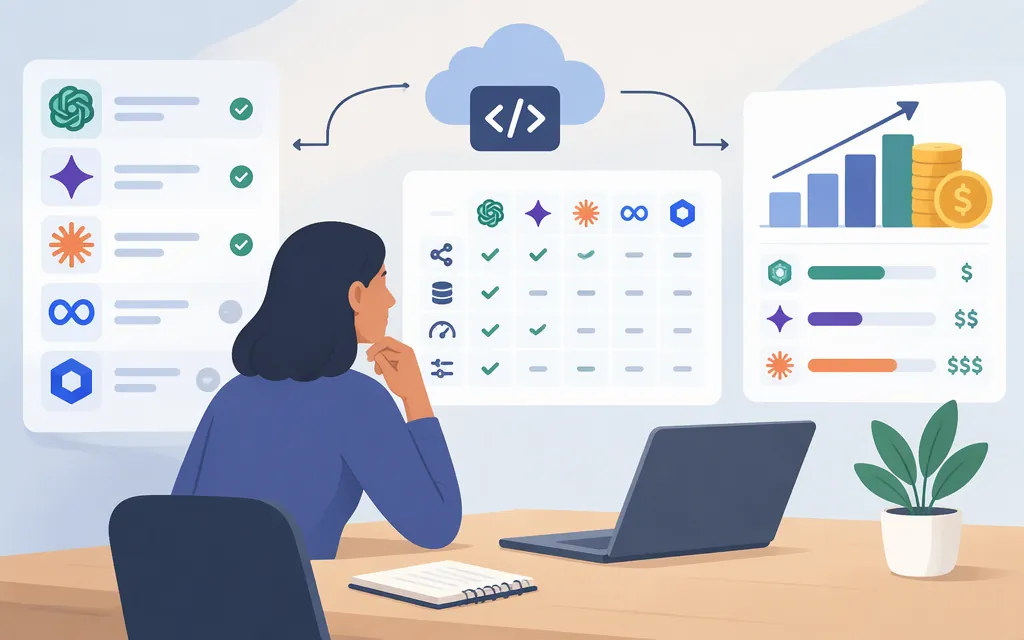
The practical way to choose a generative AI API is to start with the task, shortlist models that support its required inputs and outputs, compare how you can access them, then estimate cost using the correct billing units. Before committing, confirm current model availability, quotas, data terms, and performance against representative examples from your own workload. There is no universal best API: a good fit for text extraction may be a poor fit for voice generation or image editing.
Start with the capability your task needs
An API is the interface your application uses to send inputs to a model and receive outputs. The model capability matters more than the provider’s broad label: check whether the specific model and endpoint can perform your task, accept your input type, and return the format your application needs.
| Task | Capabilities to shortlist | What to test |
|---|---|---|
| Chat, summarization, extraction, or writing | Text input and output; context length; structured output if you need a defined schema | Correctness on representative examples, instruction following, language coverage, and output consistency |
| Image creation or editing | Text-to-image or image input; editing features such as inpainting or outpainting if needed | Whether the output follows the brief, meets resolution requirements, and can be revised as your workflow requires |
| Speech or audio | Speech recognition, text-to-speech, or real-time audio, depending on the job | Recognition accuracy or voice quality, supported languages, response time, and audio duration limits |
| Video | Text-to-video, image-to-video, or video understanding, depending on the job | Output length, resolution, generation time, and whether the required API access is actually available |
| Semantic search or retrieval | An embedding model, often combined with a separate generative model | Retrieval relevance on your own documents; an embedding API creates representations rather than user-facing prose |
These are shortlist criteria, not claims that any particular model will perform best. A feature list alone does not establish output quality, endpoint availability, or suitability for your account. Test candidates with the same representative inputs and judge them against the task’s acceptance criteria.
Compare the ways to access a model
The same model family may be offered through different products or platforms. Access route affects account setup, billing, availability, and the terms you need to review.
| Access route | Why consider it | What to verify |
|---|---|---|
| Direct provider API | A direct route to the provider’s API and its documented model features. | Exact model and endpoint, account eligibility, regions, rate limits, data terms, and API pricing. |
| Cloud or model platform | May put several model providers or services behind a cloud account and billing relationship. | Whether the needed model is available in your region, which service bills you, and whether platform-specific pricing or access rules apply. |
| Multi-provider gateway | May offer a common interface across multiple upstream providers. | Provider and model coverage, gateway fees, feature differences, routing and fallback behavior, data handling, and upstream limits. Do not assume one integration makes every model interchangeable. |
| Self-hosted model | An alternative when you need to run an available model on infrastructure you control. | Model license, hardware and operating costs, maintenance, security, and whether your team can run inference reliably. The model weights may be available without an API charge, but hosting and operations are not automatically free. |
For example, Amazon Bedrock says pricing depends on modality, provider, and model. Its pricing page lists Standard, Flex, Priority, and Reserved tiers, and says selected foundation models are available for batch inference at 50% less than on-demand pricing. The discount applies to selected models, so check whether the specific model and processing mode you plan to use qualify. (aws.amazon.com)
A simple access check is to confirm that the route you plan to use offers the exact model and endpoint, then review its setup and billing documentation. Some access paths use a project and API key; others may require account approval, a linked billing account, or a particular region. Keep API credentials out of public client code and confirm the applicable data terms before sending sensitive inputs.
Compare billing on equivalent terms
Do not compare a per-token rate with a monthly subscription, a per-second media charge, or an expiring credit balance as if they were equivalent. First identify how your expected workload is billed, then include any extra fees or usage conditions that apply.
| Workload | Pricing details to compare |
|---|---|
| Text and chat | Input and output token rates separately; cached-input rates, context-related tiers, and any processing-mode differences |
| Image generation or editing | The selected model’s rate and the specifications that affect the charge, such as output type or resolution, where applicable |
| Audio or real-time voice | The unit shown for the specific API, such as tokens or session duration; check whether model or tool usage is billed separately |
| Video | The provider’s stated unit for generation, duration, or credits, plus any quality or plan conditions |
| Any free or introductory access | Eligible models, quotas, reset schedule, expiry, over-limit behavior, and whether a billing account is required |
| Gateway or self-hosting | Any gateway or credit-purchase fee; for self-hosting, compute, storage, and operational costs |
Pricing units vary even within a single provider. For instance, OpenAI’s API pricing lists text rates per million tokens and describes a live voice session charge per second, with backend model and tool usage charged separately. Amazon Bedrock likewise says its pricing depends on modality, provider, and model. Use the official pricing page for the exact product and model rather than extrapolating one rate across modalities. (aws.amazon.com)
Worked example—text API estimate: Anthropic’s pricing documentation lists Claude Sonnet 5.5 at $2 per million input tokens and $10 per million output tokens. If a workload uses one million input tokens and 100,000 output tokens, the model charge at those listed rates is:
- Input: 1,000,000 ÷ 1,000,000 × $2 = $2
- Output: 100,000 ÷ 1,000,000 × $10 = $1
- Estimated model charge: $3
This is an illustrative calculation using the documented rates, not a measured workload. It assumes standard pricing and excludes any applicable caching, tools, or other charges. Recheck the rate and pricing conditions before using the estimate for a budget. (Anthropic pricing documentation)
Keep consumer subscriptions separate from API billing. For the Gemini Developer API, Google’s pricing page distinguishes Free and Paid tiers: it says free-tier content is used to improve Google products, while paid-tier content is not. Google’s billing documentation describes the Paid Tier as requiring a linked billing account and prepayment. Treat this distinction as specific to those Gemini API tiers, not as a blanket policy for other Google products or account types; review the applicable terms for the product and account you plan to use. (ai.google.dev)
Validate a shortlist before committing
Use this checklist to compare two or three candidates on the same workload:
- Confirm access: Is the exact model available through the API route, account, and region you intend to use? Are there eligibility conditions or approval requirements?
- Check the price and unit: Record input and output rates, media units, free quotas or credit expiry, billing mode, and any gateway or platform fees.
- Run representative tests: Use the same sample tasks for each candidate. Assess quality, language and format support, latency, and how much correction or human review the output needs.
- Review limits and failure behavior: Check rate limits, quota resets, documented over-limit behavior, and any capacity or service commitments relevant to your application.
- Review data and usage terms: Check retention, model-training use, processing region, and restrictions for the exact API product—not merely the provider’s consumer application.
- Estimate expected usage: Apply the documented units to a realistic monthly workload, including input and output separately where relevant. Revisit the estimate if the model, tier, or request pattern changes.
No universal benchmark can tell you which API will be best for your prompts, users, or latency target. A candidate is worth selecting when it meets your task requirements, passes your own evaluation, and has access and billing terms you can accept.
Bottom line
Match the model to the task, compare direct access with platforms or gateways based on the control and terms you need, and calculate costs using the exact model’s current billing units. Treat feature lists as a starting point: confirm availability and terms in official documentation, then test the shortlist on representative inputs. If your immediate question is only about free-tier choices or provider-format compatibility, use a focused comparison for that narrower decision rather than assuming those answers apply to every generative AI API.