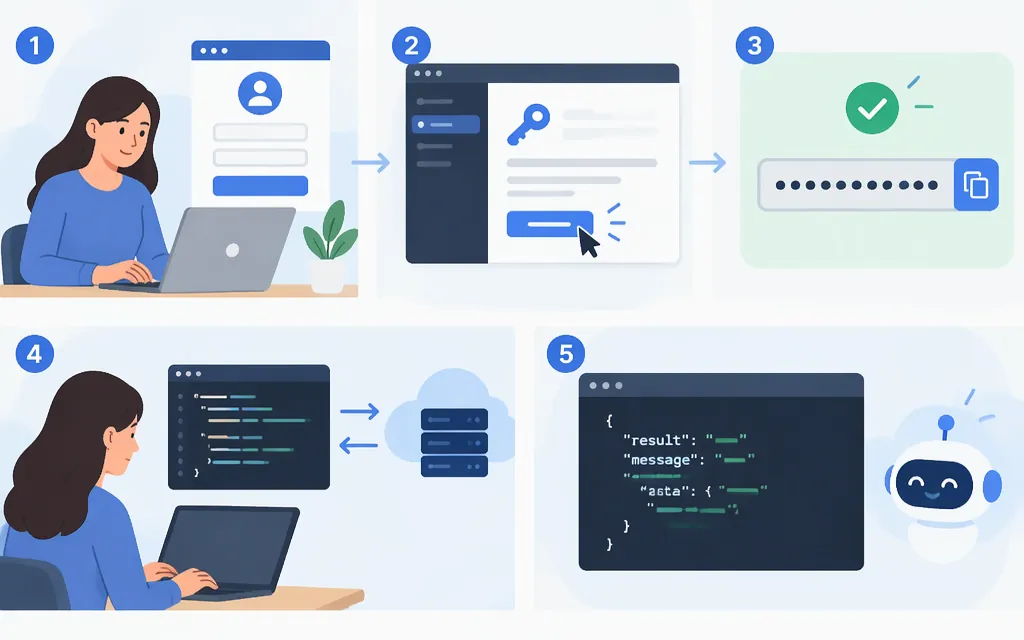
To get an official DeepSeek API key, use DeepSeek’s API Keys page. Sign in or create an account, then follow the prompts on that page to create a key. DeepSeek’s API documentation directs users to create a key before making API calls. (api-docs.deepseek.com)
Get an official DeepSeek API key
- Open DeepSeek’s API Keys page and sign in or create an account.
- Follow the key-creation prompts shown in your account and copy the new credential.
- Store it securely, such as in a password manager or your deployment environment’s secret store. Don’t put it in browser-side code or a public repository.
Use a credential created for the API platform. Don’t substitute a token from DeepSeek’s chat website or browser storage, or a key from a third-party provider; those are different credentials and routes.
Make your first direct API request
Set the key as an environment variable in your terminal. For macOS or Linux:
export DEEPSEEK_API_KEY="paste-your-key-here"
Then make a non-streaming chat-completions request:
curl https://api.deepseek.com/chat/completions \
  -H "Content-Type: application/json" \
  -H "Authorization: Bearer ${DEEPSEEK_API_KEY}" \
  -d '{
    "model": "deepseek-flash",
    "messages": [
      {"role": "system", "content": "You are a helpful assistant."},
      {"role": "user", "content": "Hello!"}
    ],
    "stream": false
  }'
The endpoint, Bearer authentication, model, messages, and stream: false format follow DeepSeek’s first-call example. The documented model name is deepseek-flash; DeepSeek says it is served by DeepSeek-V4.1-Flash-1017. (api-docs.deepseek.com)
A successful response is JSON with the generated completion. In DeepSeek’s SDK example, the assistant’s text is at choices[0].message.content. (api-docs.deepseek.com)
Keep the key private
Treat the API key as a secret. For an application, make API requests from your server and read the key from a server-side environment variable or secret manager—not from front-end JavaScript, a public repository, screenshots, or logs.
If you believe the key has been exposed, stop using it and consult DeepSeek’s official API Keys page or support for the applicable key-management action. DeepSeek’s public API documentation links to the key-creation page but does not specify an exposed-key invalidation procedure. (api-docs.deepseek.com)
API usage is billed by tokens, with fees deducted from topped-up or granted balance. Check the current Models & Pricing documentation before budgeting; DeepSeek notes that prices may change. (api-docs.deepseek.com)
If the request fails
- Authentication issue: Check that
DEEPSEEK_API_KEYis set in the terminal runningcurl, and that the header isAuthorization: Bearerfollowed by the key. - Model issue: Use the documented model name
deepseek-flash; don’t assume a model identifier from a third-party wrapper works with the direct API. (api-docs.deepseek.com) - Balance issue: Having a key and having a balance available for API calls are separate things. DeepSeek’s balance endpoint reports
is_available, which indicates whether the balance is sufficient for API calls. Check that endpoint or your account’s balance information; model-use fees are deducted from topped-up or granted balance. (api-docs.deepseek.com)
Sources
Your First API Call | DeepSeek API Docs
DeepSeek API | DeepSeek API Docs