Short answer
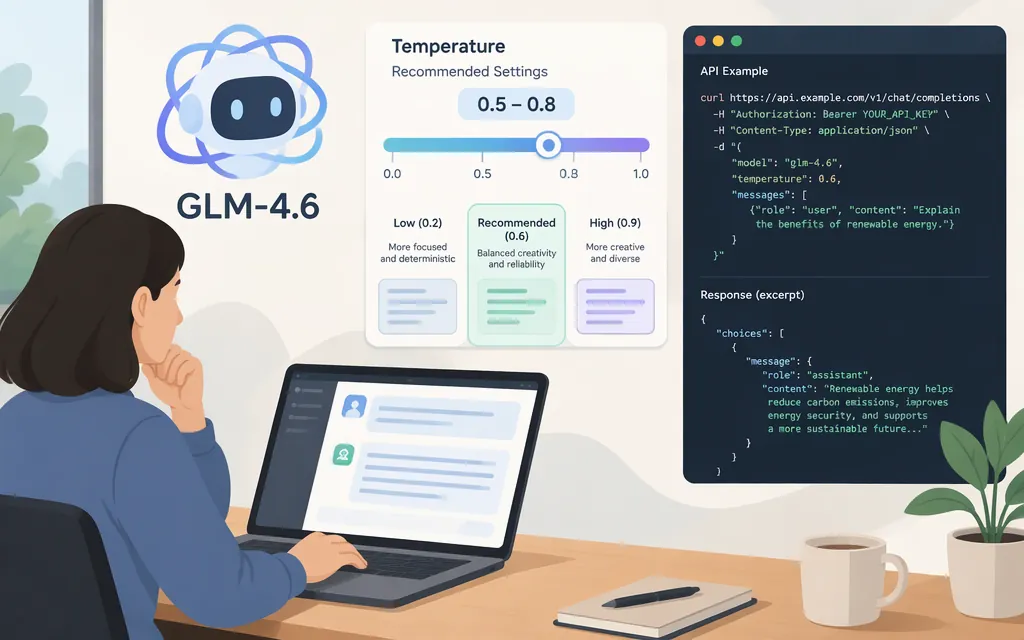
For GLM-4.6 on Z.AI’s API, start with temperature 1.0: Z.AI’s GLM-4.6 migration guide lists 1.0 as the default and shows it in a request example. For factual or tightly constrained tasks, try a lower value, such as 0.2, and compare outputs on your own prompts. Z.AI describes lower temperatures as producing more conservative output, but this is a tuning starting point—not a guarantee of accuracy. Z.AI also recommends tuning either temperature or top_p, not both at once. (Z.AI GLM-4.6 migration guide)
GLM-4.6 temperature settings at a glance
| Use case | Practical starting point | How to think about it |
|---|---|---|
| General use or reproducing the documented default | 1.0 |
Z.AI lists this as GLM-4.6’s temperature default. (Z.AI GLM-4.6 migration guide) |
| Factual Q&A or technical documentation | Try 0.2 |
Z.AI’s general parameter guidance suggests lower temperature for rigor and factuality. Here, 0.2 is an illustrative trial value from this article, not a provider-specific recommendation. Test whether it improves consistency for your workload. (Z.AI parameter guidance) |
| More varied creative writing | Try a higher setting, moving toward 1.0 |
Higher temperature increases variation. Z.AI’s GLM-4.6 guide uses 1.0 in a creative-writing example. (Z.AI GLM-4.6 migration guide) |
These are starting points, not a universal best setting. If repeatability matters, compare several values using the same prompts and evaluation criteria. Lower temperature can make outputs more consistent; it does not by itself ensure that answers are correct. Z.AI’s migration guide recommends changing only one of temperature and top_p at a time. (Z.AI GLM-4.6 migration guide)
Can you set temperature through the production API?
Yes, on Z.AI’s GLM-4.6 chat-completions API. The migration guide identifies the model as glm-4.6, documents temperature with a default of 1.0, and provides an API-client example that sets it. Z.AI’s chat-completions reference shows the endpoint and a JSON request format with a temperature field. (Z.AI GLM-4.6 migration guide; chat-completions reference)
The Z.AI OpenAPI schema describes temperature as a positive number in the range [0.0, 1.0]. Because that wording pairs “positive” with a range beginning at zero, it is unclear from the description whether 0 is accepted; do not assume the lower endpoint is valid without checking the provider’s validation behavior. This is the Z.AI chat-completions schema, not a guarantee that another provider or route uses identical limits. (Z.AI OpenAPI schema)
Minimal request example
curl --request POST \
  --url https://api.z.ai/api/paas/v4/chat/completions \
  --header 'Authorization: Bearer YOUR_API_KEY' \
  --header 'Content-Type: application/json' \
  --data '{
    "model": "glm-4.6",
    "messages": [
      {"role": "user", "content": "Summarize this paragraph in one sentence."}
    ],
    "temperature": 0.2
  }'
This example uses the Z.AI endpoint and glm-4.6 model identifier shown in Z.AI’s documentation; 0.2 is an illustrative lower-temperature setting, not a claim that it is optimal for every task. Omit temperature to use the documented default, or set it explicitly to 1.0 when you want to reproduce that default. (Z.AI GLM-4.6 migration guide)
Important provider distinction
The recommendation and request example above apply to Z.AI’s GLM-4.6 API. They do not establish that a third-party gateway, including TokenForge Cloud, exposes the same model, forwards the field unchanged, or uses the same default. Confirm the exact model ID and sampling-parameter behavior in the API provider you plan to call. Also, GLM-4.6V is a separate model name; documentation for GLM-4.6V should not be used to infer GLM-4.6 temperature behavior. (Z.AI GLM-4.6 migration guide)
For broader provider-selection context, see Token Forge Cloud’s GLM API guide.
Sources
Migrate to GLM-4.6 — Z.AI Developer Documentation
Core Parameters — Z.AI Developer Documentation
Chat Completion — Z.AI Developer Documentation