Direct answer
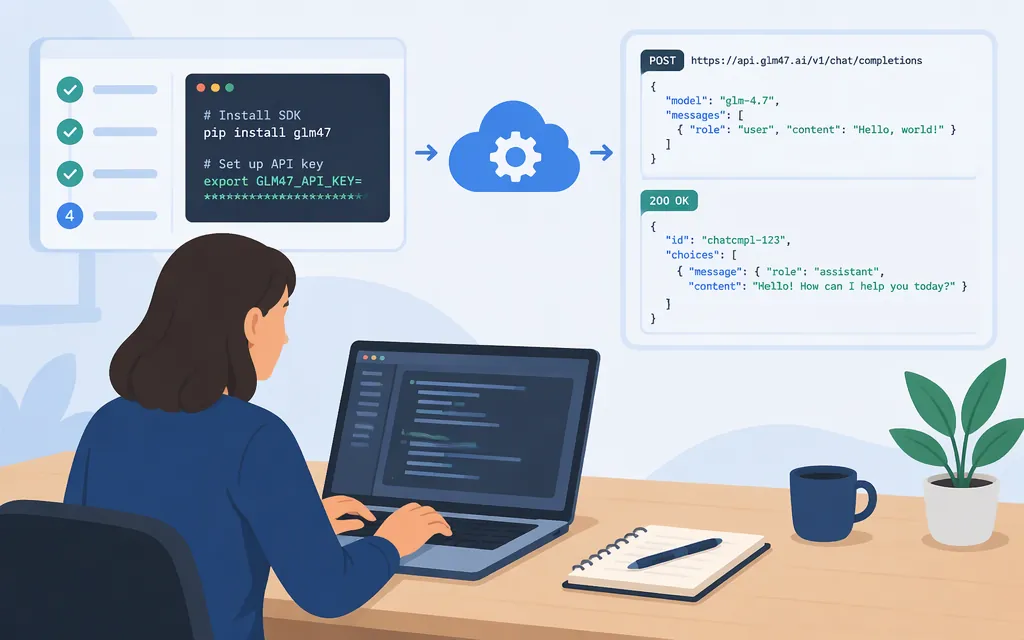
For a direct GLM-4.7 API request, use Z.AI’s standard API endpoint, authenticate with a Z.AI API key as a Bearer token, and set the model to glm-4.7. The chat-completions path is /chat/completions. Z.AI’s documentation lists GLM-4.7 as a model and gives its standard API endpoint and authentication method. (docs.z.ai)
If you have a GLM Coding Plan, use its dedicated endpoint instead of the standard API endpoint. Z.AI says Coding Plan API keys are managed separately from standard model API keys, so use the key issued for the plan you are using. (docs.z.ai)
| Route | Base URL | Credential |
|---|---|---|
Standard Z.AI API |
https://api.z.ai/api/paas/v4 |
Standard Z.AI API key, sent as a Bearer token |
| GLM Coding Plan | https://api.z.ai/api/coding/paas/v4 |
Coding Plan key; do not assume it is interchangeable with a standard API key |
The model ID below is glm-4.7. Third-party services may use their own model IDs and credentials; those are not the direct Z.AI API settings shown here.
Make your first request with cURL
Prerequisites: a Z.AI API key for the route you intend to call and cURL installed. Keep the key private; do not put it in browser-side code or commit it to source control.
For the standard API, set the key in your shell and send a chat-completions request:
export ZAI_API_KEY='YOUR_ZAI_API_KEY'

curl --request POST \
  --url 'https://api.z.ai/api/paas/v4/chat/completions' \
  --header "Authorization: Bearer $ZAI_API_KEY" \
  --header 'Content-Type: application/json' \
  --data '{
    "model": "glm-4.7",
    "messages": [
      {"role": "user", "content": "Explain API authentication in one sentence."}
    ]
  }'
This uses Z.AI’s documented chat-completions endpoint and request shape, with the GLM-4.7 model ID. Z.AI’s chat-completions reference shows generated text in choices[0].message.content; the response also includes fields such as the returned model and token usage. (docs.z.ai)
To call through a GLM Coding Plan instead, keep the request path and body, but use the plan’s base URL:
https://api.z.ai/api/coding/paas/v4/chat/completions
Use the API key issued for that plan. Z.AI documents the Coding Plan endpoint separately from the general API endpoint. (docs.z.ai)
Read the response
In a successful chat-completions response, the assistant’s text is at:
choices[0].message.content
If the request fails, inspect both the HTTP status and the JSON error body. Z.AI documents errors as JSON with a top-level error description; authentication or endpoint problems should be resolved before treating the request as a model failure. (docs.z.ai)
Production checks
- Use the matching key and endpoint. Standard API and Coding Plan keys are separately managed; configure the endpoint for the product associated with your credential. (
docs.z.ai) - Check request limits for the model and route you deploy.
Z.AI’s GLM-4.7 overview lists a 200K-token context length and a maximum output of 128K tokens. Treat these as documented model limits, not a promise that every request can use the full allowance; your prompt and requested output must fit the applicable limits. (docs.z.ai) - Keep credentials server-side. Send the key in the
Authorization: Bearerheader, and load it from a secret store or environment variable rather than embedding it in a public client.Z.AIdocuments Bearer authentication. (docs.z.ai) - Add operational safeguards. For a production integration, handle non-2xx responses, set suitable client timeouts, and monitor usage and failures. These are implementation precautions; the minimal example above does not configure retries or test your account’s quota.
The official documentation also describes streaming output and tool calling for the GLM-4.7 series. If your application depends on either feature, confirm the exact parameters and behavior in the API reference before enabling them; the basic request here uses neither. (docs.z.ai)
For a broader GLM-family integration overview, see the GLM API guide.
Sources
GLM-4.7 — Z.AI Developer Documentation
API Introduction — Z.AI Developer Documentation
Chat Completion — Z.AI Developer Documentation
Errors — Z.AI Developer Documentation