Short answer
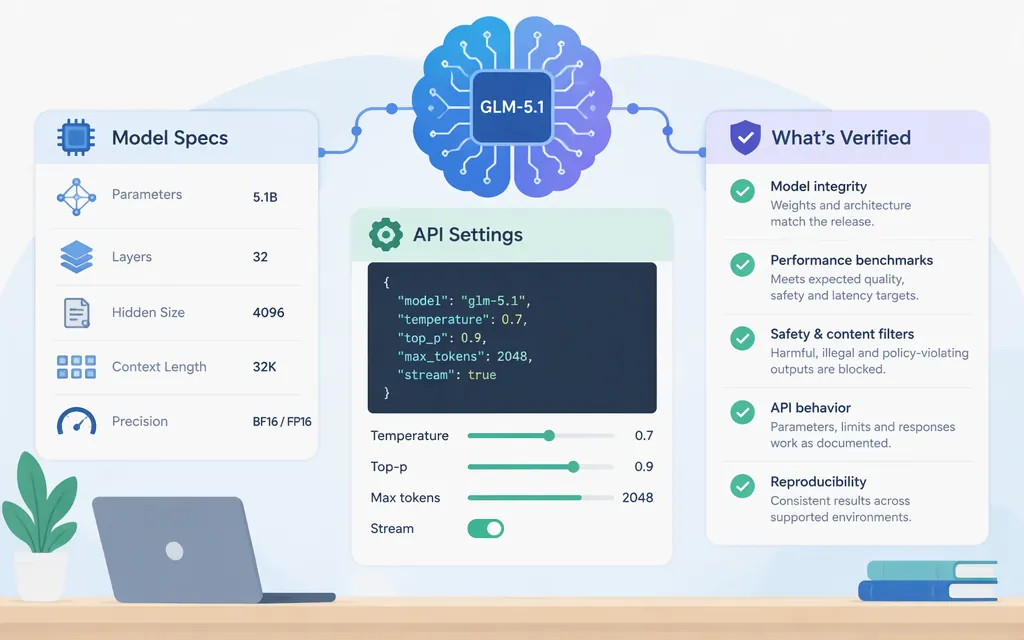
“GLM-5.1 parameters” can mean the model’s internal size—its total or active parameter count—or the settings sent in an API request, such as temperature, max_tokens, and thinking mode.
Z.ai’s GLM-5.1 overview lists a 200K-token context length and 128K maximum output, but does not give a total or activated parameter count. It also lists text input and output, thinking mode, streaming, function calling, context caching, structured output, and MCP. These are Z.ai’s published specifications and capability labels; a third-party host may expose different limits or request behavior. (docs.z.ai)
GLM-5.1 model specifications
| Specification | What Z.ai’s overview lists |
How to interpret it |
|---|---|---|
| Total / activated parameters | No count listed in the overview | Do not substitute GLM-5’s figures for GLM-5.1. |
| Context length | 200K tokens | Listed context capacity; confirm the limit for the provider and route you use. |
| Maximum output | 128K tokens | Listed maximum, not a recommended per-request output length. |
| Input / output modalities | Text / text | Z.ai’s overview lists both input and output as text. |
| Capabilities | Thinking mode, streaming, function calling, context caching, structured output, and MCP | These are listed capabilities, not complete request examples or guarantees of identical support across hosts. |
The 200K context and 128K maximum output figures above come from Z.ai’s model overview. Kilo’s third-party listing gives more precise figures—202,752 context tokens and 131,072 maximum completion tokens. Treat those as Kilo listing values, not universal limits; use the figures documented for your chosen provider and API route. (docs.z.ai)
Keep model size separate from context and output limits. Z.ai’s GLM-5 article gives figures of 744 billion total and 40 billion active parameters for GLM-5; those are not GLM-5.1 figures. (docs.z.ai)
GLM-5.1 API settings
Z.ai’s parameter guide marks several settings as model-dependent. It does not provide GLM-5.1-specific defaults or accepted ranges for temperature or top_p. (docs.z.ai)
| Setting | What the documentation establishes | What to check for your route |
|---|---|---|
max_tokens |
The general guide describes it as an output-token cap and marks it model-dependent. GLM-5.1’s overview lists a 128K maximum output. | Confirm the accepted request limit for the selected model and route; 128K is not proof that every route accepts that value. |
temperature |
Controls randomness; marked model-dependent. | GLM-5.1-specific default and accepted range are not established here. |
top_p |
Controls nucleus-sampling diversity; marked model-dependent. Z.ai recommends tuning either temperature or top_p, rather than both together. |
GLM-5.1-specific default and accepted range are not established here. |
thinking.type |
Z.ai says thinking is activated by default for GLM-5.1. The thinking guide documents {"type":"disabled"} to turn it off. |
Confirm behavior for your access channel; the documented disable syntax is not a substitute for checking the chosen route. |
reasoning_effort |
Z.ai says this setting is supported by GLM-5.2 and above. |
Do not assume it is supported for GLM-5.1. |
stream |
The general parameter guide documents a Boolean stream field, defaulting to false; the GLM-5.1 overview lists streaming support. |
Confirm the exact behavior and response handling for your API route. |
The values temperature: 0.7 and max_tokens: 2000 in a third-party article are not verified GLM-5.1 defaults: its active example routes to GLM-5, while GLM-5.1 appears only in a future-change comment. (docs.z.ai)
Request template—not a verified GLM-5.1 production call
Z.ai’s Chat Completions reference documents the endpoint and Bearer authentication, and shows a general request with stream: false. Its example uses GLM-5.3, not GLM-5.1. Z.ai’s Coding Plan guide uses glm-5.1 as a model ID in that product’s configuration, but the captured documentation does not establish that the same ID is accepted on the standard Chat Completions route. The template therefore leaves the model ID as a placeholder and omits optional fields whose GLM-5.1 route applicability has not been established here. It is not a tested call. (docs.z.ai)
curl --request POST \
  --url https://api.z.ai/api/paas/v4/chat/completions \
  --header "Authorization: Bearer $ZAI_API_KEY" \
  --header "Content-Type: application/json" \
  --data '{
    "model": "<model-id-enabled-for-this-route>",
    "messages": [
      {"role": "user", "content": "Summarize the key risks in this change."}
    ]
  }'
Before using it, confirm that your account has access to GLM-5.1 through this endpoint and replace the placeholder with the model ID documented for that route. Then check the route’s accepted output cap and any settings you plan to add. The general Chat Completions reference supports streaming and non-streaming modes, but the template omits stream so it does not imply a GLM-5.1-specific setting without confirming your route. (docs.z.ai)
Do the listed limits and features fit your workload?
- Long prompts or codebases: Compare the input with the context limit published for your provider and route. Leave room for instructions, tool results, and the response; the cited overview does not explain how every route budgets input and output together.
- Long responses: The listed maximum output is 128K tokens. Set a lower cap if the task needs less, but confirm the parameter’s accepted values on your route before relying on a particular limit.
- Reasoning-heavy tasks:
Z.ailists thinking mode for GLM-5.1 and says it is activated by default. Do not addreasoning_effortunless your provider documents it for GLM-5.1. - Tools, structured output, caching, or MCP:
Z.ailists these capabilities for the model. Check the chosen API’s request syntax and behavior before making them a production dependency; a capability label alone is not an integration guide. (docs.z.ai) - Third-party hosting: Confirm the host’s model ID, current availability, limits, feature support, and request fields. Do not assume another provider implements
Z.ai’s listing identically.
Production checklist
Before deploying, check the current documentation for your actual provider and access channel:
- The model ID is accepted by the endpoint and enabled for your account.
- The endpoint, authentication method, and API protocol match that channel.
- The context and output limits apply to the route you will call, including how it handles their combined budget.
- Any
temperature,top_p, ormax_tokensvalues you use have documented defaults or accepted limits for that route. - Thinking, streaming, function calling, structured output, caching, and MCP use the request format your application sends.
- Your integration handles errors and responses, and representative prompts pass your own regression checks.
Bottom line: Z.ai lists GLM-5.1 with a 200K-token context, 128K maximum output, and capabilities including thinking and streaming. Its overview does not give a total or active parameter count. Z.ai documents default-on thinking for GLM-5.1 and a way to disable it, but the exact model ID and optional-field applicability in the standard API request should be confirmed for the route you intend to use. The captured documentation does not establish GLM-5.1-specific temperature or top_p defaults and ranges.
Sources
GLM-5.1 — Z.AI Developer Documentation
Thinking Mode — Z.AI Developer Documentation
Core Parameters — Z.AI Developer Documentation
Chat Completion — Z.AI Developer Documentation
How to Switch Models — Z.AI Developer Documentation