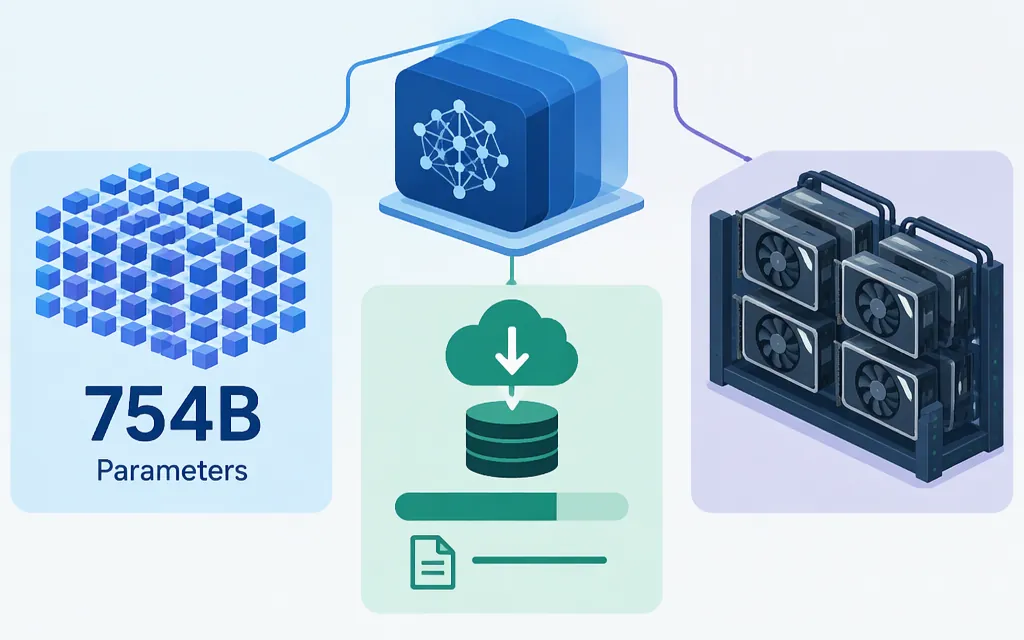
Short answer: Z.ai’s Hugging Face listing identifies GLM-5.1 as a 754-billion-parameter (754B) model. The same listing shows the regular model repository at 1.51 TB; a separate GLM-5.1-FP8 repository listing shows 756 GB. These are repository sizes, not GPU-memory requirements. (model listing, regular files, FP8 files)
GLM-5.1 size at a glance
| Measure | Published figure | What it tells you |
|---|---|---|
| Parameters | 754B on Z.ai’s Hugging Face listing |
The parameter count displayed for the model. |
| Regular GLM-5.1 repository | 1.51 TB | The repository’s listed size. |
| GLM-5.1-FP8 repository | 756 GB | The FP8 repository’s listed size. |
| FP8 serving example | 8 × H200 or H20 GPUs, listed as 141 GB per GPU | A documented vLLM example—not a stated minimum. |
Repository size helps estimate download and storage needs. It is not the same as the GPU memory needed for inference, which depends on the serving configuration and workload. The figures above also refer to different model repositories and should not be treated as interchangeable hardware requirements.
Why do some sources say 744B?
The Z.ai-owned Hugging Face listing displays 754B for GLM-5.1. Other sources give a different figure: CometAPI claims GLM-5.1 uses the same 744B-parameter MoE architecture as GLM-5, while the vLLM recipe states 744B for GLM-5 and describes GLM-5.1 as a refreshed version. The supplied passages do not explain the numerical difference, so 744B should not be presented as a settled GLM-5.1 specification. (CometAPI, vLLM recipe)
For a direct answer, the model-owner listing displays 754B. Keep that attribution in mind: the cited sources do not resolve why some report 744B.
What the GPU example means for self-hosting
The vLLM recipe demonstrates serving zai-org/GLM-5.1-FP8 on 8 H200 or H20 GPUs, listed as 141 GB each, with tensor parallelism across eight GPUs. The recipe presents this as an example; it does not identify it as the minimum supported configuration. Nor does a repository’s download size tell you how much VRAM a deployment requires. (vLLM recipe)
Before sizing a self-hosted deployment, match the exact model variant and serving workload to documentation that specifies the relevant hardware conditions. The cited example shows one multi-GPU FP8 setup; it is not a universal sizing recommendation.
Hosted API or self-hosting?
- Consider a hosted API if you want to avoid provisioning and operating the inference cluster.
Z.AI’s pricing page lists GLM-5.1 at $1.40 per 1 million input tokens and $4.40 per 1 million output tokens. It separately lists cached input at $0.26 per 1 million tokens and cached-input storage as limited-time free. At the listed uncached input and output rates, 1 million input tokens plus 1 million output tokens would total $5.80. Check the pricing page for current terms before budgeting. (Z.AIpricing) - Consider self-hosting if you have a reason to operate the model on your own infrastructure and can validate the hardware and serving setup for your workload. The repository sizes and vLLM example are planning references, not guarantees of performance or capacity.
Z.ai’s Hugging Face model card points readers to GLM-5.1 API services on the Z.ai API Platform, and Z.AI’s pricing page lists GLM-5.1. These support a Z.ai-hosted option, but do not establish availability through another provider. If evaluating TokenForge or another vendor, check that provider’s current catalog and terms for the exact model before planning a production deployment. (Z.ai model card, Z.AI pricing)
Bottom line: Z.ai’s listing displays 754B parameters; repository listings show 1.51 TB for the regular model and 756 GB for the FP8 variant. Other sources report 744B, and the cited passages do not explain the discrepancy. Treat the documented eight-GPU FP8 setup as an example, not a minimum; choose hosted access or self-hosting based on verified provider terms and workload-specific deployment requirements.
Sources
zai-org/GLM-5.1 — Hugging Face
GLM-5.1 repository files — Hugging Face
GLM-5.1-FP8 repository files — Hugging Face
GLM-5 and GLM-5.1 Series Usage — vLLM Recipes