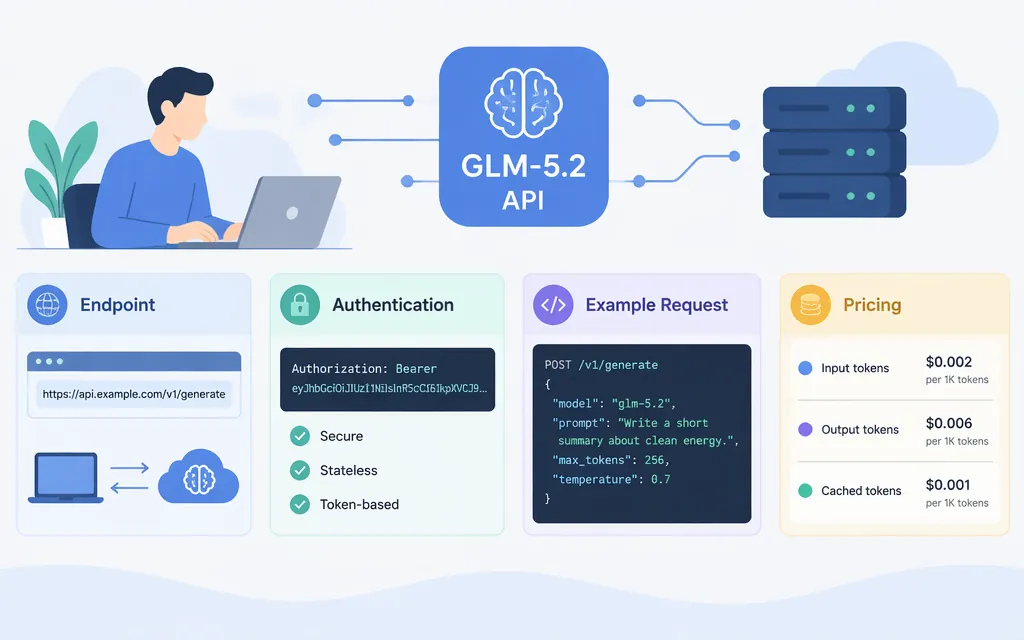
Yes—Z.AI’s current documentation lists GLM-5.2 and documents a hosted chat-completions API. For a standard API request, create a Standard API Key, send it as a Bearer token to https://api.z.ai/api/paas/v4/chat/completions, and set the model to glm-5.2. Z.AI’s model guide lists a 1-million-token context and a maximum output of 128,000 tokens. These are published model limits; confirm the limits and access attached to your own account before relying on them in production. (docs.z.ai)
Make a first GLM-5.2 API request
You’ll need a Z.AI account, a Standard API Key, and curl. Create the key in the API Keys management page and keep it out of source control. The general API endpoint and Bearer authentication format come from Z.AI’s API documentation; its API reference defines the chat-completions route and response structure. (docs.z.ai)
Set your key in a shell, then send a small test prompt:
export ZAI_API_KEY="YOUR_API_KEY"

curl --request POST \
  --url "https://api.z.ai/api/paas/v4/chat/completions" \
  --header "Authorization: Bearer ${ZAI_API_KEY}" \
  --header "Content-Type: application/json" \
  --header "Accept-Language: en-US,en" \
  --data '{
    "model": "glm-5.2",
    "messages": [
      {"role": "user", "content": "Reply with the single word READY."}
    ],
    "stream": false
  }'
The model code glm-5.2 appears in Z.AI’s model-specific setup guidance; the endpoint, Bearer header, and chat-completion request format are documented in its API reference and quick start. (docs.z.ai)
A successful test: the response is JSON with a choices array and assistant message content at choices[0].message.content. For the prompt above, check that the returned content is READY. The response also includes usage information, which is useful for tracking token consumption. (docs.z.ai)
If you get an error, check that the key is present and sent as Bearer, that the model code is exactly glm-5.2, and that your account can access the model on the endpoint you’re using. Z.AI documents 1211 as an unknown-model error and 1302 as a rate-limit error; an error is a reason to check the model code, account access, and current limits—not to assume the request succeeded. (docs.z.ai)
Set GLM-5.2 reasoning effort correctly
Z.AI’s current API documentation distinguishes GLM-5.2 from GLM-5.3. For GLM-5.2, reasoning_effort defaults to max. The current Z.AI guide documents max, xhigh, high, medium, low, minimal, and none for GLM-5.2: none or minimal stop thinking; low and medium map to high; and xhigh maps to max. By contrast, low, high, and max are the listed values for GLM-5.3 and GLM-5.3-Flash. Don’t copy those newer models’ parameter rules to GLM-5.2. (docs.z.ai)
To choose a setting explicitly, add it to the JSON body, for example:
"reasoning_effort": "high"
Z.AI describes higher effort as deeper reasoning; the trade-off is more output tokens and higher latency. For a simple connection check, omit the parameter and use the documented default. For real workloads, compare the setting against your own quality, latency, and usage requirements. (docs.z.ai)
Check limits and cost before production
Z.AI’s GLM-5.2 page lists a 1M-token context and 128K maximum output. Those are the published model specifications, not a guarantee that every account, API route, or request can use both maxima at once. Confirm your endpoint’s effective limits and any account restrictions before sending large prompts. (docs.z.ai)
Z.AI’s published pricing table lists these GLM-5.2 rates in USD per million tokens: $1.40 per 1M input tokens and $4.40 per 1M output tokens. It also lists cached input at $0.26 per 1M tokens and cached-input storage as limited-time free. Pricing can change, so check the current table before budgeting. (docs.z.ai)
Illustrative calculation: at the listed uncached rates, a request with 100,000 input tokens and 10,000 output tokens would cost about $0.184: (100,000 ÷ 1,000,000 × $1.40) + (10,000 ÷ 1,000,000 × $4.40). This is an example using the published rates, not a measured request or a quote for cached usage.
Before rollout, verify the model code, access, effective input and output limits, rate limits, and applicable billing in the provider documentation and your account. Z.AI also lists GLM-5.3 as its latest flagship model while still listing GLM-5.2 on its model and pricing pages. If you specifically need GLM-5.2, pin that model code in your integration rather than assuming a moving “latest” alias will keep selecting it. (docs.z.ai)
Hosted API or local serving?
A hosted API sends requests to a provider’s endpoint; the example above uses Z.AI’s standard API. Local serving is a separate deployment route: the GLM-5 project repository lists frameworks such as SGLang, vLLM, Transformers, KTransformers, and Unsloth for GLM-5.3 and earlier models, including GLM-5.2. The repository’s framework list is not a complete deployment tutorial, so check the relevant framework’s documentation for installation, hardware, and configuration requirements. (github.com)
Sources
GLM-5.2 - Overview - Z.AI Developer Documentation
Introduction - Z.AI Developer Documentation
Chat Completion - Z.AI Developer Documentation
Deep Thinking - Z.AI Developer Documentation
Pricing - Z.AI Developer Documentation
Quick Start - Z.AI Developer Documentation
Errors - Z.AI Developer Documentation