Quick answer
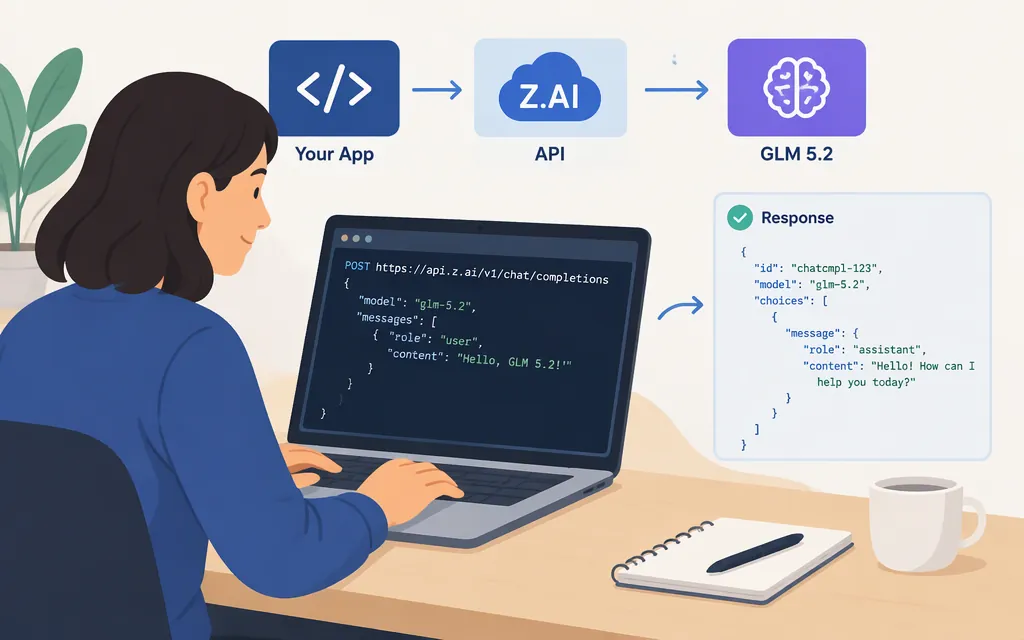
To try GLM-5.2 directly, use Z.AI’s standard API: create a Standard API Key, send a POST request to its chat-completions endpoint, and set the model to glm-5.2. Z.AI’s standard API uses Bearer authentication. Before running the example, confirm that GLM-5.2 is available to your account in the API Playground. The request below follows Z.AI’s documented chat-completions format, but it has not been run as a live test here. (docs.z.ai)
1. Create a standard API key
Create a Standard API Key in Z.AI’s API Keys management page. Standard API keys and Coding Plan keys are managed separately and are not interchangeable; Coding Plan users also have a dedicated endpoint. This tutorial uses the standard API route. Keep the key out of source code and client-side applications. (docs.z.ai)
Set the key in your shell:
export ZAI_API_KEY="your_api_key_here"
2. Send a chat-completions request
Z.AI documents this standard API endpoint, Bearer authentication, and a chat-completions request using messages and stream: false. Its GLM-5.2 documentation lists the model, while Z.AI’s tooling guide uses glm-5.2 as the model code. Confirm the model is selectable in the standard API Playground before relying on it; the provider’s general chat-completions example may show a different model. (docs.z.ai)
curl -sS -w '\nHTTP %{http_code}\n' \
  --request POST \
  --url 'https://api.z.ai/api/paas/v4/chat/completions' \
  --header "Authorization: Bearer $ZAI_API_KEY" \
  --header 'Content-Type: application/json' \
  --header 'Accept-Language: en-US,en' \
  --data '{
    "model": "glm-5.2",
    "messages": [
      {"role": "system", "content": "You are a helpful assistant."},
      {"role": "user", "content": "Write a Python function that checks whether a string is a palindrome. Include two short tests."}
    ],
    "stream": false
  }'
What success looks like: Z.AI documents HTTP 200 for a successful chat-completion response. The generated text is in choices[0].message.content; the response can also include token usage. If the request fails, inspect the HTTP status and response body. Z.AI documents an error body with code and message; errors can include authentication failures, invalid parameters, or an unknown model. (docs.z.ai)
3. Test it on your task
Try a small set of inputs that resembles your real workload, rather than only a greeting. For coding, use a representative change or bug report with the relevant constraints and tests. For extraction, provide sample records and specify the output format.
Decide in advance what counts as passing: correct results, the required format, and response time within your application’s budget. These are criteria for your own evaluation, not claims about model performance.
Z.AI’s GLM-5.2 page lists text input and output, a 1-million-token context, and a maximum output of 128,000 tokens. It also lists streaming, function calling, and structured output among the model’s capabilities. Check the relevant API documentation and test the specific feature you plan to use; listed specifications alone don’t establish quality on your task. (docs.z.ai)
For structured responses, validate the output in your application before passing it downstream. A prompt requesting JSON does not replace checking that the response parses and has the fields and types your application needs.
4. Check cost and route before production
Z.AI’s pricing table lists GLM-5.2 rates of US$1.40 per million input tokens and US$4.40 per million output tokens. At those rates, an illustrative request with 100,000 input tokens and 20,000 output tokens costs about US$0.228, before any applicable caching or other charges. Check the provider’s pricing table for rates that apply to your request pattern. (docs.z.ai)
Before integrating the request, keep API keys out of repositories and client-side code, handle unsuccessful HTTP responses, validate outputs before downstream use, and measure quality and latency with representative inputs. Don’t assume retries or valid structured output unless you implement and test those behaviors.
Sources
GLM-5.2 — Z.AI Developer Documentation
Chat Completion — Z.AI Developer Documentation
API Reference Introduction — Z.AI Developer Documentation
Errors — Z.AI Developer Documentation
Cline — Z.AI Developer Documentation