Quick answer
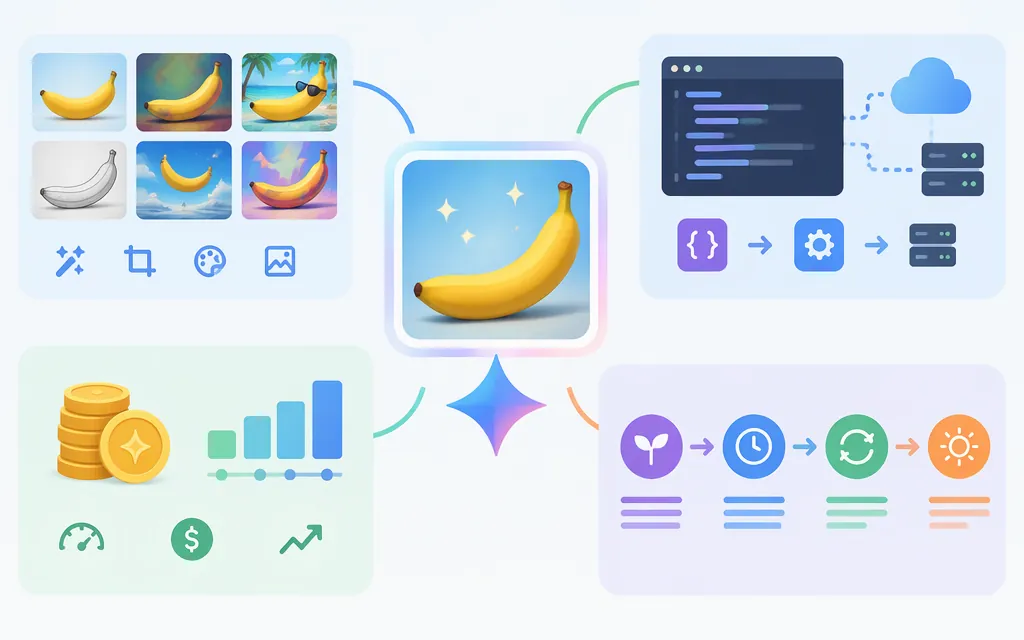
Gemini 2.5 Flash Image, also called Nano Banana, is Google’s image-generation and editing model. Its documented uses include creating images from text, editing images with natural-language instructions, combining images, and making conversational revisions. Google’s model page lists the model ID gemini-2.5-flash-image and image-and-text inputs and outputs. (developers.googleblog.com)
Check the API route before choosing it for a new project. The Gemini API model page currently lists this model as stable, but Google’s image-generation documentation is labeled for the legacy Generate Content API. That label does not, by itself, establish that the model is shut down or identify a direct Gemini API successor. On Google Cloud’s Agent Platform, the model is deprecated and scheduled for retirement on March 15, 2027; Google names Gemini 3.1 Flash-Lite Image as its replacement for that route. Do not assume that Cloud retirement date or replacement recommendation applies to every Google API surface. (ai.google.dev)
What the model does
The model supports image creation and editing, not only image understanding. Google describes combining images, making targeted natural-language edits, and maintaining character consistency across generations. Those are supported task types, not guarantees that every edit will be precise or preserve every detail. (developers.googleblog.com)
Consider it for tasks such as:
- Text-to-image generation: create a product concept, campaign visual, or other image from a prompt.
- Editing an existing image: request a localized change, then review the rest of the composition for unintended changes.
- Combining visual references: provide image inputs for a single composition.
- Conversational iteration: request revisions to an image in follow-up turns.
- Subject continuity: test whether a character, product, or other subject remains recognizable across scenes.
For the Google Cloud Agent Platform route, Google lists a maximum of 3 input images, up to 10 output images per prompt, and a 7 MB per-file limit for inline data or direct console uploads. It lists PNG, JPEG, WebP, HEIC, and HEIF as supported image formats. These are Cloud route specifications; confirm limits for the exact API surface you use. (docs.cloud.google.com)
When it may fit—and what to test
It may fit an existing integration that relies on image generation, editing, or conversational revisions. For a new integration, first choose the Google API surface and check that route’s current model guidance and lifecycle status. The Gemini API model page still lists gemini-2.5-flash-image as stable, while the Cloud Agent Platform page separately gives a retirement date and replacement. (ai.google.dev)
Before selecting a model, run a small evaluation with your own inputs:
- Include a new image, a localized edit, a follow-up revision, and any reference-image or in-image-text task your product needs.
- Set acceptance criteria first: for example, the requested element changes, the rest of the image remains acceptable, required text is legible, or the subject remains recognizable.
- Measure end-to-end latency, retries, review effort, and cost per accepted image in your own environment.
- Compare the result with the model Google currently recommends for your chosen route. Do not assume a replacement is a drop-in migration; check request behavior and output differences.
Production API access
For the Gemini Developer API, Google’s model page lists gemini-2.5-flash-image and image-and-text input and output. The Google Gen AI Python SDK supports client.models.generate_content. Configure a Gemini API key for this route; the SDK can pick it up from GEMINI_API_KEY or GOOGLE_API_KEY when creating a client without an explicit key. This is not the Google Cloud authentication setup. (ai.google.dev)
The following shows the basic text-to-image request pattern for an existing Gemini Developer API integration:
# pip install google-genai
# Set GEMINI_API_KEY in your environment first.

from google import genai
from google.genai import types

client = genai.Client()
response = client.models.generate_content(
    model="gemini-2.5-flash-image",
    contents="Create a clean product image of a ceramic mug on a pale blue background.",
    config=types.GenerateContentConfig(
        response_modalities=["TEXT", "IMAGE"]
    ),
)

for part in response.parts:
    if part.text:
        print(part.text)
    elif part.inline_data:
        part.as_image().save("generated.png")
For an edit, include the source image and an instruction in the request’s content, then inspect the returned parts for image data. Google’s official Agent Platform notebook documents image-to-image editing with the Google Gen AI SDK; Cloud authentication is configured separately from the Gemini Developer API key shown above. If the response contains no image part, do not assume an image was produced—handle that outcome explicitly and review the returned text or error details. (colab.research.google.com)
from PIL import Image

response = client.models.generate_content(
    model="gemini-2.5-flash-image",
    contents=[
        Image.open("input.jpg"),
        "Change the background to a light gray studio backdrop.",
    ],
    config=types.GenerateContentConfig(
        response_modalities=["TEXT", "IMAGE"]
    ),
)

saved_image = False
for part in response.parts:
    if part.text:
        print(part.text)
    elif part.inline_data:
        part.as_image().save("edited.png")
        saved_image = True

if not saved_image:
    print("No image was returned; inspect the response and handle this case.")
Treat these as minimal request patterns, not a complete production integration. Add input and output validation, error handling, spend monitoring, and retry controls. Google’s Gemini API documentation is labeled for the legacy Generate Content API, so verify the current supported API surface for your project before building new dependencies on it. For API-key authentication, Google says new keys created in AI Studio have been authorization keys by default since May 28, 2026, and unrestricted standard keys are rejected; follow the current key setup and restriction guidance. Rate limits vary by model and project tier. (ai.google.dev)
Pricing and budgeting
Google’s August 26, 2025 launch announcement listed $30 per 1 million image-output tokens and 1,290 output tokens for a typical image, or about $0.039 per image. The announcement said other input and output modalities follow Gemini 2.5 Flash pricing. The current Gemini Developer API pricing page retrieved for this revision did not expose a model-specific Gemini 2.5 Flash Image rate, so treat those launch figures as historical published pricing, not a verified current quote. (developers.googleblog.com)
At the historical typical-output estimate, 1,000 images would be about $39 for image output tokens alone (1,000 × $0.039). Input charges and any other applicable costs are separate; confirm current prices and billing units for the API route you will use before forecasting production spend. Google’s general API pricing page describes Batch API as offering a 50% cost reduction, but the retrieved material did not establish current Gemini 2.5 Flash Image batch eligibility or a model-specific batch rate, so that discount is not included in the estimate. (developers.googleblog.com)
Bottom line
Gemini 2.5 Flash Image (gemini-2.5-flash-image) supports image generation and editing, including conversational workflows. For an existing Gemini Developer API integration, the model page lists it as stable, but Google’s Generate Content image guide is labeled legacy; the available documentation here does not establish a specific direct-API successor recommendation. For Google Cloud Agent Platform, Google states that the model is deprecated, names March 15, 2027 as its retirement date, and recommends Gemini 3.1 Flash-Lite Image as the replacement. Choose based on the route you will deploy, verify the current API and price for that route, and test representative images before committing. (ai.google.dev)
Sources
Gemini 2.5 Flash Image (Nano Banana) — Google AI for Developers
Gemini image generation — Google AI for Developers
Using Gemini API keys — Google AI for Developers
Gemini API rate limits — Google AI for Developers
Gemini Developer API pricing — Google AI Studio
Introducing Gemini 2.5 Flash Image — Google Developers Blog
Gemini 2.5 Flash Image — Google Cloud documentation
Google Gen AI Python SDK documentation
Gemini 2.5 Flash Image generation and editing notebook — GoogleCloudPlatform