Short answer
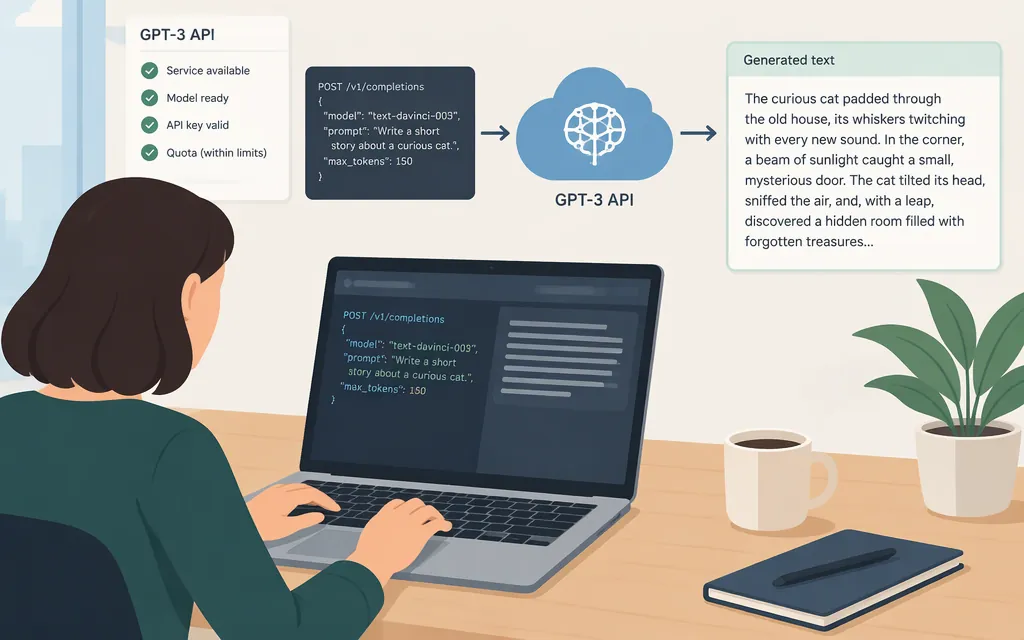
“GPT-3 API” can mean OpenAI’s older text-generation models or, more loosely, the OpenAI API. If you mean text-davinci-003, don’t build a new integration around it: OpenAI announced the retirement of older Completions API models and told developers using models such as text-davinci-003 to upgrade by January 4, 2024. That historical name does not identify the API to choose for a new integration. (OpenAI: older Completions API model retirement)
For a focused text-generation task, a currently documented option is GPT-6 Luna (gpt-6-luna) with the Responses API. OpenAI describes Luna as an efficient model for focused, high-volume tasks and documents it for text input and output. Check that the model is available to your API project before building around it. (GPT-6 Luna model documentation)
A news report published November 19, 2021 said OpenAI had opened GPT-3 API access in supported countries at that time. That announcement is historical, not confirmation that an older model remains available today. (Silicon Republic: 2021 GPT-3 API access report)
Set up access and protect your key
- Create or select an API project, create an API key, and check that the project has access to the model you plan to call. The current supported-countries list includes the United States; check it for other locations because availability can change.
- Store the key in an environment variable or secret manager on your server or development machine. Do not put it in browser or mobile-app code or commit it to source control. (OpenAI Developer quickstart; API key safety guidance)
- Make sure your API organization has usable API access and billing or credits available for the request. The quickstart calls for an API key; billing status, available credits, and applicable organization or project usage limits can affect whether a request succeeds. Check the error code and your organization’s billing and limits if it does not. (Developer quickstart; troubleshooting API usage and spend limits)
Make a first text-generation request
This cURL example sends a prompt to the Responses API. Set OPENAI_API_KEY in your shell first; do not paste a live secret into a shared script or commit it to your repository.
export OPENAI_API_KEY="your-api-key"

curl https://api.openai.com/v1/responses \
  -H "Content-Type: application/json" \
  -H "Authorization: Bearer $OPENAI_API_KEY" \
  -d '{
    "model": "gpt-6-luna",
    "input": "Write a two-sentence product description for a stainless steel water bottle."
  }'
This is a POST request to /v1/responses using Bearer-token authentication. The JSON body supplies the model and input fields. The response is a structured response object; for text-only output, find the message’s text content in its output items. If you use an OpenAI SDK instead, its quickstart example reads the generated text from response.output_text. See the create-response reference for the response schema and the quickstart for SDK examples. (Responses API text-generation guide)
A successful HTTP response means the request returned a model response; it does not establish that the output is accurate or suitable for your application. Test representative prompts against your own quality requirements.
Production checks
- Identify the error before retrying. A
429can indicate request-rate limiting, an exhausted credit balance, an organization usage limit, or a configured organization or project hard spend limit. Check the returnederror.code: billing and limit errors will not be fixed by retrying alone. (OpenAI API error codes; troubleshooting API usage and spend limits) - Distinguish alerts from hard spend limits. A spend alert sends a notification and does not stop API traffic. A hard spend limit can cause affected requests to fail, but enforcement is not instantaneous, so recorded spend may slightly exceed the configured amount. (OpenAI spend limits)
- Check data handling for this endpoint. OpenAI says API data is not used to train or improve its models unless you opt in. Abuse-monitoring logs may contain prompts and responses and are retained for up to 30 days by default, subject to stated exceptions. Responses API application state is also retained for 30 days by default or when
storeis set totrue; use"store": falseif you do not want that application-state storage for this request. This setting is distinct from abuse-monitoring retention. (OpenAI data controls) - Review applicable requirements before launch. Check OpenAI’s current Usage Policies and any legal or professional duties that apply to your application. Do not treat a model response as a guarantee of correctness or policy compliance.
Bottom line: If “GPT-3 API” means an older Completions model such as text-davinci-003, use a currently documented model and endpoint instead. For focused text generation, you can start with gpt-6-luna and POST /v1/responses, after checking project access, available API usage, and your own output-quality requirements.
Sources
GPT-4 API general availability and deprecation of older models in the Completions API
OpenAI opens developer access to GPT-3 text generator
Supported countries and territories
Best practices for API key safety
Troubleshooting API usage and spend limits