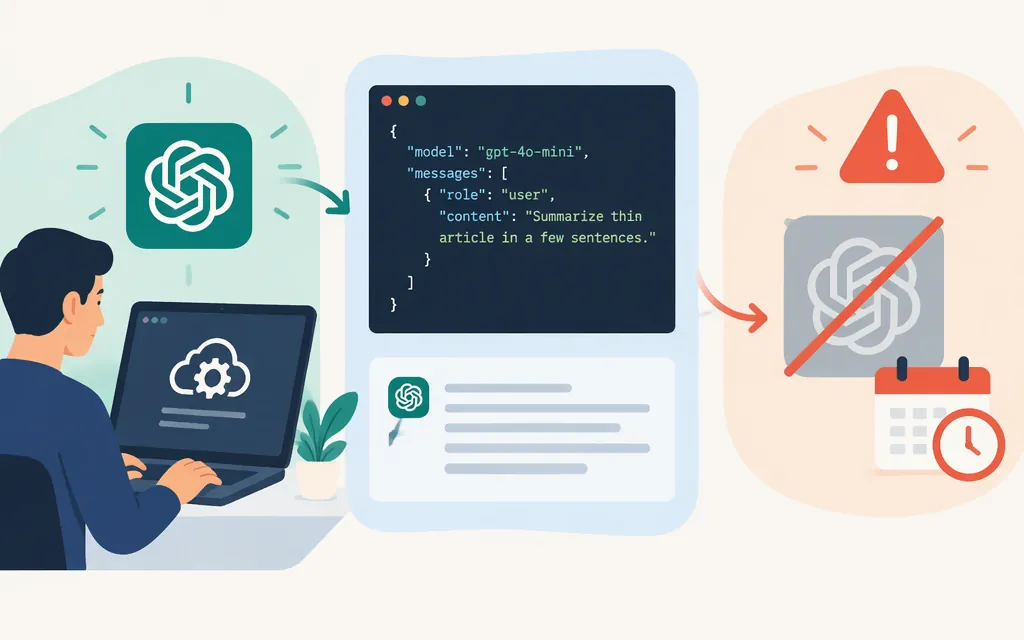
Important: OpenAI’s model documentation marks GPT-4o mini as deprecated. It lists the model ID gpt-4o-mini and the Responses API as supported, but that does not guarantee the model will remain available to your project. Check whether it is available before building a new integration; for a new production dependency, prefer a currently supported model. (OpenAI model documentation)
This guide covers the OpenAI API directly, not TokenForge Cloud or another third-party provider. Their credentials, API hosts, availability, and prices may differ.
What you need
- An OpenAI API account and an API key created in the API platform. The SDK reads
OPENAI_API_KEYfrom your environment. (OpenAI quickstart) - Python and the OpenAI Python SDK. Install it with:
python -m pip install openai
- API billing or credits sufficient for your usage. Paid API usage is billed separately from a ChatGPT subscription; configure billing in your API account if needed. Whether your project can use this deprecated model depends on its current availability and account access. (OpenAI Help Center)
For macOS or Linux, set the key in your shell before running the example:
export OPENAI_API_KEY="your-api-key"
Keep the key out of source control and browser or mobile code. OpenAI advises keeping API keys out of client-side environments. (OpenAI quickstart)
The example uses the direct OpenAI API host, api.openai.com; the corresponding Responses endpoint is https://api.openai.com/v1/responses. (OpenAI quickstart)
Make a first request with Python
Save this as gpt4o_mini_test.py:
from openai import OpenAI

client = OpenAI()

response = client.responses.create(
    model="gpt-4o-mini",
    input="Reply with exactly: API request succeeded",
)

print(response.output_text)
Run it:
python gpt4o_mini_test.py
The Python SDK’s quickstart uses OpenAI(), client.responses.create(...), and response.output_text; it also says the SDK reads the API key from the environment. If the call succeeds, it prints the model’s text response. The requested wording is an example prompt, not a claimed or tested output. (OpenAI quickstart)
What the model documentation lists
OpenAI lists text and image inputs, text outputs, and support for the Responses and Chat Completions endpoints. The model page also marks streaming, function calling, and structured outputs as supported. These are documented model details; verify endpoint-specific behavior for the request you plan to use. (OpenAI model documentation)
The page lists a 128,000-token context window and a maximum output of 16,384 tokens. Treat these as documented model limits, not recommended sizes for every request. (OpenAI model documentation)
If the request fails
Use the error code and message to choose the next step; a 429 does not always mean “wait and retry.” (OpenAI error-code guide)
- Authentication error (
401): Check that the key is correct, active, and associated with the intended organization or project. Replace an incorrect or revoked key; do not keep retrying the same invalid credential. (OpenAI error-code guide) - Model unavailable or not found: Check the model ID spelling and whether
gpt-4o-miniappears in the API’s model list for your credentials. The model page marks it deprecated; if it is unavailable to your project, select a currently available model rather than repeatedly resending the same call. The model-list endpoint documents currently available models. (OpenAI model documentation) 429rate limit: If the error identifies a request or token rate limit, reduce or pace requests and followRetry-Afterwhen present. Retry only in a bounded way. (OpenAI error-code guide)429quota, credits, or spend limit: Check the error code and API billing or limits settings. Add credits or address the relevant approved-usage, organization, or project spend limit. Retrying alone will not restore access. (OpenAI Help Center)- Server error (
500) or temporary model overload (503): Wait briefly and retry a limited number of times; if the error persists, check the API status information and investigate further. (OpenAI error-code guide)
Before putting it in production
- Check model availability first. The documentation labels GPT-4o mini deprecated. Review the models available to your project and do not assume the model will remain enabled. (OpenAI model documentation)
- Protect the API key. Keep it server-side and out of public repositories and client-side browser or mobile code. (OpenAI Python API reference)
- Check your project’s limits and usage controls. Rate limits and spend controls can vary by project and organization; review the values that apply to your account rather than relying on a generic example. (OpenAI Help Center)
- Evaluate your actual workload. Test representative inputs for output quality, failure behavior, latency, and cost. This is a practical evaluation step, not a guarantee of a particular quality threshold.
Bottom line: The direct OpenAI API example calls gpt-4o-mini through the Responses API and prints response.output_text. Because OpenAI marks the model deprecated, confirm that it is available to your project—and consider a currently supported model before making it a new production dependency.
Sources
Developer quickstart | OpenAI API
GPT-4o Mini Model | OpenAI API
List models | OpenAI API Reference
Managing billing for ChatGPT and the API platform
Troubleshooting API usage and spend limits