The short answer
“GPT Agent Mode” usually refers to a ChatGPT experience for completing tasks in multiple steps—not to the name of a GPT model. OpenAI’s Help Center says ChatGPT agent is no longer available and points users to ChatGPT Work for longer, multi-step tasks and finished deliverables.
For software you’re building, don’t assume you can embed that ChatGPT experience through an API. OpenAI documents separate developer options: the Agents API for a managed agent runtime, the Agents SDK when your application should control more of the agent loop, and the Responses API for direct model calls and custom orchestration. They are different integration paths, not documented feature-for-feature copies of ChatGPT Agent Mode. (OpenAI’s agent guide)
What is GPT Agent Mode: a model, a ChatGPT feature, or an API?
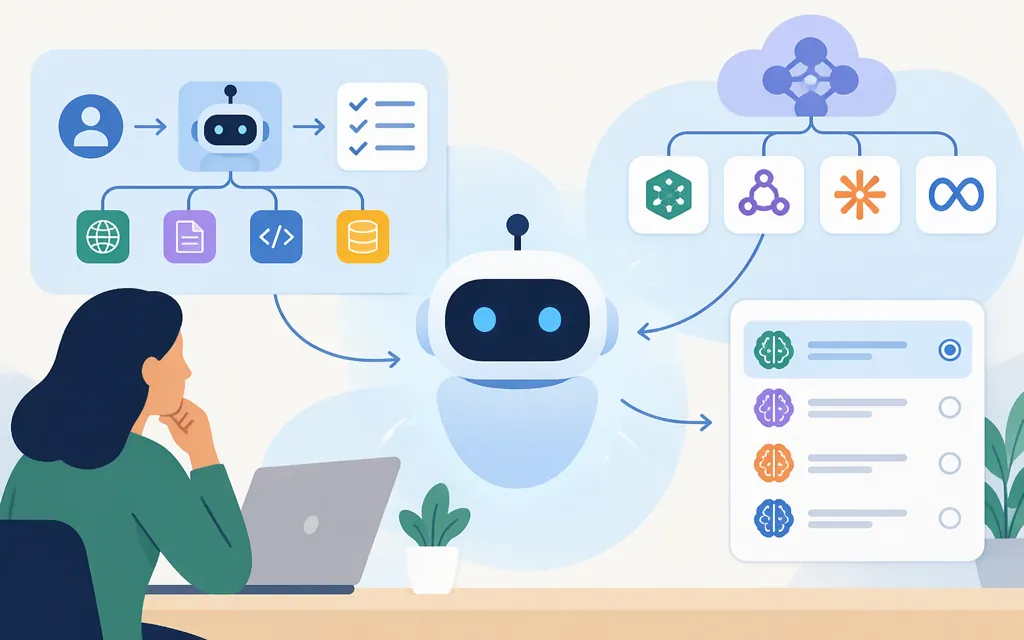
It is best understood as a ChatGPT product experience that combines a model with orchestration and tools. The term does not identify one API model that you select in a request. OpenAI’s launch announcement described the ChatGPT experience as reasoning and acting through a virtual computer; it is distinct from choosing a model or building an agent in your own application. (OpenAI’s launch announcement)
Keep these three things separate:
- A model generates or reasons over content. An API integration selects a supported model for its task.
- An agent runtime coordinates model calls, instructions, tools, context, and task progress.
- ChatGPT Agent Mode was a user-facing ChatGPT experience. OpenAI’s Help Center now points users to ChatGPT Work for longer tasks.
The practical implication: a model that works well in ChatGPT does not, by itself, give your application the same tools, permissions, interface, or workflow behavior.
Can you use ChatGPT Agent Mode in a production product through an API?
Don’t design around calling or embedding the ChatGPT Agent Mode experience itself. OpenAI documents separate developer products for building agents into applications. Their runtime and control trade-offs differ; the documentation does not establish that every ChatGPT capability is available through an API. (OpenAI’s agent guide)
| Option | Consider it when | What the documentation says |
|---|---|---|
| Agents API | You want a managed runtime for longer, multi-step work. | OpenAI manages sessions, orchestration, context compaction, and recovery; your application supplies tools and chooses the execution environment. Its FAQ labels the API beta. (Agents API overview; Agents API FAQ) |
| Agents SDK | You want your application to own deployment, tool implementations, stored state, and approval decisions while the SDK runs the agent loop. | OpenAI describes this as a code-first route with application-level control over tools, runtime behavior, and storage. (Agents SDK guide) |
| Responses API | You want to call models more directly and implement your own orchestration. | Your application controls integration and the agent loop; tools are configured for that API. (OpenAI’s agent guide) |
If the need is a ChatGPT workflow for a person or team—not an embedded feature in your product—OpenAI currently points users to ChatGPT Work for longer tasks. That is a different choice from building an API integration.
How to choose a production model and agent approach
Start with the work the system must do, not with the phrase “Agent Mode.” A useful selection brief answers four questions:
- What are the inputs and outputs? For example: three public vendor pages in, a comparison memo and a structured feature table out.
- What tools or environment are necessary? Does the workflow need only model responses, or also web retrieval, files, code execution, or external services? Hosted tools and application-provided tools are configured differently, and availability depends on the integration. (OpenAI tool guide)
- What can the agent change? Reading public information is different from editing a customer record, sending a message, or publishing content. Decide which actions require human approval.
- How will you tell success from failure? Specify checks that can be reviewed, such as source support for claims, valid output format, required fields, and whether any unauthorized write occurred.
A conditional starting configuration for a research pilot
For the example below—compare three public vendor pages and produce a sourced memo plus a CSV—a documented starting point to evaluate is gpt-5.4 with the Responses API, enabling its hosted web_search tool for public-page retrieval. OpenAI’s model page lists gpt-5.4 as supporting the Responses API, web search, function calling, and structured outputs. The web-search guide documents web search in the Responses API. (GPT-5.4 model documentation; web-search guide)
This is a documented compatibility-based candidate, not a tested recommendation or a claim that it will be the best model. In this setup, web search is a hosted OpenAI tool; the application supplies the vendor list, instructions, validation, and any CSV-generation or storage code. You can request structured output for the memo’s comparison fields, then have your application validate those fields and serialize the table as CSV. If instead you choose the Agents API or SDK, verify the model and tool configuration against that runtime’s documentation rather than assuming the Responses API setup transfers unchanged. (OpenAI tool guide; Agents API web-search guide)
Pilot plan and pass/fail checks
Treat this as an illustrative pilot plan, not a reported test result:
- Give the system a fixed list of three public vendor pages and a defined CSV schema.
- Require the memo to attach source references to material factual claims and to label missing or conflicting information instead of guessing.
- Prohibit external writes, purchases, messages, and publication during the pilot.
- Test representative cases: a missing page, conflicting figures, a claim absent from all sources, and malformed source content.
- Pass only if the output conforms to the schema, source references support the claims they accompany, missing or conflicting facts are flagged, and no prohibited action occurs.
- Fail if a material claim is unsupported or invented, the output cannot be parsed, a blocker is concealed, or any unauthorized write or other prohibited action occurs.
Run the same cases with the same instructions and tools for each candidate. Record answer-quality failures separately from retrieval or tool failures. Do not choose a “winner” from one impressive demonstration: the official documentation identifies available capabilities, but it does not establish which model will perform best on your particular workflow.
Production checks before you deploy
- Check the runtime and its status. For the Agents API specifically, the FAQ labels the API beta. Decide whether that status is acceptable for your deployment and what fallback you need. (Agents API FAQ)
- Keep credentials outside the agent sandbox. For the Agents API, OpenAI’s quickstart and FAQ say to keep the API key outside the sandbox; the FAQ also specifies the permissions used for session operations and model requests. (Agents API quickstart; Agents API FAQ)
- Review tool outcomes; a completed turn does not prove every tool succeeded. This is an Agents API check: OpenAI’s FAQ says to review the reported result because a completed turn may still include unsuccessful tools, and an idle session alone does not establish that the task finished. (Agents API FAQ)
- Use the documented Agents API recovery sequence after an event-stream disconnect. Retrieve the existing session and its saved items before retrying, so you can check what happened before submitting more work. This instruction applies to the Agents API session workflow; define a separate recovery procedure for any other runtime you select. (Agents API FAQ)
- Confirm retention and deletion behavior for the selected runtime. For the Agents API, the FAQ says session state is retained across turns, sessions and published artifacts can be deleted, and needed files should be saved before deleting a session. The API reference clarifies that deleting a published artifact does not delete the live environment file or the original Files API object; manage those separately if they also need removal. Do not assume these Agents API rules apply to the Responses API or SDK. (Agents API FAQ; delete a session artifact)
- Check data-location requirements. The FAQ currently lists data residency in the United States only for the Agents API. Confirm requirements for the specific product and runtime you plan to use. (Agents API FAQ)
- Budget for the components used. For the Agents API, OpenAI says model requests use the selected model’s API rates, with applicable charges for OpenAI tools and OpenAI-hosted sandboxes. Check current rates for your configuration. (Agents API overview; Agents API FAQ)
- Own approvals and control boundaries. With the SDK approach, OpenAI’s guide assigns deployment, tool implementations, storage, and approval decisions to your application. Define and test those controls for your own workflow. (Agents SDK guide)
Bottom line
“GPT Agent Mode” is not a production model name. It refers to a ChatGPT experience that OpenAI’s Help Center says is no longer available, while pointing users to ChatGPT Work for longer tasks. For a product integration, evaluate the separately documented Agents API, Agents SDK, or Responses API according to how much runtime and orchestration control you need. For a public-page comparison pilot, gpt-5.4 with Responses API web search and structured output is a documented starting configuration to test—not a measured model winner. Validate it against representative inputs, source-support requirements, output checks, and a zero-unauthorized-write criterion before deployment.
Sources
ChatGPT agent — OpenAI Help Center
Agents API (beta) FAQ — OpenAI Help Center
Web search — OpenAI Agents API