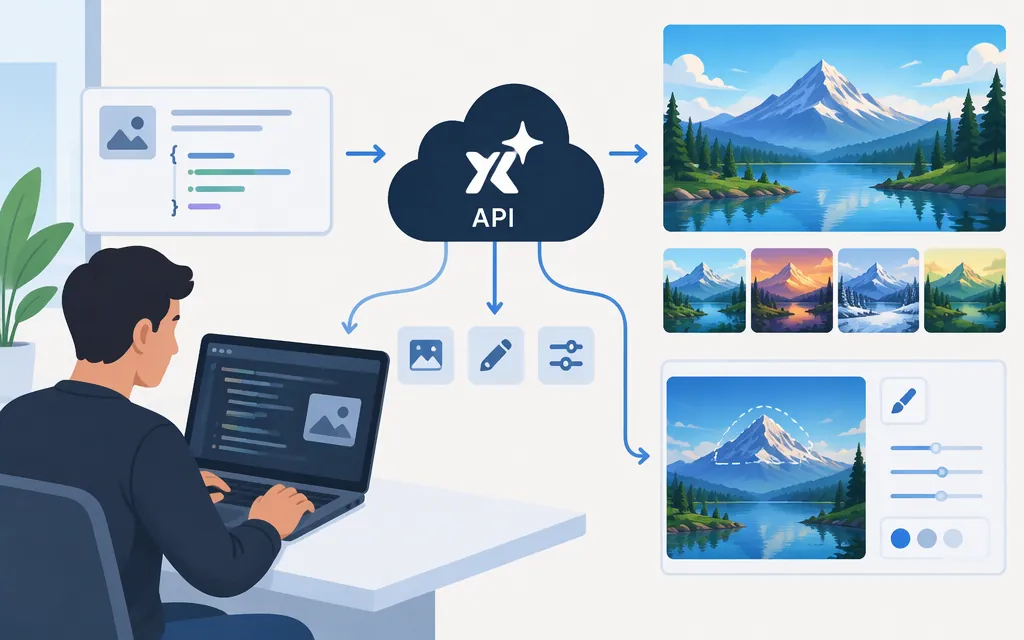
For direct access to Grok Imagine image generation, use xAI’s API—not an intermediary’s endpoint. This guide covers the grok-imagine-image-2.0 model, with separate endpoints for image generation and editing. The examples use an xAI API key; they do not establish that Token Forge Cloud offers this model or that its credentials work with xAI. (xAI image-generation docs)
Set up and make a first image request
Before making a request, follow xAI’s API quickstart to create an API key and check any account or billing prerequisites. Keep the key on the server, such as in an environment variable, rather than exposing it in browser code or committing it to source control.
The direct REST API uses bearer authentication and JSON. This minimal request uses the documented model and prompt fields. --fail-with-body makes curl return a failure status for HTTP error responses while displaying the response body; don’t assume an error-body schema that the API documentation does not specify.
export XAI_API_KEY="your_api_key"

curl --fail-with-body -sS -X POST https://api.x.ai/v1/images/generations \
  -H "Authorization: Bearer $XAI_API_KEY" \
  -H "Content-Type: application/json" \
  -d '{
    "model": "grok-imagine-image-2.0",
    "prompt": "A white ceramic coffee cup on a pale oak counter, soft morning window light, clean editorial product photography"
  }'
The generation call returns an image in the response. By default, the response includes a temporary URL in data[0].url; download or process the image promptly. The API also supports requesting base64 output. (xAI image-generation docs)
Generate variations or choose output settings
The REST API supports n from 1 to 10 images in one request; if omitted, n defaults to 1. The image-generation documentation also describes controls for aspect ratio, resolution, and quality. Check the current model documentation for accepted values before adding those optional fields; the minimal request above avoids assuming them. (xAI image-generation docs)
Edit an existing image
Use the separate /v1/images/edits endpoint to edit an image. For a public source image, the documented request uses an image object with url and type: "image_url":
curl --fail-with-body -sS -X POST https://api.x.ai/v1/images/edits \
  -H "Authorization: Bearer $XAI_API_KEY" \
  -H "Content-Type: application/json" \
  -d '{
    "model": "grok-imagine-image-2.0",
    "prompt": "Render this as a pencil sketch with detailed shading",
    "image": {
      "url": "https://docs.x.ai/assets/api-examples/images/style-realistic.png",
      "type": "image_url"
    }
  }'
The source image can also be supplied as a base64 data URI or a Files API file_id. xAI documents multi-image editing with up to five source images. (xAI image-editing docs)
Handle results and save outputs
The generation and editing requests shown here are synchronous: check that the POST succeeds before trying to parse its image result. For example, with curl, --fail-with-body returns a nonzero exit status for an HTTP error. On a successful response, validate that the response contains data[0].url before using that field; the default URL response is not a permanent asset link. The REST reference shows the response URL field. (xAI Images API reference)
xAI documents HTTP 429 for requests that exceed a model rate limit. Treat that as a failed request rather than trying to read an image URL; use a backoff-and-retry strategy appropriate to your application, since the cited rate-limit guidance does not establish a specific retry schedule. (xAI rate limits)
Pricing and production checks
xAI’s migration documentation lists grok-imagine-image-2.0 low-quality output at $0.04 per 1K image and $0.06 per 2K image. For edits, it lists an additional $0.01 per input image. These figures do not cover every quality and resolution combination; check xAI’s current pricing documentation before budgeting other settings. (xAI model migration note)
Before production deployment, review the applicable rate limits for your xAI team and plan for temporary output URLs. xAI’s API security FAQ says it does not train on API inputs or outputs without explicit permission. It also says requests and responses are stored, encrypted at rest, for 30 days for auditing. (xAI API security FAQ)
Model-name note: Effective November 2, 2026, xAI retired the grok-imagine-image-quality model slug. Requests to that slug continue to resolve but are served by grok-imagine-image-2.0 at low quality. For new integrations, use grok-imagine-image-2.0 explicitly so the selected model is clear. (xAI model migration note)
Sources
Grok API Quickstart: Get Your API Key — xAI Docs