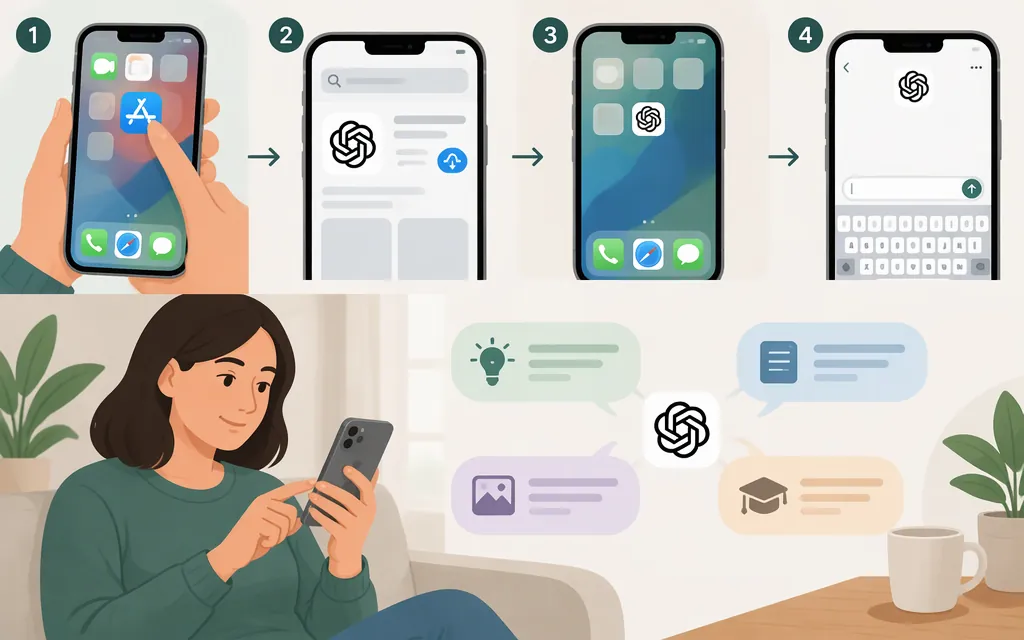
The simplest way to use ChatGPT on your iPhone is to install the official ChatGPT app from the App Store, open it, and send a question. You can also open chatgpt.com in Safari without installing the app. For either option, you can start with a prompt such as: “Help me plan three easy dinners for this week.” The official app listing is published by OpenAI OpCo, LLC; check the developer name before downloading. (help.openai.com)
Get ChatGPT and start your first chat
- Open the App Store on your iPhone.
- Search for OpenAI ChatGPT. Before downloading, confirm the developer is OpenAI OpCo, LLC. Don’t rely on an app’s name or icon alone. (
help.openai.com) - Tap Get, then open ChatGPT after it installs. If you’re unsure whether your iPhone meets the current software requirements, check the requirements shown on the official App Store listing; they can change. (
help.openai.com) - Sign in, or follow the access options shown in the app. If you already have an account, use the same sign-in method you used before, such as email or the relevant Apple, Google, or Microsoft option. (
help.openai.com) - Type a question in the message box and send it. Then read the answer and ask a follow-up in the same conversation. (
help.openai.com)
Try this: “Plan three easy vegetarian dinners for two, with a grocery list.” Then follow up with: “Make the recipes take 30 minutes or less.” A clear request and a specific revision usually make it easier to get a response that fits what you need.
Use ChatGPT in Safari instead
If you’d rather not install the app, open Safari, go to chatgpt.com, and enter your prompt. OpenAI says ChatGPT can be used before creating an account in supported locations, but access can vary. When you’re signed out, chats aren’t saved to your history; signing in or creating an account lets you save and manage conversations. (help.openai.com)
Which should you choose? Use the app if you want ChatGPT installed on your phone. Choose Safari if you prefer to use the website without adding an app. You can start with either route; you don’t need to set up a developer API to have an ordinary chat.
Do you need an API key?
No—not to use ChatGPT in its official iPhone app or on chatgpt.com. An API is a separate developer option for building a product or service that sends requests to a model. OpenAI advises developers not to put API keys in mobile apps or browsers: route API requests through your own backend so the key isn’t exposed in the client. (help.openai.com)
API usage also has its own billing system, separate from a ChatGPT subscription. If you’re building a production integration, consult the current API documentation and pricing, and plan for secure credentials and usage controls. An API key is not a shortcut required for everyday iPhone use. (help.openai.com)
Sources
ChatGPT iOS and Android app FAQ
Best practices for API key safety