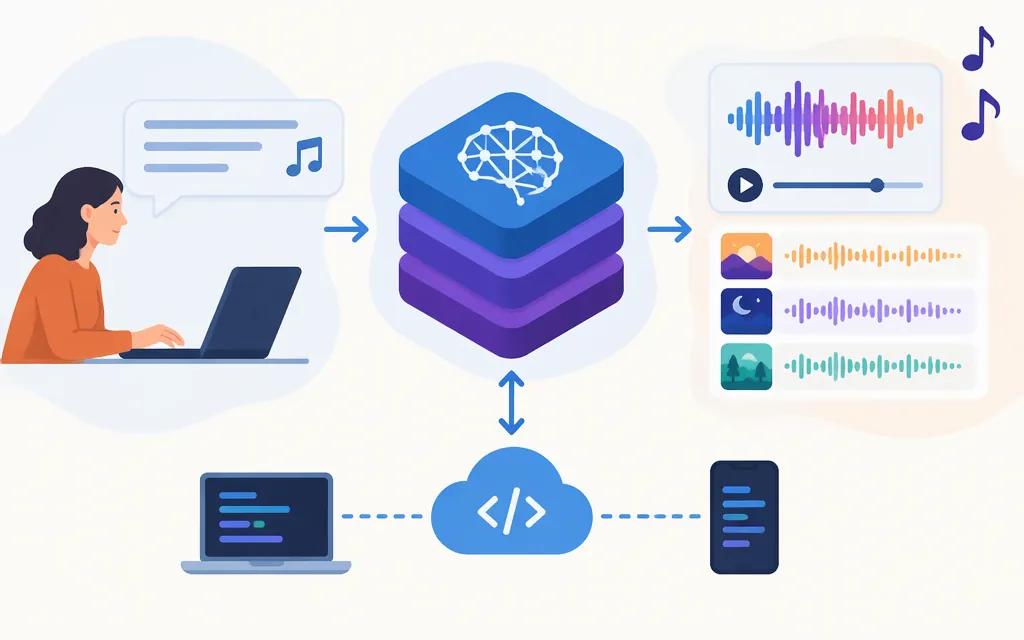
At a high level, Suno turns creative direction into generated music. A third-party overview describes users prompting Suno with details such as genre, mood, lyrics, or instrumentation, which the system interprets to generate a composition. That is a useful user-level summary—not a technical description of Suno’s architecture or audio-generation pipeline.
Suno’s user-facing creation and model options can help with a creative workflow, but they do not by themselves establish access to a production API. Verify that separately before choosing Suno for software integration.
From an idea to generated music
A simple way to understand the process is describe → generate → refine:
- Describe the musical direction. The third-party overview names genre, mood, lyrics, and instrumentation as possible prompt details. Treat these as examples, not a complete list of supported inputs or a universal description of every Suno workflow.
- Add references when the workflow supports them. Suno’s v6 FAQ says a prompt can reference multiple inputs, including Suno songs, playlists, audio uploads, images, and video, alongside guidance about the desired output. The available information does not establish that every input is available in every workflow or plan. (Suno Help Center: v6 FAQ)
- Generate and refine. Suno’s Help Center groups editing and remixing among its music-making topics. Those category descriptions identify feature areas but do not specify every control or its availability. (Suno Help Center: Making Music)
For example, an illustrative, untested prompt might be: “An instrumental, late-night jazz track with brushed drums, warm piano, and a relaxed, intimate mood.” It shows one way to express musical direction; it is not a report of a tested Suno result.
The third-party overview characterizes Suno as interpreting prompt details and generating a composition. It does not document the model architecture, training process, or exact generation stages, so those internal details should not be inferred from this high-level explanation. (CometAPI: How does Suno AI work?)
Which Suno model should you choose?
The cited Suno model documentation distinguishes these two v6 options:
- v6: Positioned for stronger control and precision when you want your idea to come through clearly.
- v6-wild: Positioned for experimentation and less predictable directions.
That supports a practical starting point: consider v6 when you have a clear direction, and v6-wild when you want more unexpected results. This follows Suno’s descriptions; it is not an independent comparison test. (Suno Help Center: Current Models: v6)
The information cited here does not establish a complete comparison of all model options, their plan eligibility, or generation-duration limits. Check Suno’s current documentation for those details before making a model or plan decision.
Is Suno suitable for production through an API?
Do not assume that a consumer-facing music feature or an assistant connection is the same thing as a production-ready API. Suno has an official Platform page labeled for managing a Suno API account, but the information cited here does not establish onboarding, available endpoints, access eligibility, pricing, or production terms. Confirm those details through Suno’s official platform before building around API access. (Suno Platform)
Suno also offers Suno MCP (Beta), which connects a Suno account to a compatible AI assistant. Suno’s Help Center says it works with all Suno plans, including Free, and that music creation uses credits according to the user’s plan. That describes an assistant-based connection; it does not by itself establish a general-purpose REST API, service-level commitments, or authorization for a particular commercial integration. Because Suno labels MCP as beta, assess whether that status fits your production requirements before relying on it. (Suno Help Center: Suno MCP (Beta) FAQ)
Before choosing Suno for an automated product, confirm:
- whether your organization can obtain the relevant API access;
- which models, inputs, and outputs are supported for that access route;
- the applicable usage terms, billing, rate limits, and operational commitments; and
- whether the access is suitable for your intended commercial and production use.
The public information cited here does not answer those account- and use-case-specific questions. Nor does it establish a TokenForge integration. Base a production decision on the API terms and technical documentation available to your account—not on the existence of Suno’s creative features or MCP beta.
Bottom line
From a creator’s perspective, Suno takes creative direction and generates music that users can further shape through documented creation and editing workflows. Its v6 documentation presents v6 as the more control-oriented option and v6-wild as the more experimental one. The exact internal generation mechanism is not explained in the cited user documentation. For software integration, verify API access and terms separately; Suno MCP beta is an assistant connector, not proof of a production REST API.
Sources
Suno Help Center: Making Music
CometAPI: How does Suno AI work?