Short answer
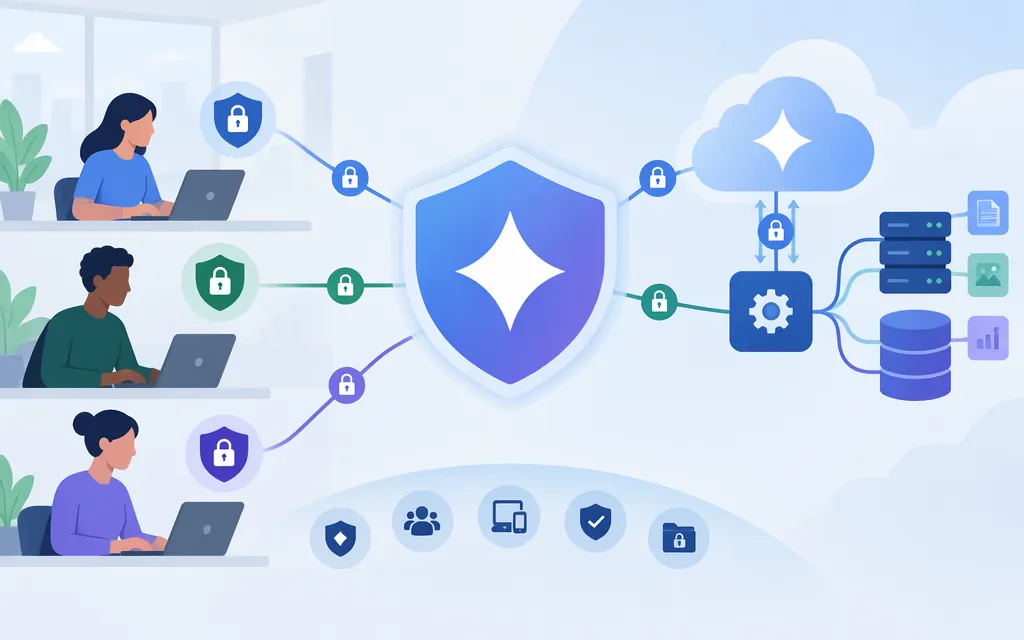
There is no single security verdict for every Gemini product. Google describes protections for Gemini in Google Workspace, while the Gemini Developer API has separate data-use and retention terms. These are product-specific statements, not independent tests proving every deployment secure. (Google Workspace security)
For a production API workflow, decide based on the exact project, account, features, data, and contractual requirements. Google’s Developer API documentation says Paid Services prompts and responses are not used to improve Google products, but this does not mean nothing is retained. Google says API prompts, contextual information, and outputs may be retained for abuse monitoring. Its documentation directs workloads requiring guaranteed zero data retention (ZDR) or enterprise data-processing agreements to Vertex AI; check that offering’s terms and setup separately before choosing it. (Developer API ZDR documentation)
What Google says about Gemini in Workspace
These claims apply to Google Workspace with Gemini; do not automatically extend them to the consumer Gemini app or Developer API:
- Data use: Google says Workspace customer data is not used to train or improve underlying models outside Workspace without permission. It also says Workspace data, including data in products such as Gmail, is not reviewed by humans or used for generative-AI model training outside the customer’s domain without permission.
- Permissions and administration: Google describes Gemini retrieving Workspace data only when the user has permission to access it. The page also names DLP controls, administrator-managed access, activity logging and export, and device-specific access policies. For example, Google says Gemini can retrieve a Drive file only if the user is permitted to access it. These are Google’s product claims, not independent test results for every configuration.
- Prompt injection: Google describes layered defenses against indirect prompt injection, including model hardening, detection systems, and system safeguards. The page provides no attack-success measurements and does not claim prompt injection is impossible.
- Additional controls: Google describes client-side encryption for certain critical Workspace data. Confirm availability, setup requirements, and effects on Gemini features for the specific Workspace configuration you are evaluating.
These statements can inform a Workspace decision. They do not establish a product-wide security rating or prove that another Gemini product meets your requirements.
What to know about Gemini Developer API data
Google’s API terms distinguish Unpaid Services from Paid Services. The supplied terms information says content submitted to Unpaid Services—including unpaid Gemini API quota—and generated responses may be used to provide, improve, and develop Google products and machine-learning technologies. For Paid Services, Google says prompts and responses are not used to improve its products. Before sending sensitive data, verify which classification applies to your project and account in the current terms. The regional exception and any restriction on serving users in the EEA, Switzerland, or the UK are not confirmed here; check the current terms for the relevant user and project locations. Do not infer that paid status alone resolves those regional conditions. (Gemini API terms)
Paid does not mean “nothing is retained.” Google says it retains API prompts, contextual information, and outputs for 55 days for abuse monitoring. That retention is separate from developer-controlled request logging and feature-specific storage. The conditions for any human review and the precise uses of abuse-monitoring data are not established here; consult the current abuse-monitoring documentation rather than assuming that review is limited to a particular trigger or that monitoring data is never used for policy-enforcement purposes. (Abuse monitoring documentation)
Check developer logging and optional features separately:
- Request storage: Google’s documentation says Interactions API requests are stored by default. It also says Generate Content API requests are stored by default for projects created on or after October 26, 2026. Check the actual project and request settings before sending sensitive data; do not assume a particular setting overrides another without confirming the current documentation. (Logs and datasets documentation)
- Feature-specific storage: Grounding, file uploads, Live sessions, and other features may have separate storage conditions. Check the current documentation for each feature you enable; a request-logging setting alone does not establish zero retention across every feature. (ZDR documentation)
- Optional sharing: Google describes developers choosing to share logs or datasets as feedback to help improve products. Treat this as a separate choice from default request storage, and do not share sensitive or confidential data unless your organization has approved it. (Data logging and sharing documentation)
Practical decision: The Developer API may be suitable if its data-use terms, 55-day abuse-monitoring retention, project settings, and feature-specific storage meet your policy. If guaranteed ZDR or an enterprise data-processing agreement is required, Google’s documentation directs you to Vertex AI. Review that offering’s terms and configuration separately before deciding. (Developer API ZDR documentation)
Production-readiness checklist
For the exact product, project, account, region, and features you plan to use, verify:
- Product and service classification: Is this Workspace, consumer Gemini, or the Gemini Developer API? For the API, confirm whether the project is classified under Unpaid or Paid Services. Check the current regional terms for the locations involved; the applicable location rules are not confirmed in this guide.
- Data lifecycle: What happens to prompts, uploaded files, outputs, logs, and conversation state? Check abuse monitoring separately from developer logging and optional sharing.
- Retention boundary: Do you need a defined retention period, guaranteed ZDR, or contractual terms? Check whether the features you plan to use introduce separate storage conditions. Google’s API documentation directs workloads requiring guaranteed ZDR or enterprise data-processing agreements to Vertex AI.
- Authentication and credentials: Google documents standard and authorization API keys, with authorization keys bound to a Google Cloud service account. Follow the current credential guidance to check key restrictions, secure storage, client-side exposure, and credential lifecycle; do not assume a restriction is automatically enabled. (Using Gemini API keys)
- Application safeguards: Decide what data the application sends and what actions it permits. Add appropriate access restrictions and human review for consequential actions; a model’s output is not itself authorization or verification.
- Unresolved requirements: If a required API commitment or control cannot be confirmed in current first-party documentation or contract terms, treat suitability as not yet established rather than inferring it from Workspace claims.
Bottom line
Gemini has documented, product-specific protections, but “How secure is Gemini?” depends on which product and workflow you mean. Google describes permission, DLP, administrative, and prompt-injection controls for Workspace. The Developer API has separate terms for unpaid and paid use, abuse monitoring, request storage, and feature-specific retention. For production, make the decision against the exact terms and safeguards your workflow requires; do not assume Workspace protections or paid status alone settle the question.
Sources
Generative AI Security, Compliance and Privacy | Google Workspace
Gemini API Additional Terms of Service
Zero data retention in the Gemini Developer API
Logs and datasets | Gemini API