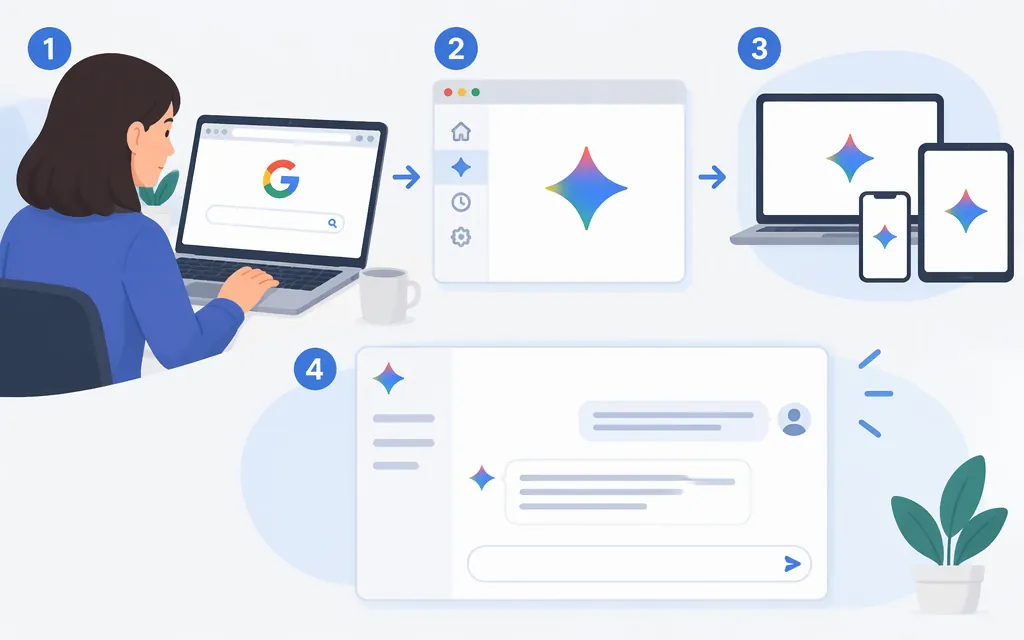
For a personal conversation, go to gemini.google.com or open the Gemini mobile app. To integrate Gemini into software, use the separate Gemini Developer API through Google AI Studio. Consumer access and API credentials are different routes.
Use Gemini for personal conversations
In a web browser
- Visit
gemini.google.comin a supported browser. - Enter a prompt and submit it. A reply in the chat confirms that you’ve started a conversation.
- Google says some web-app features work without signing in. Sign in with a Google Account for additional features or to save Gemini Apps activity. For sign-in, Google lists personal accounts, qualifying work accounts, and school accounts where an administrator has enabled Gemini. Personal and school account users generally must be 13 or older (or the applicable age in their country); work-account users must be 18 or older. Google says Family Link-managed accounts can’t access the web app. See Google’s sign-in requirements.
Google says the web app is available in more than 230 countries and territories, but availability and supported languages vary. Check its current availability list for your location.
On Android
- Open the Gemini app on Google Play, or install it if it’s not already on your phone.
- Enter a prompt and tap Submit. Follow any sign-in prompt shown in the app; availability and account access can depend on your location, device, and account.
- A reply in the app confirms that you’ve started a conversation. You can also use the Android assistant shortcut if it’s available on your device.
Google lists the app for Android phones and many foldables. Its stated Android 9-and-up and 2 GB RAM requirements apply to tablets; Google notes that Android Go doesn’t support the app. The availability page does not specify a minimum Android version or RAM requirement for Android phones. Review Google’s Android app requirements and country list. Mobile-app availability differs from web availability; Google says the mobile app is available in more than 150 countries.
On iPhone or iPad
- Install or open Google Gemini in the U.S. App Store. The app requires iOS 16 or later, according to Google’s iOS availability guidance.
- Type a prompt and tap Send, or use the microphone to speak. Follow any sign-in prompt shown. Google says some app features can be used without signing in; a Google Account is needed for additional features or to save Gemini Apps activity. See Google’s iOS getting-started guide.
- A reply in the app confirms that you’ve started a conversation.
Google says mobile availability varies by country and language. Check its mobile availability page for the current list; a U.S.-localized store listing by itself does not guarantee access for every account or location.
Account and age conditions
Google’s current sign-in guidance says personal and school Google Accounts generally require users to be at least 13 (or the applicable age in their country); school access must be enabled by the institution’s administrator. Work-account access requires the account to have a qualifying Workspace edition and the user to be at least 18. For mobile apps, Google says users under 13 need parental approval; the web app has a separate restriction for Family Link-managed accounts. These rules differ by platform and account type, so check the relevant sign-in and mobile-app requirements rather than treating optional feature requirements as general access rules.
Make a first Gemini API request
Use the Gemini Developer API when your software needs to send prompts to Gemini and receive responses. The example follows Google’s Python quickstart and uses the gemini-3.8-flash model identifier. Google’s model page labels that model stable. Before running it, check the current pricing page to confirm that this model is enabled for your project’s tier. Google’s Free Tier covers only selected models, and the available evidence here does not establish whether this model is included; don’t assume the example will run on a free project.
- Open Google AI Studio’s API keys page. Google says new users receive a project and API key by default. If you need another key, select Create API key and follow the dialog to create a key-project pair.
- Set the key as an environment variable and install the Python SDK:
export GEMINI_API_KEY="YOUR_API_KEY"
pip install -U google-genai
- Save this as
gemini_access.py:
from google import genai

client = genai.Client()
interaction = client.interactions.create(
    model="gemini-3.8-flash",
    input="Explain what an API is in one sentence."
)
print(interaction.output_text)
- Run
python gemini_access.py. Text printed frominteraction.output_textconfirms that the request returned a response. The Python SDK can readGEMINI_API_KEYfrom the environment.
Keep the key in server-side configuration or a secrets manager; don’t commit it to source control or expose it in browser or mobile-app code. Google warns that a leaked key can let others use your project’s quota. See its API-key guidance.
Region, tier, and billing
Check Google’s supported-region list and AI Studio access guidance before creating or relying on a project. Access can depend on region and account eligibility; the consumer app’s availability does not establish API eligibility.
Google says Free Tier access is limited to certain models. If the model you want is not available to your project on that tier, or you need paid-tier access, Google’s billing instructions say to select Set up billing in AI Studio, create or link a Cloud Billing account, add a payment method, and prepay at least $5 (or the equivalent in another currency). Check the current model pricing and billing instructions before running requests; model access and charges can change. A successful sample request confirms connectivity, not full production readiness.
Choose by purpose: use the browser or mobile app for a direct conversation; use the API to integrate Gemini into software. One route working does not confirm access or credentials for the other.
Sources
What you need to sign in to Gemini Apps
Where you can use the Gemini web app
Gemini mobile app availability — Android
Gemini mobile app availability — iPhone and iPad
Get started with the Gemini mobile app — iPhone and iPad
Google Gemini — U.S. App Store