Short answer: You can no longer use the original GPT-5 in ChatGPT: OpenAI says GPT-5 Instant and Thinking were retired there on February 13, 2026. For API use, OpenAI’s model documentation still lists gpt-5 and the Responses endpoint, but marks GPT-5 deprecated. That makes it a legacy option, not a recommended starting point for a new production integration. Availability to a particular API project is not guaranteed. (ChatGPT model retirement notice; GPT-5 API model page)
“GPT-5” can also refer to later models in the GPT-5 family. They are not automatically interchangeable with the original model. This guide covers the original GPT-5 specifically.
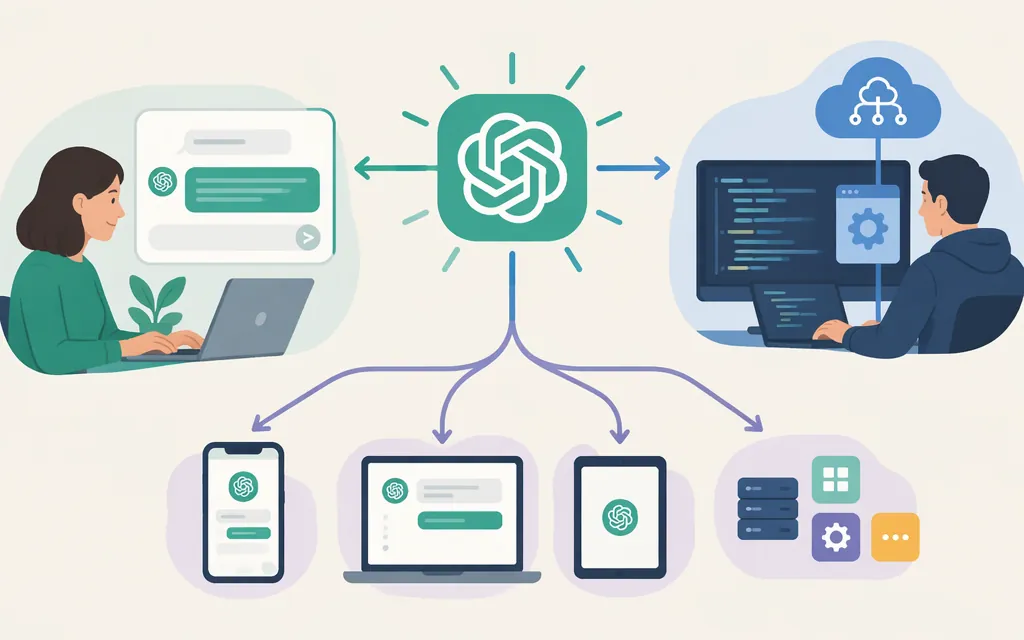
Choose your access route
- For chat: Sign in to ChatGPT and use a model currently shown in your model menu. That will not give you the original GPT-5, which has been retired from ChatGPT.
- For an app or workflow: Use the OpenAI API. Its model page lists the
gpt-5alias and thegpt-5-2025-08-07snapshot, and lists the Responses endpoint as supported. Both are marked deprecated, so check current documentation and your project’s access before relying on either. - For a new integration: Choose a model that OpenAI currently recommends and supports rather than building around deprecated GPT-5.
Can you still use GPT-5 in ChatGPT?
No—not the original GPT-5. OpenAI’s retirement notice says GPT-5 Instant and Thinking left ChatGPT on February 13, 2026. Sign in and choose from the models currently available in your account’s model menu; selecting a different model does not restore access to the original GPT-5. (OpenAI’s retirement notice)
How to try the original GPT-5 through the API
The API model page lists gpt-5 and gpt-5-2025-08-07, supports the Responses endpoint, and marks GPT-5 deprecated. The example below uses the listed gpt-5 alias with the documented Python SDK Responses pattern. It has not been run here. Because GPT-5 is deprecated, confirm that it is still available to your API project before using it; the documentation does not guarantee access for every project. (GPT-5 API model page; Python API quickstart)
1. Prepare an API project and key
You can use an existing API project. Creating a project requires the organization owner role; project members can create project-level keys and make API requests. If you do not have the required access, ask your organization owner to grant it. (Project roles and permissions)
Create a secret API key for the project and store it securely. The full key is shown only when it is created, so do not put it in source code or share it. (API key help)
Paid API usage requires API billing to be set up separately from ChatGPT billing, unless applicable API credits are available. A ChatGPT subscription by itself does not pay for API usage. (API billing guide)
2. Install the Python SDK and set your key
Install the official OpenAI Python package:
pip install openai
Set the key as an environment variable in the same environment where you will run Python. On macOS or Linux:
export OPENAI_API_KEY="your_api_key_here"
In PowerShell:
$env:OPENAI_API_KEY="your_api_key_here"
The SDK reads OPENAI_API_KEY from the environment. (Python quickstart; official Python SDK installation)
3. Make a minimal request
Save the following as try_gpt5.py, then run python try_gpt5.py:
from openai import OpenAI

client = OpenAI()
response = client.responses.create(
    model="gpt-5",
    input="Reply with one short sentence confirming the request worked.",
)

print(response.output_text)
The GPT-5 model page lists both the gpt-5 alias and the Responses endpoint. The quickstart documents the client.responses.create(...) pattern and response.output_text accessor. If the request succeeds, the script prints the model’s returned text. If it fails, inspect the API error; check that the key is loaded, that the project has billing or applicable credits, and that GPT-5 is available to the project. (GPT-5 API model page; Python API quickstart; API billing guide)
The model page also lists gpt-5-2025-08-07, the dated snapshot, and marks it deprecated too. Use it only if you have a specific legacy compatibility reason and have confirmed project access. (GPT-5 API model page)
Production checklist
- Keep credentials on your server. Do not put an API key in browser or mobile-app code or commit it to a repository. OpenAI recommends routing requests through a backend and protecting the key. (API key safety guidance)
- Use an application-specific identity. For an application, OpenAI recommends a project service account rather than depending on an individual developer’s key. (Production best practices)
- Review billing and monitor usage. API charges are separate from ChatGPT subscriptions. Review your API project’s usage and billing settings; do not assume a budget or alert is an enforced spending cap. (API billing guide; Project guide)
- Plan to migrate. GPT-5 is deprecated. For a new production integration, use a currently supported model and test the migration rather than depending on a deprecated model. (GPT-5 API model page)
Troubleshooting
- GPT-5 is missing from ChatGPT: That is expected; OpenAI retired the original GPT-5 from ChatGPT. Choose a model currently available in your account instead. (Retirement notice)
- The API request is rejected: Check that
OPENAI_API_KEYis set in the environment running Python, that API billing or applicable credits are in place, and that the model is available to your project. Use the returned API error and project usage information to investigate. - You need GPT-5 for a new product: Reconsider relying on a deprecated model. Review the current model documentation and choose a supported option where possible. (GPT-5 API model page)
Bottom line
The original GPT-5 is no longer available in ChatGPT. OpenAI’s API documentation still lists gpt-5 and the Responses endpoint, but marks GPT-5 deprecated. For a legacy use case, set up an API project and key, confirm GPT-5 is available to that project, and try the request above. For a new production integration, choose a currently supported model.
Sources
Retiring GPT-4o and other ChatGPT models
Developer quickstart | OpenAI API
Managing projects in the API platform
Where do I find my OpenAI API Key?
Managing billing for ChatGPT and the API platform